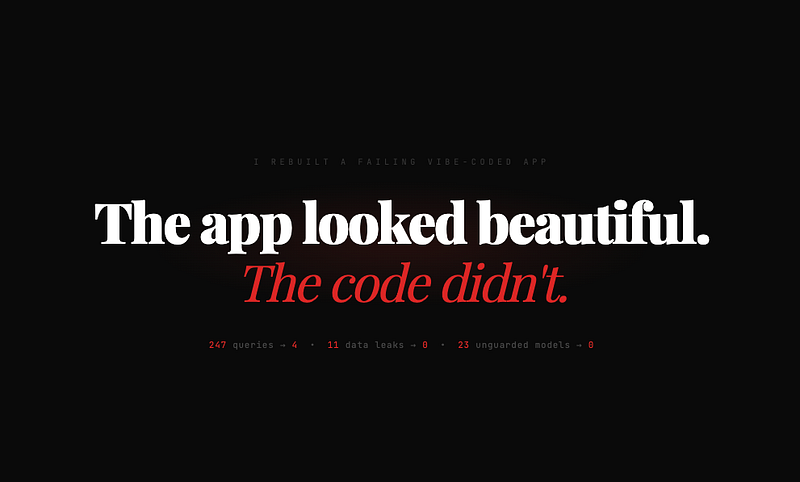
The app looked beautiful. The code looked clean. Then real users showed up.
A few months ago, a client reached out with an urgent request. They had a web application, a multi-tenant invoicing and payment system, that was “almost done.” Built by a small team that relied heavily on AI-generated code. Cursor, Copilot, ChatGPT. The full stack of vibes.
The demo was impressive. Beautiful UI. Smooth transitions. Every CRUD operation worked perfectly in the staging environment.
Then they launched. Within two weeks, invoices were duplicating. Payment calculations were off by fractions that added up to thousands. The system slowed to a crawl once they hit 500 concurrent users. Two tenants could see each other’s data.
They asked me to look at the code. I did. And what I found was a masterclass in everything AI gets wrong when it writes Laravel without human oversight.
This article is not about bashing AI. I use AI every day. This is about the specific, recurring patterns I found. Patterns that AI-generated code produces consistently. And exactly how I fixed them.
If you are shipping Laravel code in 2026, these are the traps you need to watch for.
Problem 1: No Tenant Scoping on Eloquent Queries
This was the critical one. The app was multi-tenant. Multiple companies sharing the same database with a tenant_id column on every table. The original code relied on passing tenant_id manually in every query.
What the vibe-coded version looked like:
// InvoiceController.php
public function index(Request $request)
{
    $invoices = Invoice::where('tenant_id', auth()->user()->tenant_id)
        ->with('items', 'customer')
        ->latest()
        ->paginate(20);

    return view('invoices.index', compact('invoices'));
}
Looks fine, right? That is the problem. It looks fine. But there were 47 controllers in this application, and the developer had to remember to add where('tenant_id', ...) to every single query. They forgot in 11 places. Eleven places where one tenant could access another tenant's data.
The relationships were also unscoped. Even when the invoice query was correct, loading related models leaked data:
// This was in a Blade template
@foreach($invoice->items as $item)
    {{ $item->product->name }}
@endforeach
The product relationship had no tenant scope. A product from Tenant A could theoretically appear on an invoice for Tenant B if the IDs aligned. In a demo with 10 records, you would never notice. In production with thousands of records, it happened.
How I fixed it:
Global scope. One place. Applied everywhere automatically.
// app/Models/Scopes/TenantScope.php
<?php

namespace App\Models\Scopes;

use Illuminate\Database\Eloquent\Builder;
use Illuminate\Database\Eloquent\Model;
use Illuminate\Database\Eloquent\Scope;

class TenantScope implements Scope
{
    public function apply(Builder $builder, Model $model): void
    {
        if (auth()->check()) {
            $builder->where(
                $model->getTable() . '.tenant_id',
                auth()->user()->tenant_id
            );
        }
    }
}
// app/Models/Concerns/BelongsToTenant.php
<?php
namespace App\Models\Concerns;
use App\Models\Scopes\TenantScope;
trait BelongsToTenant
{
protected static function bootBelongsToTenant(): void
{
static::addGlobalScope(new TenantScope);
static::creating(function ($model) {
if (auth()->check() && !$model->tenant_id) {
$model->tenant_id = auth()->user()->tenant_id;
}
});
}
}// app/Models/Invoice.php
class Invoice extends Model
{
use BelongsToTenant;
// ...
}Now every query on every model that uses the trait is automatically scoped. You cannot forget. You cannot accidentally leak data. The creating event also auto-fills tenant_id, so you cannot accidentally create a record without one.
I added this trait to every tenant-aware model in the application. Twenty-three models. Took thirty minutes. Fixed eleven data leaks.
Lesson: AI generates code one controller at a time. It does not think about cross-cutting concerns. Tenant isolation, soft deletes and audit logging. Anything that needs to apply everywhere should be a scope or a trait, not copy-pasted conditions.
Problem 2: N+1 Queries Everywhere
This is the classic one, but the scale of it was remarkable.
The invoice listing page made 247 database queries to load 20 invoices. I checked with Laravel Debugbar. Two hundred and forty-seven.
The vibe-coded version:
// InvoiceController.php
public function index()
{
    $invoices = Invoice::where('tenant_id', auth()->user()->tenant_id)
        ->latest()
        ->paginate(20);

    return view('invoices.index', compact('invoices'));
}
{{-- invoices/index.blade.php --}}
@foreach($invoices as $invoice)
<tr>
<td>{{ $invoice->invoice_number }}</td>
<td>{{ $invoice->customer->name }}</td>
<td>{{ $invoice->customer->email }}</td>
<td>{{ $invoice->items->count() }}</td>
<td>RM {{ number_format($invoice->items->sum('total'), 2) }}</td>
<td>{{ $invoice->createdBy->name }}</td>
<td>{{ $invoice->status }}</td>
</tr>
@endforeachFor every invoice: one query for the customer, one query for the items, one query for the createdBy user. Multiply by 20 invoices per page. That is 60 additional queries minimum, plus the original query and the count query for pagination.
But it gets worse. $invoice->items->sum('total') loads ALL item records into memory just to sum one column. With invoices that had 50+ line items, this was loading thousands of Eloquent models into memory on every page load.
How I fixed it:
// InvoiceController.php
public function index()
{
    $invoices = Invoice::with(['customer:id,name,email', 'createdBy:id,name'])
        ->withCount('items')
        ->withSum('items', 'total')
        ->latest()
        ->paginate(20);

    return view('invoices.index', compact('invoices'));
}
{{-- invoices/index.blade.php --}}
@foreach($invoices as $invoice)
<tr>
<td>{{ $invoice->invoice_number }}</td>
<td>{{ $invoice->customer->name }}</td>
<td>{{ $invoice->customer->email }}</td>
<td>{{ $invoice->items_count }}</td>
<td>RM {{ number_format($invoice->items_sum_total, 2) }}</td>
<td>{{ $invoice->createdBy->name }}</td>
<td>{{ $invoice->status }}</td>
</tr>
@endforeachFrom 247 queries to 4. Same page. Same data. The withCount and withSum methods use subqueries, so no extra models are loaded into memory.
I also added this to AppServiceProvider to catch any N+1 issues we missed:
// app/Providers/AppServiceProvider.php
public function boot(): void
{
    Model::preventLazyLoading(!app()->isProduction());
}
This throws an exception in development whenever a relationship is lazy-loaded instead of eager-loaded. It is brutal. It is also the single best line of code you can add to any Laravel application.
Lesson: AI always lazy-loads relationships. Always. It generates the query in the controller and accesses relationships in the view as if they are free. They are not. Every $model->relationship without eager loading is a hidden query. In a loop, it is a hidden disaster.
Problem 3: Financial Calculations Using Floats
This one cost the client actual money.
The vibe-coded version:
// app/Models/InvoiceItem.php
protected $casts = [
    'unit_price' => 'float',
    'quantity' => 'float',
    'tax_rate' => 'float',
    'total' => 'float',
];

public function calculateTotal(): float
{
    $subtotal = $this->unit_price * $this->quantity;
    $tax = $subtotal * ($this->tax_rate / 100);
    return round($subtotal + $tax, 2);
}
// Somewhere in a service class
$invoiceTotal = 0;
foreach ($invoice->items as $item) {
$invoiceTotal += $item->calculateTotal();
}If you do not see the problem, try this in PHP:
echo (0.1 + 0.2 == 0.3) ? 'true' : 'false';
// Output: false
Floating point arithmetic is fundamentally imprecise. When you multiply, divide and round floats across hundreds of line items, the errors compound. The client was seeing invoices where the line item totals did not add up to the invoice total. Off by one or two cents usually. Sometimes more.
One or two cents does not sound like much until your finance team is reconciling thousands of invoices and the numbers never quite match.
How I fixed it:
Store amounts in cents as integers. Calculate in cents. Only format for display.
// Migration
Schema::table('invoice_items', function (Blueprint $table) {
    // Store all monetary values as integers (cents/sen)
    $table->unsignedBigInteger('unit_price_cents')->default(0);
    $table->unsignedInteger('quantity')->default(1);
    $table->unsignedInteger('tax_rate_basis_points')->default(0); // 600 = 6.00%
    $table->unsignedBigInteger('total_cents')->default(0);
});
// app/Models/InvoiceItem.php
protected $casts = [
'unit_price_cents' => 'integer',
'quantity' => 'integer',
'tax_rate_basis_points' => 'integer',
'total_cents' => 'integer',
];
public function calculateTotalCents(): int
{
$subtotalCents = $this->unit_price_cents * $this->quantity;
$taxCents = intdiv(
$subtotalCents * $this->tax_rate_basis_points,
10000
);
return $subtotalCents + $taxCents;
}
// Accessor for display
public function getFormattedTotalAttribute(): string
{
return 'RM ' . number_format($this->total_cents / 100, 2);
}
public function getFormattedUnitPriceAttribute(): string
{
return 'RM ' . number_format($this->unit_price_cents / 100, 2);
}// Computing invoice total - still integer math
$invoiceTotalCents = $invoice->items->sum('total_cents');Integer math is exact. 150 + 350 = 500. Always. No rounding errors. No floating point surprises. Convert to ringgit only when displaying to the user.
Lesson: AI does not understand money. Every AI code assistant I have tested defaults to floats for prices. Every single one. If your application handles financial calculations of any kind, you need to intervene manually. This is not something you can trust to autocomplete.
Problem 4: No Database Indexes on Foreign Keys
The application had 23 tables. Most of them had foreign key columns: tenant_id, customer_id, invoice_id, created_by. None of them were indexed.
The vibe-coded migration:
Schema::create('invoices', function (Blueprint $table) {
    $table->id();
    $table->unsignedBigInteger('tenant_id');
    $table->unsignedBigInteger('customer_id');
    $table->unsignedBigInteger('created_by');
    $table->string('invoice_number');
    $table->string('status')->default('draft');
    $table->timestamps();
});
No indexes. No foreign key constraints. Just raw unsigned big integers floating in the void.
With 500 records, this works fine. With 50,000 records, every query that filters by tenant_id or joins on customer_id becomes a full table scan. That is why the app crawled to a halt in production.
How I fixed it:
Schema::create('invoices', function (Blueprint $table) {
    $table->id();
    $table->foreignId('tenant_id')->index()->constrained();
    $table->foreignId('customer_id')->index()->constrained();
    $table->foreignId('created_by')->index()->constrained('users');
    $table->string('invoice_number');
    $table->string('status')->default('draft');
    $table->timestamps();

    // Composite index for the most common query pattern
    $table->index(['tenant_id', 'status', 'created_at']);

    // Unique constraint to prevent duplicate invoice numbers per tenant
    $table->unique(['tenant_id', 'invoice_number']);
});
Note the order: ->index() comes before ->constrained(). This matters. There is a known Laravel issue where chaining ->index() after ->constrained() causes the foreign key constraint to be named 1 instead of the proper convention. Get the order wrong and your migrations will silently produce broken constraint names.
foreignId() creates the column with the correct UNSIGNED BIGINT type. ->index() adds a database index for fast lookups. ->constrained() adds a foreign key constraint for referential integrity.
The composite index on ['tenant_id', 'status', 'created_at'] covers the most common query in the app: "show me all invoices for this tenant, filtered by status, sorted by date." One index. One query plan. Fast.
I also added the unique constraint on ['tenant_id', 'invoice_number'] because the original code had no protection against duplicate invoice numbers within a tenant. AI had generated a $this->generateInvoiceNumber() method that used a random string. No uniqueness check. No database constraint. In production, two invoices created at the same millisecond could get the same number. And they did.
Lesson: AI generates migrations that create tables. It does not think about query patterns, indexing strategies or data integrity constraints. Every migration you write should answer: what queries will hit this table, and how do I make them fast?
Problem 5: No Validation Where It Mattered Most
The app had Form Request validation on the basic CRUD operations. Name required. Email valid format. The usual.
But the critical business logic had zero validation.
The vibe-coded version:
// app/Http/Controllers/PaymentController.php
public function store(Request $request, Invoice $invoice)
{
    $validated = $request->validate([
        'amount' => 'required|numeric',
        'payment_method' => 'required|string',
    ]);

    $payment = Payment::create([
        'invoice_id' => $invoice->id,
        'tenant_id' => auth()->user()->tenant_id,
        'amount' => $validated['amount'],
        'payment_method' => $validated['payment_method'],
        'paid_at' => now(),
    ]);

    $invoice->update(['status' => 'paid']);

    return redirect()->back()->with('success', 'Payment recorded.');
}
Where do I begin?
The amount validation is numeric. It accepts negative numbers. Someone could record a payment of -500 and the system would happily accept it. The status is set to paid regardless of whether the payment amount covers the full invoice. You could pay RM 1 on a RM 10,000 invoice and it would mark as paid. There is no check for whether the invoice is already paid. You could record payments infinitely on the same invoice. There is no database transaction. If the payment creates but the invoice update fails, you have an orphaned payment record with an invoice still showing as unpaid.
How I fixed it:
// app/Http/Requests/RecordPaymentRequest.php
<?php

namespace App\Http\Requests;

use Illuminate\Foundation\Http\FormRequest;

class RecordPaymentRequest extends FormRequest
{
    public function authorize(): bool
    {
        return $this->user()->tenant_id === $this->route('invoice')->tenant_id;
    }

    public function rules(): array
    {
        $invoice = $this->route('invoice');
        $remainingCents = $invoice->total_cents - $invoice->paid_cents;

        return [
            'amount_cents' => [
                'required',
                'integer',
                'min:1',
                'max:' . $remainingCents,
            ],
            'payment_method' => 'required|in:bank_transfer,cash,cheque,fpx,credit_card',
        ];
    }

    public function messages(): array
    {
        return [
            'amount_cents.max' => 'Payment cannot exceed the remaining balance.',
            'amount_cents.min' => 'Payment amount must be at least RM 0.01.',
        ];
    }
}
// app/Http/Controllers/PaymentController.php
public function store(RecordPaymentRequest $request, Invoice $invoice)
{
abort_if(
$invoice->status === 'paid',
422,
'This invoice has already been fully paid.'
);
$payment = DB::transaction(function () use ($request, $invoice) {
$payment = Payment::create([
'invoice_id' => $invoice->id,
'tenant_id' => auth()->user()->tenant_id,
'amount_cents' => $request->validated('amount_cents'),
'payment_method' => $request->validated('payment_method'),
'paid_at' => now(),
'recorded_by' => auth()->id(),
]);
$newPaidCents = $invoice->paid_cents + $request->validated('amount_cents');
$newStatus = $newPaidCents >= $invoice->total_cents ? 'paid' : 'partial';
$invoice->update([
'paid_cents' => $newPaidCents,
'status' => $newStatus,
]);
return $payment;
});
return redirect()->back()->with('success', 'Payment of ' . $payment->formatted_amount . ' recorded.');
}Authorization checks tenant ownership. Amount is validated as a positive integer with a maximum of the remaining balance. Payment method is restricted to known values. The invoice status correctly distinguishes between partial and full payment. Everything is wrapped in a database transaction. If anything fails, everything rolls back.
Lesson: AI validates the shape of data. It does not validate the business rules. Required, numeric, string. AI is great at these. “You cannot overpay an invoice” or “a paid invoice cannot receive more payments.” AI has no idea about your business domain. This is always your job.
Problem 6: Mass Assignment With No Protection
One more. This was subtle but dangerous.
The vibe-coded version:
// app/Models/Invoice.php
class Invoice extends Model
{
    protected $guarded = [];
}
$guarded = [] means every column is mass-assignable. Every. Column.
The AI had generated this on every model in the application. Twenty-three models, all wide open. Combined with the payment controller that accepted request data directly into create(), an attacker could send additional fields in the POST body like tenant_id, status, paid_cents or created_by and overwrite them.
How I fixed it:
// app/Models/Invoice.php
class Invoice extends Model
{
    use BelongsToTenant;

    protected $fillable = [
        'customer_id',
        'invoice_number',
        'due_date',
        'notes',
    ];

    // Status, paid_cents, tenant_id are NEVER mass-assignable
    // They are set explicitly in controlled code paths
}
Explicit $fillable instead of empty $guarded. Only the fields that a user should be able to set through a form are listed. Everything else (status, financial totals, tenant ownership and audit fields) is set explicitly in code, never through mass assignment.
Lesson: AI almost always generates protected $guarded = [] because it makes development faster. It is also the single most common security vulnerability in Laravel applications. Use $fillable. Always. Be explicit about what can be set by user input.
What I Told the Client
After two weeks of refactoring, I gave the client a summary. The application had:
Eleven tenant data leaks. Over 200 unnecessary database queries per page. Financial calculations that produced incorrect totals. Zero database indexes on foreign keys. No business rule validation on payment logic. Mass assignment vulnerabilities on every model.
None of these would have been caught by a demo. Every one of them appeared in production under real conditions.
The UI was still beautiful. The Blade components were still clean. The AI had done an excellent job on the surface layer. But the layer underneath, the layer that handles data integrity, security, performance and business logic, was hollow.
This Is Not an AI Problem. It Is a Supervision Problem.
Every issue I found could have been caught by a senior Laravel developer reviewing the code before deployment. A ten-minute review of the migration files would have caught the missing indexes. A glance at the models would have caught the $guarded = []. Running Debugbar once would have exposed the N+1 queries.
AI generated the code. A human should have reviewed it. That step was skipped. Not because the team was lazy, but because the code looked correct. It passed the eye test. It ran without errors. The demo worked.
That is the trap of vibe coding. The output looks professional enough to fool you into thinking the job is done. It is not. The job is never done until someone who understands the domain, the business rules, the security model and the performance requirements, has looked at every critical path in the code.
Use AI to write the first draft. Use a human to make sure it actually works.
If this was useful, you might also want to read my takes on vibe coding and whether it is draining developer skills, why AI-written code cannot handle financial logic and designing databases that handle millions of records.