Not hype. A practical breakdown of the MCP-powered tool that makes AI coding assistants stop hallucinating Laravel APIs.
If you’ve used AI coding assistants with Laravel for any length of time, you already know the frustration. You ask for help implementing something and the assistant confidently gives you code that looks right, uses the right general shape of Laravel but turns out to be wrong in a specific way. Wrong method name. Wrong argument order. API that was deprecated two versions ago. A Livewire pattern that was for v2 when you’re running v3. The assistant isn’t lying to you. It just doesn’t know the exact version of the package you have installed or the specific way your application is structured.
Laravel Boost was built to solve exactly that problem.
What Boost Actually Is
Laravel Boost is a Composer package (free, open source, maintained by the Laravel team) that you install in your local development environment. It runs a Model Context Protocol (MCP) server inside your project and gives your AI coding agent a set of tools to inspect your actual application.
When you install Boost, your AI assistant stops guessing about your application and starts knowing it.
That distinction matters more than it sounds. Before Boost, when you asked an AI agent to help with your Laravel application, it was working from general knowledge about Laravel accumulated during training. It didn’t know which version of Laravel you had. It didn’t know your database schema. It didn’t know which packages you had installed or which version of Inertia or Livewire you were running. It was making educated guesses. Some of those guesses were wrong.
Boost was announced and previewed by Taylor Otwell at Laracon US 2025 in September. The public beta launched two weeks later. It supports Laravel 10, 11 and 12 on PHP 8.1 or higher.
The Three Pillars
Boost provides three distinct things that work together.
An MCP server with 15+ specialized tools. These are the core of what makes Boost useful. The tools give your AI agent the ability to interact with your application directly, not through guesswork. Key tools include: reading your database schema so the agent knows your exact table structure before generating migrations or factories, executing queries against your database to verify data, reading application logs and browser logs to help debug real errors, running Tinker to execute PHP in your application’s context, inspecting your routes, reading configuration values and searching the versioned documentation API.
That last tool is the one that solves the wrong-version problem. When you ask about how to implement deferred props in Inertia, Boost can search for documentation specific to the exact version of Inertia in your composer.json and return guidance that matches what you actually have installed.
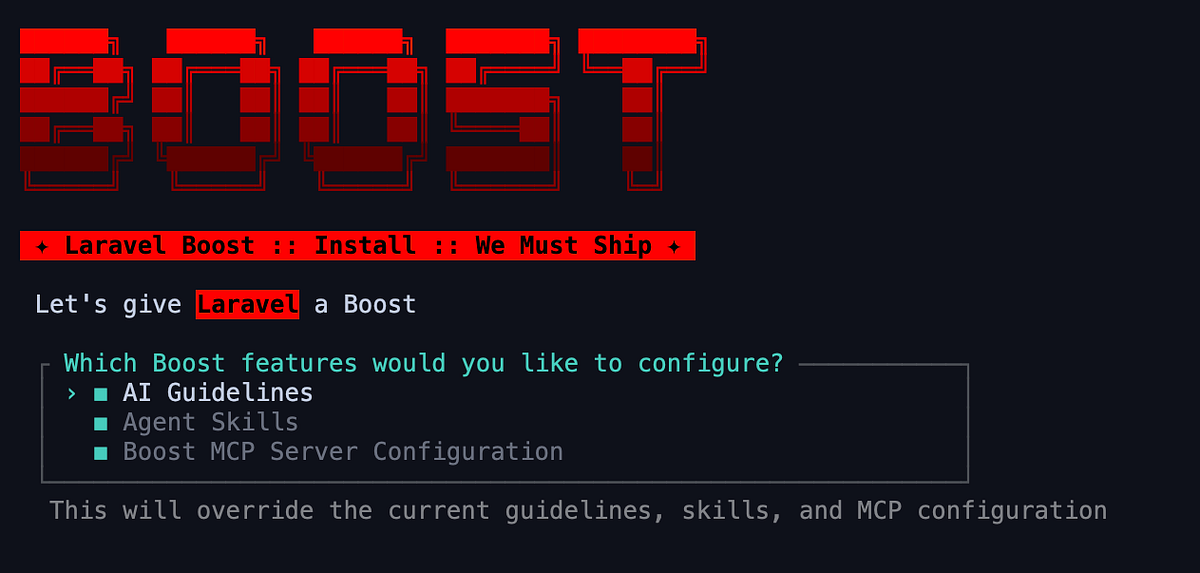
Composable AI guidelines. When you run php artisan boost:install, Boost detects which packages your application uses and generates a set of instruction files for your AI coding agent. These aren't generic PHP guidelines. They're Laravel-specific rules that tell the agent how to write idiomatic code, which patterns to follow, which APIs to use for your exact versions and which common mistakes to avoid.
Guidelines exist for Laravel itself and over 16 packages in the ecosystem. They cover Livewire, Inertia, Tailwind, Pest and more. The agent reads these guidelines before it starts generating code, which is why the output feels like it was written by someone who actually knows Laravel rather than someone who has read about it.
A documentation API with 17,000+ entries. The Boost documentation API is a separately hosted service maintained by the Laravel team. It ingests, chunks and vectorizes documentation from the entire Laravel ecosystem. The Search Docs tool lets the agent query this API and get back documentation matched to your specific package versions. This is not a generic web search. It’s a purpose-built knowledge base that understands versioning.
What This Looks Like in Practice
Here is a concrete example that demonstrates the difference. Without Boost, if you ask an AI agent to debug a white screen of death in a Laravel application, the agent will ask you what the error is, walk through generic debugging steps and probably give you advice that may or may not apply to your specific setup.
With Boost, the agent can: call the last-errors tool to fetch the actual Laravel error from your application log, call the browser-logs tool to read what appeared in the browser console, locate the specific problem and propose a fix with accurate context. The problem-solving is happening against your real application state, not against an abstract model of what a Laravel application might look like.
Another example: generating a factory for a database table. Without Boost, the agent guesses at your schema based on conventions or whatever context you paste in. With Boost, the agent calls the database schema tool, sees your exact columns and types and generates a factory that matches your real table. You don’t have to copy-paste your migration file or describe your schema manually.
Rate limiting is another good case. Ask for rate limiting implementation and you’ll get code that matches your Laravel version, plus tests if your project uses Pest or PHPUnit. The agent knows which testing framework you use because Boost can see your composer dependencies.
Agent Skills: On-Demand Knowledge
Boost also introduced something called Agent Skills, which are separate from the upfront guidelines. Guidelines are loaded every time and provide the baseline context. Skills are more targeted and are activated on demand when you’re working on something specific.
If you’re implementing a complex Livewire component, the agent can load the Livewire skill, which contains detailed patterns and best practices specific to that package. If you move on to working on an Inertia form, it can load the Inertia skill. Loading these on demand rather than all at once keeps the context focused and reduces the noise that comes from too much irrelevant information being fed to the model at once.
How to Install and Use It
The installation is straightforward. In a Laravel 10, 11 or 12 project:
bash
composer require laravel/boost --dev
php artisan boost:install
The installer will detect your packages and your IDE or AI tool of choice and guide you through configuration. Supported agents include Claude Code, Cursor, GitHub Copilot, Gemini CLI and JetBrains Junie for PhpStorm. VS Code works when paired with a supported AI extension.
Once installed, the shift in how you interact with AI is worth noting. The team’s own advice is to stop asking abstract questions and start talking to your application through the AI. Instead of “How do I implement X in Laravel?”, say “Implement X for my application.” The difference is that in the second form, the agent has enough context to actually do it rather than give you a generic template.
What Claude Code Specifically Does with Boost
This is worth calling out because it’s relevant to the “Claude Skill in Laravel Boost” topic. When you use Claude Code with Boost installed, Claude Code gets access to the MCP server Boost provides. This means Claude Code can call all 15+ Boost tools natively during a session.
The practical effect: Claude Code will inspect your database schema before writing model code, run Tinker to test assumptions, search the versioned documentation when it needs to look something up and read your actual logs when debugging. It’s not making educated guesses. It’s working from real application state.
The guidelines and skills that Boost generates are specific to Claude Code’s configuration format. Running boost:install and selecting Claude Code will create the appropriate context files in your project that Claude Code reads before starting any session.
Boost also recently added Gemini support, completing the major AI coding agent integrations. The fact that the Laravel team built Boost to be agent-agnostic rather than tying it to one AI provider is a good sign about where this is going.
The Honest Limitations
Boost is still in public beta. There are rough edges. The documentation ingestion works at major version level only, so if your issue involves a minor version difference, you’ll need to double-check the generated code more carefully.
The team is also clear that all generated code should be treated as a draft. Boost reduces the errors an AI agent makes and nudges it toward correct patterns, but it doesn’t eliminate the need for code review, running tests and applying engineering judgment. It’s a tool that makes you more effective, not a replacement for thinking.
There’s also a fundamental shift in mindset required. Developers who have built up strong mental models of Laravel after years of reading documentation sometimes find AI-assisted development frustrating because the agent still makes mistakes that feel obvious to someone experienced with the framework. Boost significantly reduces those mistakes, but it doesn’t eliminate them entirely.
Why This Matters Beyond the Tool Itself
Laravel Boost is notable not just for what it does today but for what it represents. The Laravel team is making a deliberate bet that the future of web development involves AI agents working inside your application context. They’re not building around that trend or waiting to see how it plays out. They’re building infrastructure for it.
The combination of Boost, MCP and the Laravel AI SDK shows a coherent picture of where they think this is going: applications that can expose themselves as AI-accessible context sources, development tools that understand your exact stack and version requirements and AI agents that operate with real knowledge of your codebase rather than general training data.
For a PHP framework that has been around since 2011, this is not a nostalgic or defensive posture. It’s an active bet on a specific vision of how software gets built next.
Whether that vision plays out exactly as they expect is impossible to know. But the tooling they’ve shipped in the past 12 months is already practically useful today. That’s a better starting point than most.
Boost is free, open source and available on GitHub under the Laravel organisation. Install it with composer require laravel/boost --dev. Run php artisan boost:install to configure it for your coding agent.