A good error handling give additional information about the underlying fault, as well as lessen your time on debugging and also give user friendly feedback — readable message instead of user hanging with robot message.

I have done many web service integration. I have seen many style of response handling. Some are good and some are bad. There is some API i used gives bad response. For example,
Case 1:
failed
Case 2:
true
Case 3:
{
   "message": "failed"
}
Case 4 (Good but not enough):
{
   "error" : true,
   "message": "Something went wrong",
}
Case 5: Troll status code. Give error message but status code 200 😑
{
   "error" : true
}
But what makes its consider a good error handling?
Provide Good Error Code
Error code is the first thing will tell you what’s going on. Quality error codes will save to huge amount of time. In Case 5, my experience with API vendors, everything they return 200 even the response indicate error. I was like confused — is it error or what?
Basically, status code 200 indicate your request is success, 4xx indicates client side errors and 5xx server side errors. It gives you like Oh! I got 400, must be client send wrong parameters that cause code errors. So, you can immediately point out where should be fix.
My advices:
- Stick to standard status code
- Don’t use 200 for all response. Please don’t.
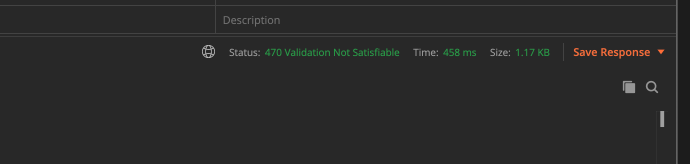
- Customized your error code. Use error code that not use by default http code, and customize your status message (This is what i do). Example: 470 — Validation Not Satisfiable, 471 — Crypto Validation Failed, etc..
Explain what went wrong and appropriate message
Appropriate message is a must for user to understand what’s going on. User tend to panic if they read something they don’t know. When they confused, its lead them to assume “This application sucks”, “I not going to use this app anymore”, and etc.. (Well you know)
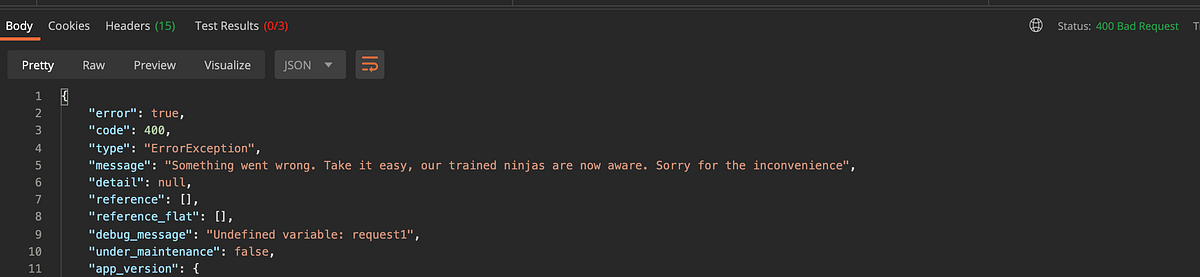
Example 1: If your server is down, instead of giving them message “Server Error”, give them message “There is something wrong with the server. Please note that, our engineer currently take a look into it. Sorry for inconvenience”. Explain — Action — Apologise
Example 2: Validation part. Instead of giving user message “Please fill in all required field properly”, give them “Your full name is empty. Please fill in properly” or something much more readable for user to understand
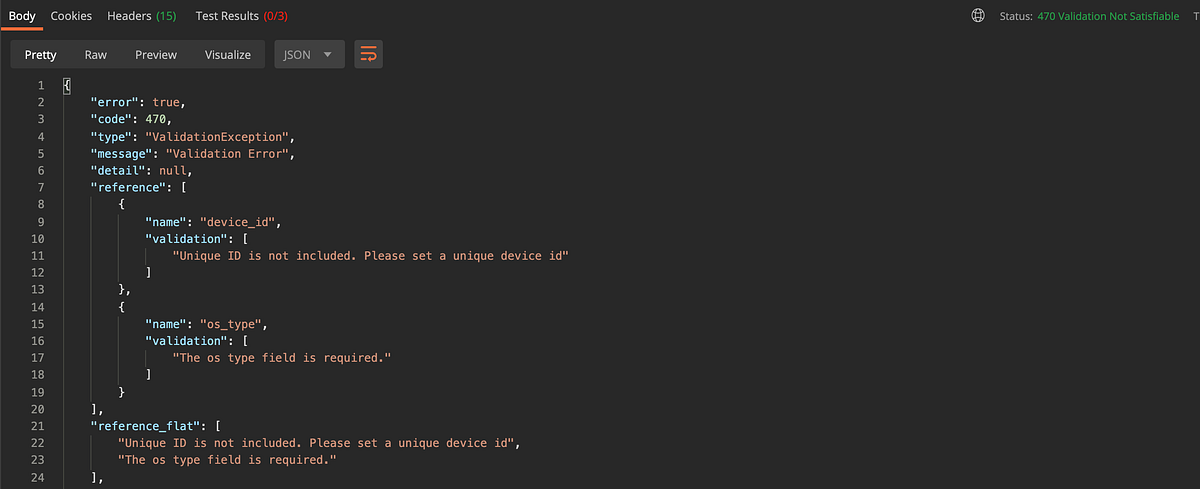
Remember, status code means nothing. Must have context in the response.
Proper Structure of JSON
Properly structure of your json for error handling gives the developer standarization of codes. Its give the front-end developer to determine which and how the message to be shown and also give the developer the overview if errors occurred without asking multiple time to backend-developer What is what, what is that, what is this, why this happening. Win win situation.
Here the example:
{
  "error": {
    "message": "(#100) Pages Public Content Access requires either app secret proof or an app token",
    "type": "OAuthException",
    "code": 100,
    "fbtrace_id": "AXL4VrAnvTI099rb7xgW16u"
  }
}{
"errors":[
{
"code":215,
"message":"Bad Authentication data."
}
]
}My own implementation 😎
{
    "error": true,
    "code": 470,
    "type": "ValidationException",
    "message": "Validation Error",
    "detail": null,
    "reference": [
        {
            "name": "device_id",
            "validation": [
                "The device id has already been taken."
            ]
        }
    ],
    "reference_flat": [
        "The device id has already been taken."
    ],
    "debug_message": null,
    "under_maintenance": false,
    "app_version": {
        "latest_version": "1.0",
        "app_update_level": null,
        "app_update_message": null,
        "app_link": null
    }
}
I prefer more stylistic structure. I like to include as much as insensitive information in the response. Its lessen the burden of front-end developer to read and easier to understand

BTW, For Laravel Developer,
Let me show you how i create my response structure in Laravel,
To customize your own error codes, create another class name JsonResponse
use Illuminate\Http\JsonResponse as BaseJsonResponse;

class JsonResponse extends BaseJsonResponse
{
}
It looks like below
Next, create a macro class
As you can see, the new JsonResponse, i macro it under customJson. Take a look to the error macro. That’s how i create error response in Laravel.
Copy and paste in your code. Put it in AppServicerProvider in boot()
ResponseMacro::registerMacros();
Usage?
Because of its macro function, you can change from response()->json() into response()->error()/response()->success()
Simple is it?
Conclusion
All of the method in this article is based on my experiences and advised from developer community group. Handling a proper error message will ease every party who uses the API. Last but not least, consider your error handled!