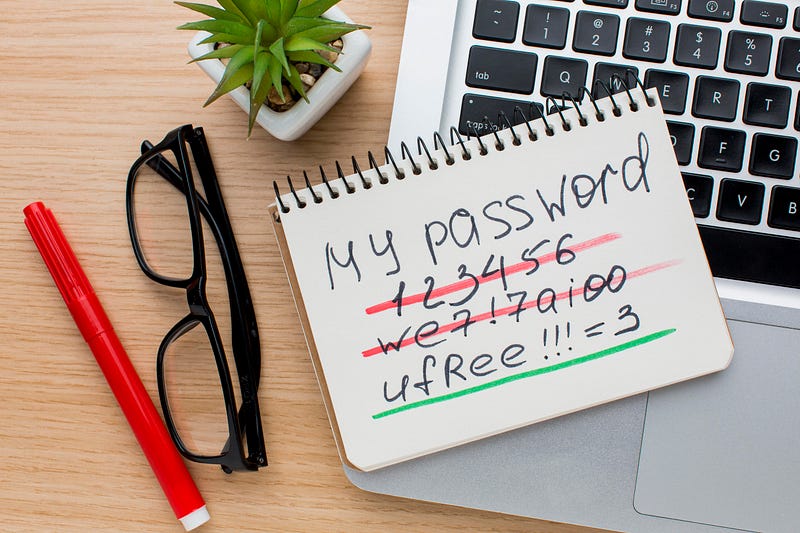
Password security is a crucial aspect of any online platform, but are we doing it right? Traditionally, many systems have enforced regular password changes to enhance security. However, recent guidelines from NIST (National Institute of Standards and Technology) suggest a different approach.
According to NIST, forcing users to change passwords arbitrarily (like every few months) can lead to weaker security practices. People tend to make minor tweaks to their existing passwords, like adding a number or changing a character, rather than creating entirely new strong passwords each time.
“Verifiers SHOULD NOT impose other composition rules (e.g., requiring mixtures of different character types or prohibiting consecutively repeated characters) for memorized secrets. Verifiers SHOULD NOT require memorized secrets to be changed arbitrarily (e.g., periodically). However, verifiers SHALL force a change if there is evidence of compromise of the authenticator.”
Source: https://pages.nist.gov/800-63-3/sp800-63b.html
So, what’s the alternative? Instead of mandating frequent password changes, NIST recommends checking if a password has been compromised. This approach is more effective in protecting user accounts.
Here’s why:
- Compromised Password Detection: By checking passwords against a database of known compromised passwords, systems can quickly detect if a user’s password has been leaked or hacked elsewhere.
- User Experience: Imagine logging into your favorite platform only to be notified if your password has been compromised. It’s a proactive approach that keeps users informed without the hassle of remembering and changing passwords unnecessarily.
Previous vs New Approach
Previous Approach: Regular Password Changes
- User is prompted to change their password every 30/60/90 days.
- User creates a new password, often making minor changes to the old one.
- This cycle repeats, leading to weaker password security over time.
New Approach: Compromised Password Checks
- User logs in with their existing password.
- System checks if the password has been compromised using a verifier.
- If compromised, the user is notified and prompted to change their password.
- If not compromised, the user continues using the platform without any interruptions.
Suggested User Journey Flow
Here’s the user journey in both approaches:
Previous Approach:
- Login: User logs in with their password.
- Periodic Change Reminder: After a set period (e.g., 30 days), user is prompted to change their password.
- Password Change: User changes password (often making minor tweaks).
- Repeat: Cycle repeats every set period.
New Approach:
- Login: User logs in with their password.
- Compromised Check: System checks if the password is compromised.
- Notification: If compromised, user is notified and prompted to change their password. If not compromised, user continues using the platform.
- Secure Usage: User enjoys a seamless and secure experience.
Here’s a simple snippet illustrating how this can be implemented in a PHP-based system:
public function checkIfPasswordGotLeaked(string $password): void
{
    // Verifier class checks if the password is compromised
    $verifier = app(UncompromisedVerifier::class);

    // Verifying the password with a threshold of 0 (strict check)
    if (!$verifier->verify(['value' => $password, 'threshold' => 0])) {
        // Notify the user if the password is found to be compromised
        $this->notify(new \App\Notifications\PasswordGotLeaked());
    }
}

public function login(Request $request)
{
    // Assume we have a method to find the user
    $user = $this->findUser($request->input('email'));

    // Check if the provided password is compromised
    $user->checkIfPasswordGotLeaked($request->input('password'));

    // Proceed with the usual login process
    // ...
}
Handling Inactive Accounts
People will ask, how about the account that user is not active or not active for long period of time? Their password might be breach and they dont know right?
The concern that arises with the possible approach is how to handle inactive accounts. Here are some strategies:
- Periodic Check for Inactive Accounts: Implement a system to periodically check the passwords of inactive accounts against the compromised passwords database. If a password is found to be compromised, notify the user via email to update their password before they can log in again.
- Reactivation Process: When an inactive user attempts to log in after a long period, trigger a password check. If the password is compromised, prompt the user to change it before granting access.
Why Not Continuous Background Checks? 🤔
You might wonder, why not check everyone’s password daily or monthly in the background?
This is where user privacy and industry standards come into play. Continuous background checks by the system owner can breach user privacy and violate security standards, as passwords should remain securely hashed and not be processed in the clear.
If you find websites storing your password in plaintext, keep your hand of from that website. Nothing good will you get once the website is breached.
Enhancing Security 🚀
In a real-world scenario, you might want to add more functionality to enhance security further:
- Password Hashing: Always store passwords securely by hashing them before saving them to the database. Use Argon2id or hardening your password algorithm.
- Two-Factor Authentication (2FA): Adding 2FA can provide an additional layer of security, requiring users to provide a second form of identification.
- Regular Monitoring: Continuously monitor for any security breaches and compromised passwords databases to keep your verifier up to date.
Conclusion
Moving away from arbitrary password changes towards proactive compromised password checks not only improves security but also enhances user experience. It’s a win-win situation that keeps both your platform and your users’ accounts safer.
Next time you think about enforcing password changes, consider implementing compromised password checks instead. Your users will thank you for it. 🤘
If you found this article insightful and want to stay updated on technology trends, be sure to follow me on :-
Twitter: https://twitter.com/hafiqdotcom
LinkedIn: https://www.linkedin.com/in/hafiq93
BuyMeCoffee: https://paypal.me/mhi9388 / https://buymeacoffee.com/mhitech