Vibe Coding: Genius Move or Brain Drain?
AI-Powered Coding Is Fun Until You Realise You Can’t Code Without It

There was a time when debugging meant hours of frustration, flipping through Stack Overflow and brute-forcing solutions until something clicked. Then, AI came along and suddenly, coding felt different. You could throw half-baked code at it and it would spit back something that (mostly!) worked. It was like having a senior developer sitting next to you, spoon feeding and correcting what you do.
Sounds great, right? Well…maybe yes maybe not.
I’ve seen AI-assisted coding change how developers work and sometimes for the better but also in ways that make me wonder if we’re creating a future where no one actually understands what they’re building. Trust me, Im using it too.
AI-generated code sounds great until your code turns into a nightmares.
Found a post on X while doom scrolling, the post mention that he proudly announced that he built his entire SaaS using AI, with “zero handwritten code.” Impressive, right? Well, things went south fast. Users started maxing out his API keys, bypassing subscriptions and injecting all kinds of weird data into his database. And the best part? He openly admitted he had no idea how to fix it because he wasn’t technical.
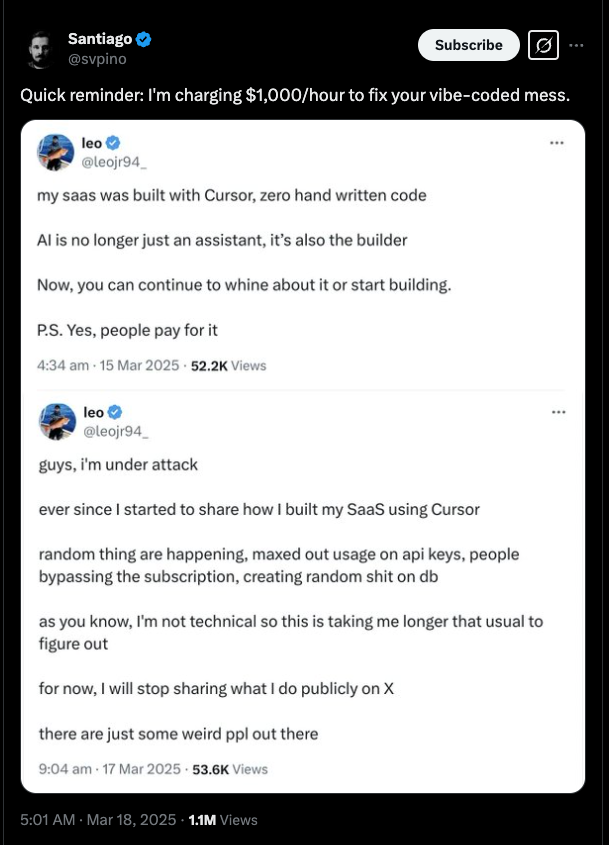
From my POV, I think it’s okay if a non-coder tries “vibe coding” . It’s fun and sometimes it works. But if you’re a developer or a software engineer, this is a no-no. You should know what your code does, how it works and most importantly, how to fix it when things generated by AI inevitably go wrong.
This is the danger of AI-reliant coding. You might ship fast but when something breaks, you’re stuck watching the mess you made. If you let AI do all the work without understanding what it’s actually doing, you’re not coding. You’re just pressing buttons and hoping for the best.
Is “Vibe Coding” the Future?
Let’s be honest, I’m 100% agreed that coding with AI is pretty much addictive.
Why spend time wrestling with syntax or reading documentation when you can just prompt an AI and get an instant answer? It’s fast, efficient and lets you focus on shipping features instead of sweating the small stuff. But there’s a downside, one that sneaks up on you when you least expect it.
You start noticing little things :-
- You stop reading error messages. Instead of figuring out what went wrong, you just copy-paste them into AI and let it “hey can you fix this?” the problem.
- You stop thinking through logic. AI completes your functions before you even process what’s happening.
- You start trusting the AI blindly. It suggests something and you accept it without questioning whether it makes sense.
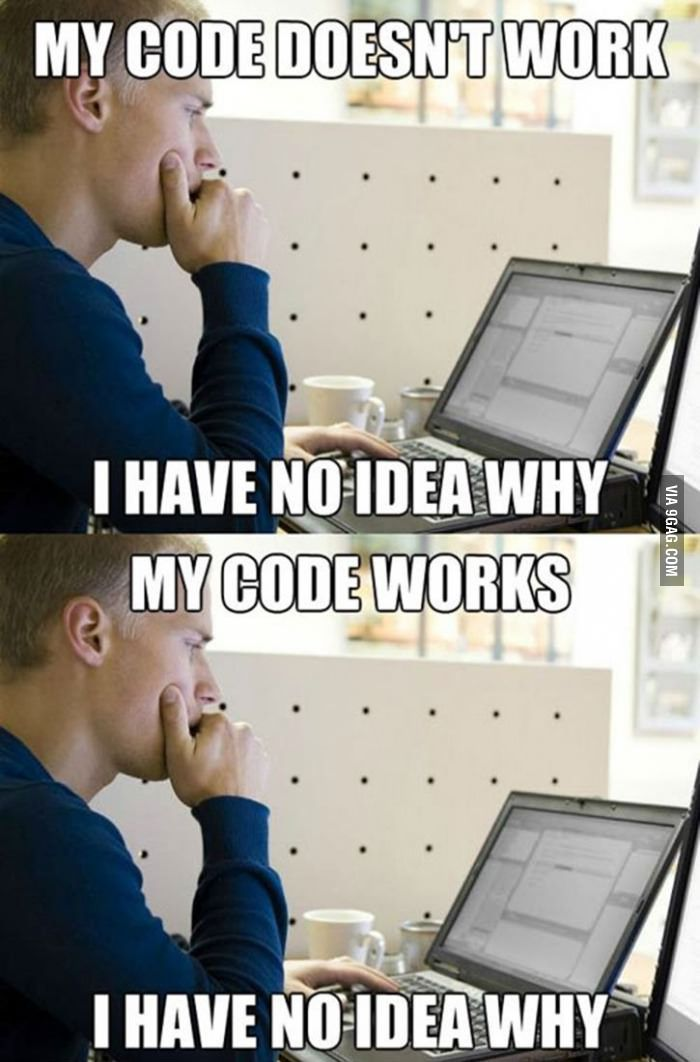
At some point, when you look at your codebase and realise, “What the F###??”, “When i wrote this???” , “What is this S###??” and end up you don’t really know how half of it works.
Is AI Making Developers Lazy?
One of the biggest concerns I have as a tech lead is the skills you have fading over the time. I’ve seen solid developers where people who used to be sharp problem solvers and start relying on AI so much that they struggle when it’s not available. I runs bunch of interviews and those developers just don’t know how to explain how their previous system CRUD code works.
It’s not just juniors, either. Even experienced developers fall into the trap of using AI as a crutch. And why wouldn’t they? It’s fast, it gets the job done and it removes the mental friction of coding from scratch.
But guest what? There is a phrase says :- when you skip the struggle, you also skip the learning.
Im remember back before 2022–2023 when we didn’t have AI coding assistant doing half the work, learning a new framework meant breaking things, getting stuck and slowly piecing together how it worked or browsing the stackOverflow page by page. Now, AI just tells you the answer, but without the trial and error process, that knowledge doesn’t really stick.
The result? Developers who can build fast but struggle to troubleshoot when things go wrong.
Is AI Coding Dependable?
Can you trust AI-generated code? Kind of about 60% technically speaking based on my experience. AI is great at suggesting “correct” syntax and filling in boilerplate, but it doesn’t truly understand context. It can’t think critically about your problem or tell you whether its solution makes sense for your specific case.
I’ve seen AI generate code that was syntactically perfect but completely useless in a real-world scenario. If you’re not paying attention, you’ll end up shipping code that technically works but doesn’t actually do what you need.
This is why AI should be treated as a coding assistant, not a replacement for thinking. It can help you write better code, but it can’t replace fundamental problem-solving skills. If you don’t actively engage with the problem, you’ll eventually find yourself unable to debug even simple issues without AI’s help.
The Real Danger — Becoming Code Monkeys
The biggest risk of over-relying on AI isn’t just laziness, it’s becoming a developer who follows instructions without truly understanding what they’re doing. If you let AI do all the thinking for you, you’re not really a programmer anymore — you’re just a middleman between AI and your codebase.
That might be fine for now, but what happens when AI-generated code breaks? What happens when something goes wrong in production and you have no idea how to fix it because you never really understood how it worked in the first place?
This is why real developers struggle. Not because they enjoy pain, but because that’s how real learning happens. The only way to truly master a skill is to work through the hard parts yourself.
Finding the Right Balance
So, where does that leave us? Do we throw AI out the window and go back to manually writing every line of code? Obviously not. AI-assisted coding is a powerful tool, but like any tool, it needs to be used wisely.
Here’s what I recommend:
- Use AI for research, not just answers. Instead of copying solutions blindly, ask AI to explain why something works.
- Force yourself to think first. Before running to AI, try solving the problem yourself. If you still can’t figure it out, then ask for help.
- Verify AI-generated code. Never assume it’s correct. Read it, test it and make sure it actually does what you need.
- Learn fundamentals the hard way. Take time to build things without AI’s help so you develop a solid understanding of the tools you’re using.
Final Thoughts
I know some people might read this and think, “Well, actually, AI coding is the future and you’re just resisting progress!” But that’s not the point. AI-assisted coding is great IF you use it the right way. The problem is when you let it replace your own thinking instead of enhancing it.
If you’re a developer who just wants to ship features fast and move on, that’s fine. But if you actually want to be good at coding, you have to do the hard work too. You can’t outsource understanding.
And let’s be real, when your AI-generated code breaks at 2 AM, who’s going to fix it? You or your favourite AI?
So, before you get too comfortable relying on AI for everything, ask yourself:
- Do you really understand the code you’re pushing to production?
- Could you fix it if AI wasn’t around?
- Are you still improving as a developer, or just becoming really good at writing prompts?
Because at the end of the day, coding isn’t just about making things work, it’s about knowing why they work. And that’s something AI can’t do for you.
If you enjoyed this article (or even if you didn’t and just want to argue), let’s chat!
Leave a comment, share your thoughts or tell me why I’m wrong.