Having fun with TryHackMe again. So, here is the write up and guideline to pass this Ninja Skills challenge.

Room: https://tryhackme.com/room/ninjaskills
Level: Easy — Intermidiate
Task: Practise your Linux skills and complete the challenges.
Lets get started
As usual, start the machine and open the IP in browser
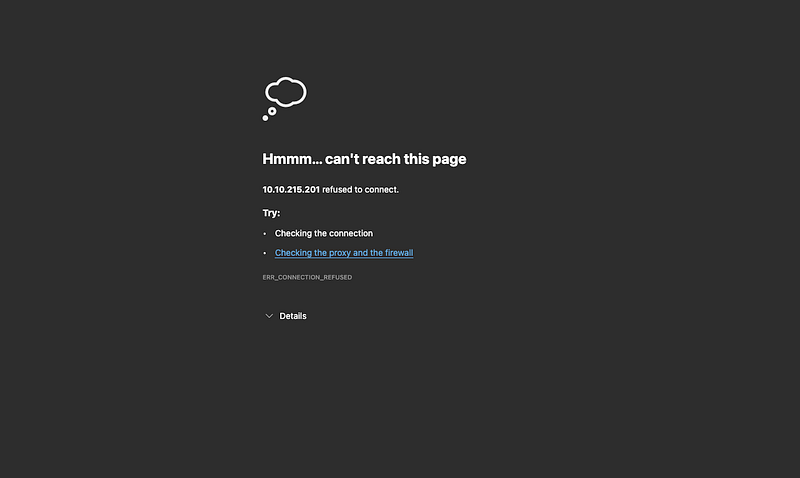
Nothing!. Rustscan then,
# rustscan -a 10.10.215.201 -u 5000 -- -sV -T4 -A
Open 10.10.215.201:22
Open 10.10.215.201:111
Open 10.10.215.201:48893
...
...
3 ports available, 1 — SSH, 2 — TCP. 111 and 48893 page is not running. Only SSH left. Using hydra with brute username and password
# hydra -L ~/wordlists/dirb/common.txt -P ~/wordlists/rockyou.txt 10.10.215.X ssh
[DATA] attacking ssh://10.10.215.X:22/
[STATUS] 180.00 tries/min, 180 tries in 00:01h, 66185056810 to do in 6128246:01h, 16 active
[STATUS] 113.33 tries/min, 340 tries in 00:03h, 66185056650 to do in 9733096:34h, 16 active
[STATUS] 117.14 tries/min, 820 tries in 00:07h, 66185056170 to do in 9416573:02h, 16 active
[STATUS] 108.13 tries/min, 1622 tries in 00:15h, 66185055370 to do in 10201149:07h, 16 active
You know what? after 15 minutes running Hydra, I’m realised that there is description to enter SSH. 😂 Such a waste of time. Too lazy to read.
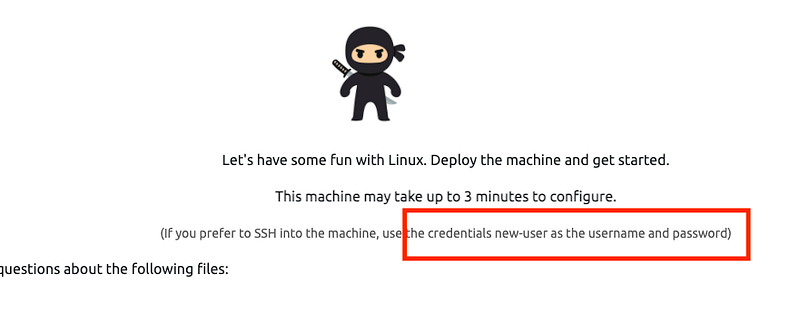
Now SSH using new-user as username and password.
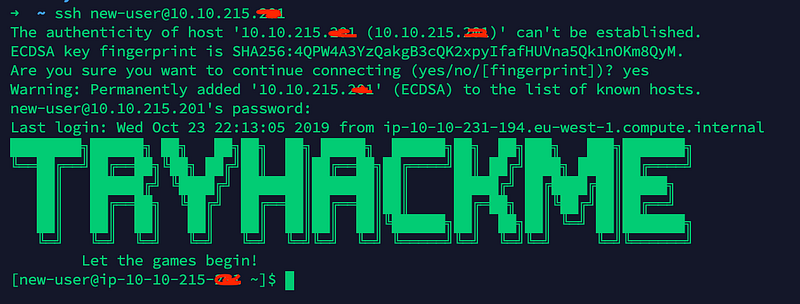
Ok now, Let’s find below files. I don’t know it’s a file or a folder
- 8V2L
- bny0
- c4ZX
- D8B3
- FHl1
- oiMO
- PFbD
- rmfX
- SRSq
- uqyw
- v2Vb
- X1Uy
Let’s start hunting.
# find / | grep -e '8V2L' -e bny0 -e c4ZX -e D8B3 -e FHl1 -e oiMO -e PFbD -e rmfX -e SRSq -e uqyw -e v2Vb -e X1Uy
...
...
find: `/proc/2668/task/2668/fdinfo': Permission denied
find: `/proc/2668/task/2668/ns': Permission denied
find: `/proc/2668/fd': Permission denied
find: `/proc/2668/map_files': Permission denied
find: `/proc/2668/fdinfo': Permission denied
find: `/proc/2668/ns': Permission denied
...
Ergh! Ugly.. i need to silence the stderr output by adding 2>/dev/null to the end of the command.
# find /2>/dev/null| grep -w -e 8V2L -e bny0 -e c4ZX -e D8B3 -e FHl1 -e oiMO -e PFbD -e rmfX -e SRSq -e uqyw -e v2Vb -e X1Uy | sort >> note.txt /X1Uy
/etc/8V2L
/etc/ssh/SRSq
/home/v2Vb
/media/rmfX
/mnt/D8B3
/mnt/c4ZX
/opt/PFbD
/opt/oiMO
/var/FHl1
/var/log/uqyw
There is only one missing is“bny0” file.
# find / -exec grep "*bny0*" {} \; 2>/dev/nullTakes too long.. Never mind.. just proceed
Which of the above files are owned by the best-group group?
The task is to find best-group group. Tweak the command earlier to list down more detail file information and grep only best-group string
# find / -ls 2>/dev/null | grep -w -e 8V2L -e bny0 -e c4ZX -e D8B3 -e FHl1 -e oiMO -e PFbD -e rmfX -e SRSq -e uqyw -e v2Vb -e X1Uy | grep "best-group"
268017   16 -rw-rw-r--   1 new-user best-group    13545 Oct 23  2019 /mnt/XXXX
268014   16 -rw-rw-r--   1 new-user best-group    13545 Oct 23  2019 /home/XXXX
Ok got it. Let’s proceed
Which of these files contain an IP address?
Let’s google for a IP address pattern regex form and use grep command
# grep -Eo '[0-9]{1,3}\.[0-9]{1,3}\.[0-9]{1,3}\.[0-9]{1,3}'Then, instead of traverse all the system files again, just use previous command along with above grep
# grep -Eo '[0-9]{1,3}\.[0-9]{1,3}\.[0-9]{1,3}\.[0-9]{1,3}' $(cat note.txt)
/opt/XXXX:1.1.1.1
Ok got it. Let’s proceed
Which file has the SHA1 hash of 9d54da7584015647ba052173b84d45e8007eba94?
Let’s find the sha1 string if any of them have it.
# grep "9d54da7584015647ba052173b84d45e8007eba94" $(cat note.txt)
Ermm. None of the files contain the sha1 string. How about check the checksum of the file
# sha1sum $(cat note.txt)
59840c46fb64a4faeabb37da0744a46967d87e57  /X1Uy
0323e62f06b29ddbbe18f30a89cc123ae479a346  /etc/8V2L
acbbbce6c56feb7e351f866b806427403b7b103d  /etc/ssh/SRSq
7324353e3cd047b8150e0c95edf12e28be7c55d3  /home/v2Vb
4ef4c2df08bc60139c29e222f537b6bea7e4d6fa  /media/rmfX
2c8de970ff0701c8fd6c55db8a5315e5615a9575  /mnt/D8B3
9d54da7584015647ba052173b84d45e8007eba94  /mnt/c4ZX
256933c34f1b42522298282ce5df3642be9a2dc9  /opt/PFbD
5b34294b3caa59c1006854fa0901352bf6476a8c  /opt/oiMO
d5a35473a856ea30bfec5bf67b8b6e1fe96475b3  /var/FHl1
57226b5f4f1d5ca128f606581d7ca9bd6c45ca13  /var/log/uqyw
Ok now just using grep
# sha1sum $(cat note.txt) | grep 9d54da7584015647ba052173b84d45e8007eba94
9d54da7584015647ba052173b84d45e8007eba94  /mnt/XXXX
Ok got it. Let’s proceed
Which file contains 230 lines?
Using grep count command,
# grep -c ^ $(cat note.txt)
/X1Uy:209
/etc/8V2L:209
/etc/ssh/SRSq:209
/home/v2Vb:209
/media/rmfX:209
/mnt/D8B3:209
/mnt/c4ZX:209
/opt/PFbD:209
/opt/oiMO:209
/var/FHl1:209
/var/log/uqyw:209
Wait what? all the files have same lines.. Lets try again to find the missing file
# grep -rs "bny0" /
grep: memory exhausted
# grep -rs "bny0" $(ls /)
# find /etc -type f -name "*bny*" 2>>/dev/null
Nothing found. Using cyberchef to find the decoder “bny0” also not found. I decide to check if “bny0” is the correct answer. Luckily, its correct
Which file’s owner has an ID of 502?
This is simple just find using uid argument in find command
# find / -uid 502 -ls 2>/dev/null
394675    0 -rw-rw----   1 newer-user mail            0 Oct 23  2019 /var/spool/mail/newer-user
268025    4 drwx------   2 newer-user newer-user     4096 Oct 23  2019 /home/newer-user
268018   16 -rw-rw-r--   1 newer-user new-user    13545 Oct 23  2019 /XXXX
Ok got it. Let’s proceed the final question
Which file is executable by everyone?
Just using the previous command
# find / -ls 2>/dev/null | grep -w -e 8V2L -e bny0 -e c4ZX -e D8B3 -e FHl1 -e oiMO -e PFbD -e rmfX -e SRSq -e uqyw -e v2Vb -e X1Uy
268017   16 -rw-rw-r--   1 new-user best-group    13545 Oct 23  2019 /mnt/D8B3
268022   16 -rw-rw-r--   1 new-user new-user    13545 Oct 23  2019 /mnt/c4ZX
268016   16 -rw-rw-r--   1 new-user new-user    13545 Oct 23  2019 /var/FHl1
268021   16 -rw-rw-r--   1 new-user new-user    13545 Oct 23  2019 /var/log/uqyw
268023   16 -rw-rw-r--   1 new-user new-user    13545 Oct 23  2019 /opt/PFbD
268024   16 -rw-rw-r--   1 new-user new-user    13545 Oct 23  2019 /opt/oiMO
268020   16 -rw-rw-r--   1 new-user new-user    13545 Oct 23  2019 /media/rmfX
268019   16 -rwxrwxr-x   1 new-user new-user    13545 Oct 23  2019 /etc/XXXX
268012   16 -rw-rw-r--   1 new-user new-user    13545 Oct 23  2019 /etc/ssh/SRSq
268014   16 -rw-rw-r--   1 new-user best-group    13545 Oct 23  2019 /home/v2Vb
268018   16 -rw-rw-r--   1 newer-user new-user    13545 Oct 23  2019 /X1Uy
Done!
~~~ Happy Hacking ~~~