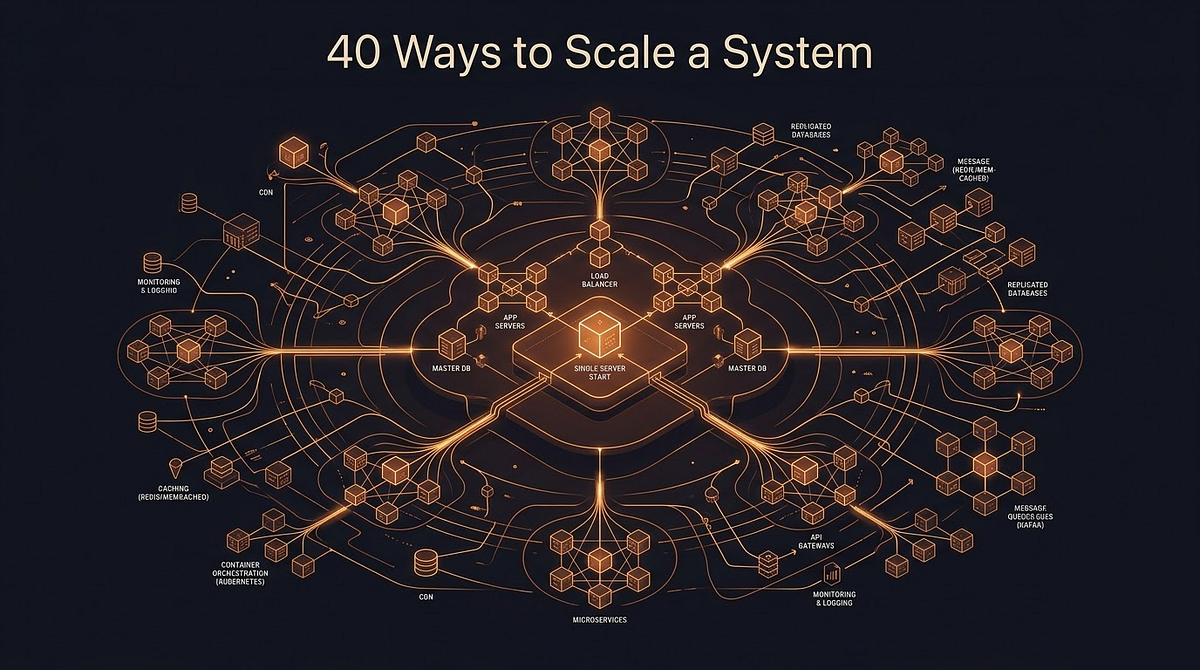
A practical walkthrough for mid-level developers who want a clear mental map of how real systems grow.

Most tutorials start at scale. They show you a diagram with six services, three databases and a CDN already in place and say “this is how you build things.” That is not how anything actually gets built.
Real systems start small. They grow awkwardly. Decisions made for ten users come back to haunt you at ten thousand. The point of understanding the full scaling journey is not just to pass a system design interview. It is to recognise the moment your current architecture is about to become your next problem.
The architecture that gets you to 10,000 users will not get you to 1,000,000. And the one that gets you to 1,000,000 is almost certainly over-engineered for 10,000.
This is that journey, stage by stage.
Stage 1: One Server, Everything On It
Every system starts here. One server. Your web application, your database and your cache all running on the same machine. A user sends a request, the server handles it, queries its own database and sends a response back.
This works fine for early users. It is simple to deploy, simple to debug and cheap to run. The entire stack is one SSH session away.
The failure mode is obvious once you see it: everything fails together. If the database crashes, the web server goes down with it. If a traffic spike overloads the CPU, both your application logic and your database queries slow down simultaneously. There is no isolation between concerns because there is no separation at all.
The first scaling move is not to add more machines. It is to separate what you have.
Stage 2: Separate the Web Tier from the Data Tier
Split the single server into two: one for your application (the web tier) and one for your database (the data tier). They communicate over a private network.
This feels minor but it changes what becomes possible. You can now scale each tier independently based on where the actual bottleneck is. If your queries are slow, you give the database server more memory. If your application logic is CPU-heavy, you upgrade the web server. You are no longer forced to treat both problems as one.
It also introduces a question you will need to answer: SQL or NoSQL?
Relational databases (MySQL, PostgreSQL) have been the default for decades and remain the right choice for most use cases. They handle structured data well, enforce consistency through ACID transactions and support complex queries with joins. If you are unsure, start here.
NoSQL databases (MongoDB, Cassandra, DynamoDB) become worth considering when:
- You need extremely low latency
- Your data has no consistent structure
- You need to store data at a scale where the relational model starts to break down
The tradeoff is usually consistency. Most NoSQL systems offer eventual consistency rather than the strict guarantees of a relational database. You get speed and scale. You give up certainty.
At this stage, one web server and one database server can take you surprisingly far. Most applications here can comfortably serve thousands of concurrent users.
Stage 3: Load Balancer and Horizontal Scaling
Vertical scaling (giving a single server more CPU or RAM) has a ceiling. The machine only gets so big before it costs too much or stops being available. More importantly, a single web server is still a single point of failure. If it goes down, your entire application goes down with it.
Horizontal scaling solves both problems. Instead of one bigger server, you run multiple identical servers behind a load balancer.
The load balancer sits in front of your web tier. It accepts all incoming traffic and distributes requests across your pool of web servers. Users talk to the load balancer’s public IP. They never reach your web servers directly. This means you can add or remove servers from the pool without the user ever noticing. If one server fails, the load balancer stops sending traffic to it and routes everything to the remaining healthy servers.
There are several distribution strategies:
- Round-robin: each server in turn
- Least connections: whichever server has the fewest active requests
- IP hash: the same user always goes to the same server
IP hash is a hint that session state is still living on the server itself. That is an architectural pattern worth moving away from. We will get to it.
With a load balancer in place, your web tier now has redundancy and the ability to scale out by simply adding more servers. The database tier is now your next bottleneck.
Stage 4: Database Replication (Primary–Replica)
A single database server is both a performance bottleneck and a single point of failure. Database replication addresses both.
The primary–replica model works like this:
- One database is designated the primary. All write operations (inserts, updates, deletes) go here.
- One or more replica databases receive a continuously synchronised copy of the primary’s data. All read operations are distributed across the replicas.
The performance gain comes from read distribution. In most web applications, reads significantly outnumber writes. Moving reads off the primary and across multiple replicas reduces its load substantially.
The availability gain comes from failover. If a replica fails, traffic reroutes to the remaining replicas. If the primary fails, a replica is promoted to become the new primary.
There is one tradeoff worth knowing: replication lag. There is a brief delay between a write hitting the primary and that write being visible on the replicas. For most use cases this is milliseconds and goes unnoticed. But for cases where a user must immediately read back something they just wrote, you need to route that specific read to the primary.
A load-balanced web tier with a replicated database is enough to take most applications to hundreds of thousands of users. The next bottleneck is usually not throughput. It is repeated reads for the same data.
Stage 5: Caching Layer (Redis)
Database queries are expensive relative to memory reads. If a thousand users load the same product page within a minute, you are running the same query a thousand times against your database. None of those queries return different results.
A cache layer sits between your web tier and your data tier. The flow:
- Application needs data → check the cache first
- Cache hit → return immediately, no database query
- Cache miss → query database, store result in cache, return it
- All subsequent requests → served from cache
Redis is the most widely used tool for this. It stores data in memory, which makes reads dramatically faster than a disk-backed database. It supports lists, sets, sorted sets and hashes. That makes it useful well beyond simple caching.
Three questions to answer before caching anything:
What belongs in the cache? Data that is read frequently, expensive to compute and unlikely to change rapidly. User session data, product details and computed aggregates are good candidates. Frequently changing data is a poor candidate.
How long should it live? TTL (time to live) controls this. A product price might tolerate a five-minute cache. A live inventory count might need seconds or nothing at all.
What happens when the cache goes down? Your application should fall back to the database rather than failing entirely.
Treat the cache as an optimisation, not a dependency. If your system cannot survive a cache outage, you have built the cache wrong.
Stage 6: CDN for Static Assets
Every web application serves static assets: images, JavaScript files, CSS stylesheets, fonts and videos. By default these are served from your web servers. For a user in Kuala Lumpur requesting a server in Virginia, every asset request carries the full round-trip latency of that distance.
A CDN (Content Delivery Network) distributes your static assets across a network of servers positioned geographically close to your users. That user in KL gets the asset from a node in Singapore, not Virginia.
How it works:
- First request to a CDN node → node fetches from your origin server and caches it locally
- Every subsequent request from users near that node → served from the CDN cache, origin not involved
The key considerations:
- Cost: CDNs charge per data transfer
- Cache invalidation: when you deploy a new JS file, users must receive the new version. Version your assets (
app.v2.js) or use CDN invalidation APIs. - TTL: a logo can be cached for weeks. A frequently updated script should be much shorter.
With a CDN in place, your web servers handle zero static asset requests. Every cycle they have goes toward dynamic processing.
Stage 7: Stateless Web Tier and Message Queues
As you add more web servers, a hidden problem can surface: session state. If your application stores user session data on the web server itself, a user routed to a different server on their next request will lose their session. Their cart disappears. They get logged out.
One fix is sticky sessions: the load balancer always routes a user to the same server. This works but undermines horizontal scaling. You cannot rebalance load if users are pinned to specific servers.
The correct fix is to make the web tier stateless. Move session data out of the web servers and into a shared store like Redis or a dedicated session database. Now every web server can serve any user because the state lives outside the servers entirely.
Stateless web tier = truly elastic scaling. Add servers, remove servers, the system doesn’t care. No sessions break. No state is lost.
The second pattern at this stage is the message queue.
Some operations should not block a user’s request. Sending a welcome email, resizing an uploaded image, generating a PDF: these tasks can take seconds. Making the user wait is poor experience. If the process crashes mid-task, the user’s request fails.
A message queue (RabbitMQ, Apache Kafka) decouples the work from the request:
- User registers → web server writes a message to the queue → immediately returns success
- A worker process reads from the queue → sends the email → acknowledges the message
- If the worker crashes → message stays in queue → another worker picks it up
The user’s registration succeeded regardless of what happens to the email worker.
Message queues separate what must happen now from what can happen later. Scale workers independently. Email queue backing up? Add email workers without touching your web servers.
Stage 8: Database Sharding
At high enough scale, even a well-optimised primary–replica setup hits its limits. The primary can only handle so many writes. The dataset grows too large for a single server. This is where sharding enters.
Sharding is horizontal partitioning of your database. Instead of one database holding all your data, you split it across multiple database servers called shards, each holding a subset.
The most critical decision: the shard key, the attribute used to determine which shard a piece of data lives on. A user table sharded by user ID might look like:
- Shard 1 → users 1 to 1,000,000
- Shard 2 → users 1,000,001 to 2,000,000
- Shard 3 → users 2,000,001 to 3,000,000
Every query that includes the shard key routes directly to the correct shard. Every query that does not must fan out across all shards and merge results. That is expensive.
A good shard key distributes data evenly and avoids hotspots where one shard handles most of the load. A bad one and you have rebuilt the single-server bottleneck, just with more moving parts.
Sharding introduces real complexity:
- Joins across shards are difficult
- Rebalancing when you add shards is operationally painful
- Cross-shard consistency requires careful design
Do not introduce sharding until you have exhausted every simpler option. It is powerful and it is painful. Systems at tens of millions of users often have no alternative. Systems at tens of thousands almost certainly do.
The Full Picture
The journey from one server to millions of users is not a single architectural leap. It is a sequence of targeted changes, each addressing the bottleneck the previous stage exposed.
Stage 1 gets you off the ground with a single server.
Stage 2 separates your web and data tiers so each can grow independently.
Stage 3 adds a load balancer and lets you scale the web tier horizontally.
Stage 4 replicates the database to distribute reads and survive failures.
Stage 5 layers in a Redis cache to absorb repeated queries.
Stage 6 moves static assets to a CDN and frees your servers for dynamic work only.
Stage 7 makes the web tier stateless and introduces message queues for async processing.
Stage 8 shards the database when write volume finally outgrows a single primary.
At each stage, the question is the same: where is the current bottleneck? The answer determines which change to make next.
Over-engineering for scale you do not have yet is expensive and adds unnecessary complexity. Under-engineering for scale that is already here is how systems go down under load.
Know the stages. Know what each one solves. Apply them in order.