Because scaling isn’t just about adding more RAM.
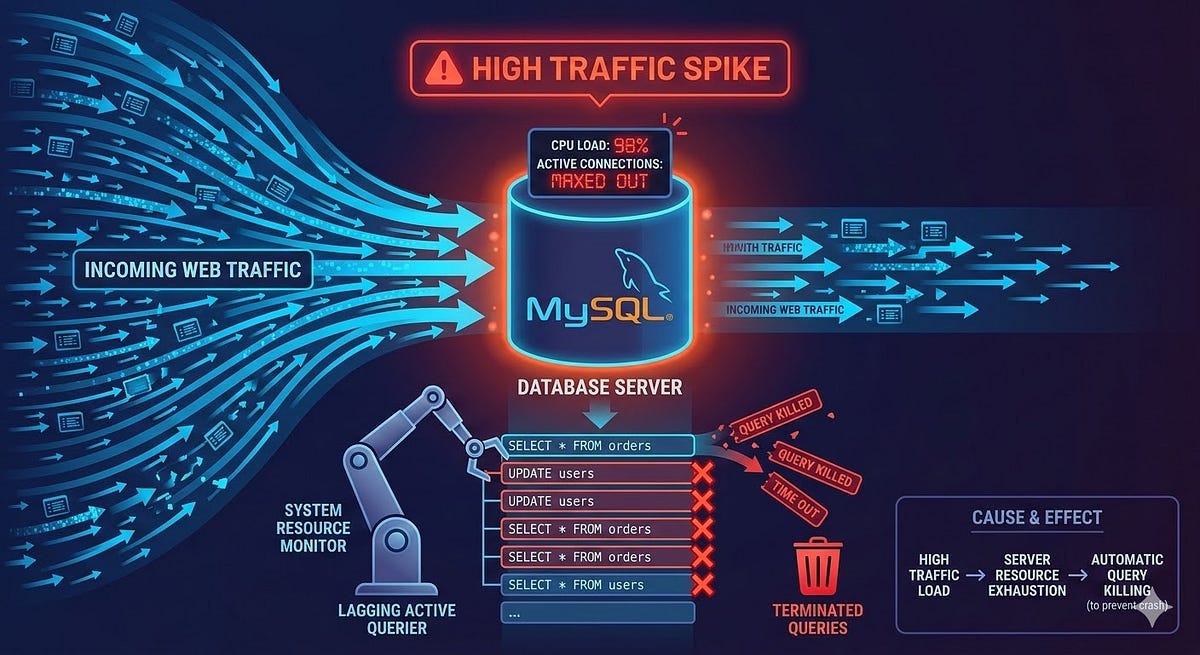
Most server crashes do not come from hardware failure or a sudden traffic spike. They come from a query someone wrote at 2am that nobody reviewed, running fine on 10,000 rows and falling apart at 10 million.
I have seen this happen on production systems more times than I care to admit. A slow query report arrives. Someone panics. The server gets upgraded. The problem quietly returns three months later because nobody fixed the actual query.
This article is about those queries. What they look like, why they hurt and how to write them better.
Before Anything Else, Use EXPLAIN
Every fix in this article starts with the same tool. Before you rewrite a single query, run EXPLAIN on it.
EXPLAIN SELECT * FROM orders WHERE customer_id = 99;
MySQL will show you what it is actually doing: which indexes it uses, how many rows it scans and where it is doing full table scans. The type column is the one to watch. ALL means a full table scan. ref or eq_ref means it is using an index. index looks promising but it still reads every row in the index, which is not always faster than ALL for large tables.
Get comfortable with EXPLAIN before touching anything else.
SELECT * Is Lazy and Expensive
-- What most developers write
SELECT * FROM users WHERE status = 'active';
-- What actually happens
-- MySQL fetches every column, including blobs, text fields
-- and columns you are never going to use
SELECT * is not just wasteful. It actively blocks MySQL from using covering indexes, forces the query to read from the actual table rows instead of the index alone and sends unnecessary data across the wire to your application.
The fix is simple. Fetch only what you need.
SELECT id, name, email FROM users WHERE status = 'active';
If your index covers the columns in your SELECT and WHERE clause, MySQL can answer the query entirely from the index without touching the main table. That is a covering index and it makes a significant difference on large datasets.
The N+1 Problem Hiding in Your ORM
This one is responsible for a huge number of slow applications and most developers do not even notice it happening because the ORM hides it.
Here is the pattern in Laravel Eloquent, though it appears in every ORM:
// This runs 1 query to get orders
$orders = Order::all();

// This runs 1 additional query PER ORDER
foreach ($orders as $order) {
    echo $order->customer->name;
}
If you have 500 orders, this generates 501 queries. At 5,000 orders it becomes 5,001 queries. Your application looks fine in local development with a few test records and falls apart in production.
The fix is eager loading:
$orders = Order::with('customer')->get();Now it is two queries total regardless of how many orders you have. One for orders and one for all the related customers fetched in a single WHERE id IN (...) call.
Always check your query log in development. In Laravel you can add DB::enableQueryLog() and dump it at the end of a request. What you find is usually disturbing.
LIKE With a Leading Wildcard
-- Looks harmless, destroys performance
SELECT * FROM products WHERE name LIKE '%keyboard%';
The problem is the leading %. MySQL cannot use a B-tree index when a string search starts with a wildcard because there is no defined starting point to seek to. The engine reads every single row in the table and checks the condition manually.
For a table with a few thousand rows this is fine. For a table with millions of products it will time out or lock up.
Option 1: Remove the leading wildcard when you can
If users are searching for products that start with a term, LIKE 'keyboard%' will use the index on the name column.
Option 2: Use FULLTEXT search
For genuine keyword search across text fields, MySQL’s FULLTEXT index is built for this:
ALTER TABLE products ADD FULLTEXT INDEX ft_name (name);

SELECT * FROM products
WHERE MATCH(name) AGAINST('keyboard' IN BOOLEAN MODE);
FULLTEXT search is significantly faster than LIKE '%term%' on large datasets and gives you better relevance ranking on top of that.
Option 3: Move to a dedicated search engine
For search-heavy applications, tools like Meilisearch or Elasticsearch exist precisely because databases were never designed to be search engines. If search is a core feature of your product, do not fight MySQL to do something it is not optimised for.
Functions on Indexed Columns in WHERE
This is one of the quieter killers because the query looks perfectly reasonable:
-- Index on created_at exists, but this ignores it
SELECT * FROM orders WHERE YEAR(created_at) = 2024;

-- Same problem
SELECT * FROM users WHERE LOWER(email) = 'hafiq@example.com';
When you wrap an indexed column in a function, MySQL cannot use the index. It has to compute the function result for every row and compare it. Full table scan, every time.
The fix is to rewrite the condition so the indexed column is on its own:
-- Uses the index on created_at
SELECT * FROM orders
WHERE created_at >= '2024-01-01' AND created_at < '2025-01-01';

-- Store email already lowercased, or use a generated column
SELECT * FROM users WHERE email = LOWER('Hafiq@example.com');
For the email case, the better long-term solution is to store emails in lowercase at insertion time and never need the function at all.
Large OFFSET Pagination
At some point, most applications need paginated results. The default approach works until it absolutely does not:
-- Page 1: fast
SELECT * FROM logs ORDER BY created_at DESC LIMIT 20 OFFSET 0;

-- Page 5000: MySQL reads 100,020 rows and throws away 100,000 of them
SELECT * FROM logs ORDER BY created_at DESC LIMIT 20 OFFSET 100000;
MySQL does not skip to offset 100,000 directly. It reads every row up to that point and discards them. The further into the dataset you paginate, the slower every query gets. On a table with tens of millions of rows, deep pagination will time out.
The solution is keyset pagination, also called cursor-based pagination:
-- First page
SELECT id, created_at, message FROM logs
ORDER BY created_at DESC, id DESC
LIMIT 20;

-- Next page: use the last id and created_at from the previous result
SELECT id, created_at, message FROM logs
WHERE (created_at, id) < ('2024-06-15 10:30:00', 98234)
ORDER BY created_at DESC, id DESC
LIMIT 20;
Instead of telling MySQL to skip rows, you are telling it where to start. With a proper index on (created_at, id) this runs at the same speed whether you are on page 1 or page 50,000.
The trade-off is that you lose the ability to jump to a specific page number. For most real applications like feeds, logs and timelines that is a perfectly acceptable trade.
JOIN Columns With No Index
-- If orders.customer_id has no index, this is brutal
SELECT o.id, c.name
FROM orders o
JOIN customers c ON o.customer_id = c.id
WHERE c.country = 'MY';
MySQL needs to match rows between the two tables. Without an index on the join column it performs a nested loop where for each row in one table it scans the entire other table. On two tables of 500,000 rows each, that becomes an enormous number of comparisons.
ALTER TABLE orders ADD INDEX idx_customer_id (customer_id);
Primary keys are indexed automatically. Foreign key columns in the child table are not. Always add indexes to the columns you join on, especially in high-traffic tables.
Transactions That Stay Open Too Long
This one happens at the application code level, not just in SQL:
DB::beginTransaction();

$order = Order::create([...]);

// Calling an external payment API inside an open transaction
$response = Http::post('https://payment-gateway.com/charge', [...]);

Order::where('id', $order->id)->update(['status' => $response['status']]);

DB::commit();
While the transaction is open, MySQL holds locks on the affected rows. If the payment API takes 8 seconds to respond, those locks are held for 8 seconds. Under load, transactions waiting for those locks start queuing up. That queue becomes your server crash.
The rule is to keep transactions as short as possible. Do your external API calls and heavy computation outside the transaction then open it only for the actual database writes:
// Do the external work first
$response = Http::post('https://payment-gateway.com/charge', [...]);

// Then open the transaction for just the writes
DB::beginTransaction();

$order = Order::create([...]);

Order::where('id', $order->id)->update(['status' => $response['status']]);

DB::commit();
The Slow Query Log Is Your Friend
All of this is reactive. A better approach is to catch these problems before they surface in production. MySQL has a built-in slow query log that you can enable to capture queries taking longer than a threshold you define:
SET GLOBAL slow_query_log = 'ON';
SET GLOBAL long_query_time = 1; -- Log queries taking more than 1 second
SET GLOBAL slow_query_log_file = '/var/log/mysql/slow.log';
Review it regularly. The same few queries usually appear again and again. Those are the ones worth spending time on.
You can also use mysqldumpslow to summarise the log file and see which queries appear most often and cause the most cumulative load.
One More Thing
Database performance problems are almost never about hardware. Before you scale vertically or move to a more expensive server, check your queries. Add EXPLAIN to your debugging workflow. Set up the slow query log. Fix the queries calling your data in the most expensive possible way.
A single well-placed index has saved more servers than any amount of additional RAM.
The problems covered here are not edge cases. They are patterns that appear in production codebases everywhere, written by developers who were moving fast and not thinking about what happens at scale. The fix is usually ten lines of code or less.
Fix the query. Not the hardware.