Two Factor Authentication (2FA) is an extra layer of protection used to ensure the security of online accounts beyond just a username and password. This 2FA already implemented in most modern website as extra layer of security. This 2FA basically requires you to verify your identity using a randomized 6-digit code.

Why Microsoft Authenticator App? Because its free! 😂
BTW, Adding 2FA in Laravel is quite simple actually. Make sure you install Microsoft Authenticator App in your device. This 2FA already in Fortify package and Jetstream Laravel. But i would like to create it myself so i have full control of it. 😜
Note that, this tutorial is just snippet of codes. Any UI or extra code need to create by yourself. This article intended to show how the 2FA can be used. This article is for intermediate developer
Install composer package
# composer require pragmarx/google2fa //required
# composer require endroid/qr-code // can change to your prefered QR package
Create a class, let’s call it as TwoFactorAuthenticationProvider.
Let me explain,
public function generateSecretKey()
{
    return $this->engine->generateSecretKey();
}
This function will generate a secret for each initialisation of 2FA. Note that, this secret key need to store securely in your database or anywhere you preferred bind with each user.
public function generateRecoveryCodes($times = 8, $random = 10)
{
    return Collection::times($times, function () {
       return Str::random($random).'-'.Str::random($random);
    })->toArray();
}
This function used for account recovery. Its will generate 8 of codes with random characters. This is important where if you can’t use your 2FA, recovery codes come to the rescue. Note that, this recovery codes also need to be stored in database for recovery purpose.
public function verify(string $secret, string $code)
{
    return $this->engine->verifyKey($secret, $code);
}
This function use to verify your 6 digit input from 2FA page with your user secret key. It will thrown IncompatibleWithGoogleAuthenticatorException if doesn’t match.
Usage
Initial
Use created class earlier at Controller or any where you want to use
$provider = app(TwoFactorAuthenticationProvider::class);
or
function __construct(TwoFactorAuthenticationProvider $provider) {}
Create a secret key for current user and encrypt it.
$code = $provider->generateSecretKey();
$encrypted_code = encrypt($code);
Don’t forget to create the list of recovery codes
$recovery_codes = $provider->generateRecoveryCodes();
and store it based on user, for example
foreach($recovery_codes as $recovery_code) {
   RecoveryCodeModel::create([
       'user_id' => $user->id,
       'code' => encrypt($recovery_code)
   ]);
}
or
RecoveryCodeModel::create([
       'user_id' => $user->id,
       'code' => encrypt(json_encode($recovery_codes))
]);
Then, you must generate a QR Code to register in Microsoft Authenticator App.
$strAuthUrl = $provider->qrCodeUrl(
    YOUR ACCOUNT NAME,
    YOUR USERNAME,
    $code // Secret Key
);
The provider will generate long authentication string and convert the string into QR Code images
For example, i’m using Endroid QrCode
$qrCode = new QrCode($strAuthUrl);
$qrCode->setMargin(10);
$qrCode->setSize(600);
$qrCode->setWriterByName('png');
$qrCode->setEncoding('UTF-8');
$qrCode->setErrorCorrectionLevel(ErrorCorrectionLevel::HIGH());
$qrCode->setLogoWidth(150);
$qrCode->setRoundBlockSize(true);
$qrCode->setValidateResult(false);

$dataURI = $qrCode->writeString();
From the URI, store it in your storage
$url = Storage::put('qrcode.png', $dataURI);You’ll get the public URL for your QR Code. Take the secret key and the URL and save it in the Database. Let’s for example,
$user->update([
    'twofa_key' => $encrypted_code,
    'twofa_qr'  => $url
]);
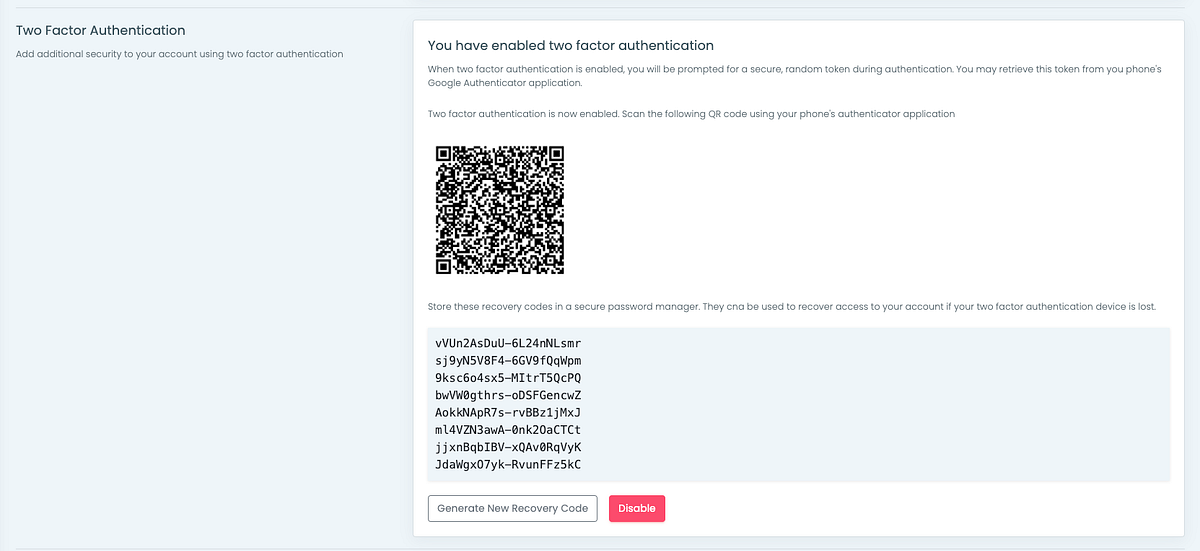
Once you display at your user end, it will be something like this.
How about verification
Lets create the Validation Request class first and called TwoFactorLoginRequest.
Its just normal FormRequest class but added 2 more function hasValidCode() and validRecoveryCode()
In your authentication controller, for example LoginController, you can create new function called verify2fa and verifyRecovery2fa
public function verify2fa(TwoFactorLoginRequest $request)
{
    if (!$request->hasValidCode()) {
         return back()->withErrors('Wrong Code');
    }

    return redirect()->intended($this->redirectPath());
}
public function verifyRecovery2fa(TwoFactorLoginRequest $request)
{
    if (!$code = $request->validRecoveryCode()) {
        return back()->withErrors('Wrong Recovery Code');
    }

    return redirect()->intended($this->redirectPath());
}
Here some UI i created to authenticated to above method.
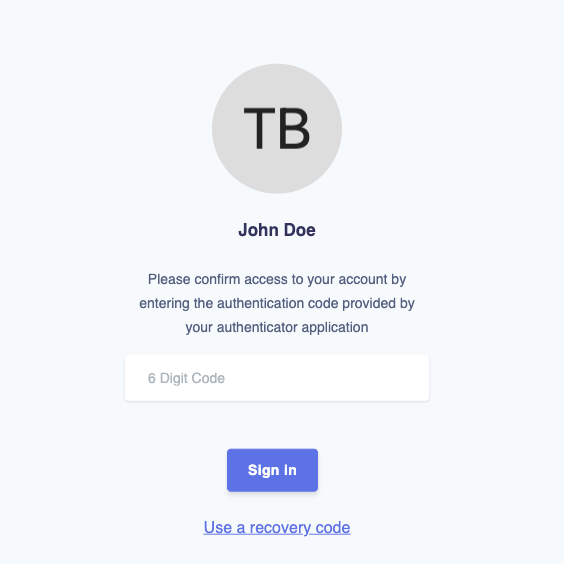
After user login with email and password. This page will appear first.
BUT First, you need to scan QrCode first. If not, you need recovery code to login
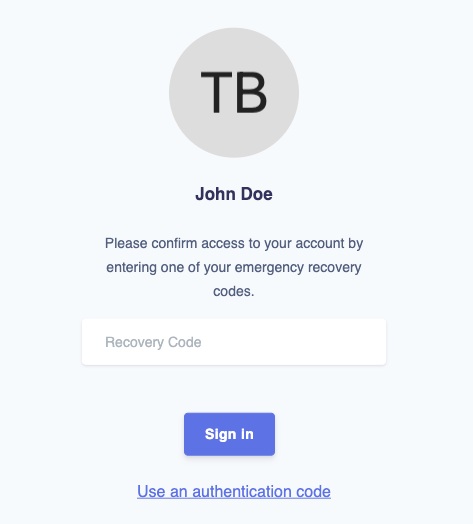
After user “use a recovery code”, this page will appear.
You have to save the 8 random codes somewhere else so that you can use in this page.
OR else, delete the user and create again. 😅
Conclusion
This article intended to show how the 2FA can be used. You may refer How to Add Google’s Two Factor Authentication to Laravel ― Scotch.io, on how to create an UI if you are a beginneer