The “correct” answer and the practical answer are not always the same thing.
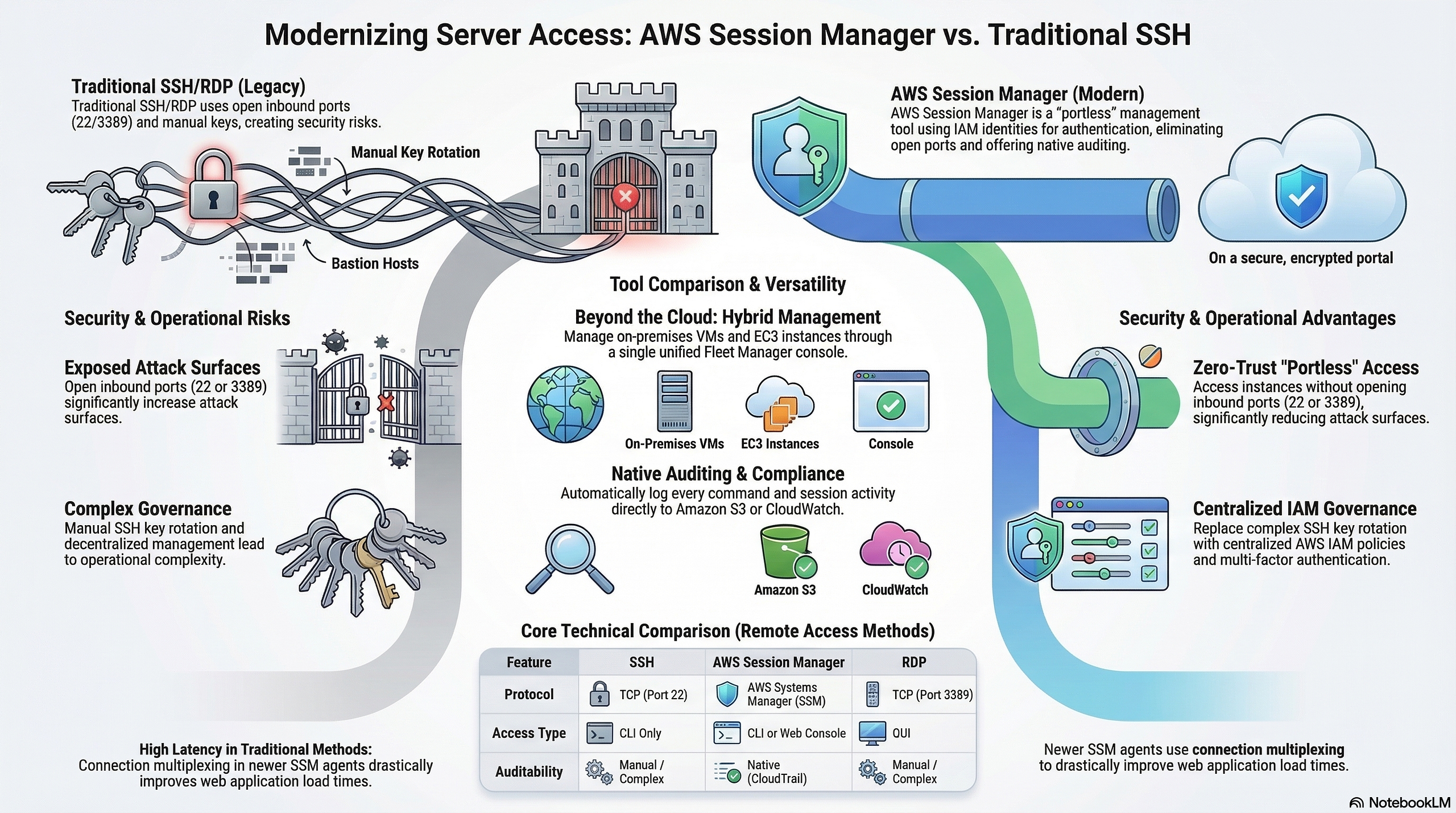
Every AWS blog post says the same thing. Ditch the bastion host. Disable port 22. Use SSM Session Manager. It is more secure, it is zero trust, it is the modern way.
They are not wrong. SSM is genuinely better on paper.
My team still uses SSH. We have been doing it across multiple client projects and I have no regrets.
What AWS Wants You to Do
AWS Systems Manager Session Manager lets you connect to your EC2 instances without opening any inbound ports, without a bastion host and without managing SSH keys. You authenticate through IAM, sessions are logged to CloudWatch or S3 and there is no port 22 anywhere in your security groups.
It looks like this:
aws ssm start-session --target i-0123456789abcdef0You get a shell. No key pair. No open port. Compliance teams love it.
The pitch is solid. Especially if you are in a regulated industry where auditors want zero open inbound ports and full session logging.
What Actually Happens When You Use SSM
You install the SSM agent on every instance. You attach the correct IAM instance profile. You make sure the instance can reach the SSM endpoints. That means either a NAT Gateway or VPC Interface Endpoints.
That last part deserves its own paragraph. SSM Session Manager is free for EC2 instances. No per-session charge, no hourly fee for the service itself. The cost question only comes up if your instances are in a fully private subnet with no NAT Gateway and no internet route at all. In that specific case you need three VPC Interface Endpoints to make SSM reachable: ssm, ssmmessages and ec2messages. Each endpoint costs $0.01 per hour per AZ. Three endpoints across two AZs runs around $44/month. But if you already have a NAT Gateway or your instances have outbound internet access, SSM costs you nothing extra. Cost is not the reason to avoid it.
Then a developer wants to connect. They run:
aws ssm start-session --target i-0123456789abcdef0Except the SSM agent is not running. Or the IAM policy is missing ssm:StartSession on the specific instance. Or the instance cannot reach the SSM endpoint because someone changed the route table. The error message tells you nothing useful. You spend 20 minutes in IAM troubleshooting a permission boundary that a junior developer has no idea how to read.
When it works, you get a shell. And if you want scp or rsync, you need to go further. AWS does support file transfer over SSM, but not through the standard aws ssm start-session command. You have to set up SSH tunneling over SSM: install the session manager plugin, add a ProxyCommand block to your ~/.ssh/config and still have a key pair on the instance. It works, but it is three separate setup steps that every developer on the team has to get right before scp private-app:/var/log/app.log ./ does anything useful.
VS Code Remote SSH needs extra config to tunnel through SSM. JetBrains Gateway has its own workaround. Every tool your developers already use with plain SSH needs to be retrofitted.
Then there is the session timeout. SSM Session Manager closes the session after 20 minutes of inactivity by default. You are deep in a debug session, you step away and when you come back the session is gone. You cannot resume it. You start over.
What I Use Instead
A bastion host. One t4g.nano in a public subnet with an Elastic IP. Security group allows port 22 from the office IP and the team VPN range only. Nothing else.
Every private instance has a security group that allows port 22 from the bastion security group only. Not from the internet. Not from a wide CIDR. From the bastion security group ID. If the bastion goes away, access goes away with it.
The SSH config on every developer machine looks like this:
Host bastion
  HostName 13.xx.xx.xx
  User ec2-user
  IdentityFile ~/.ssh/your-key.pem
Host private-app
  HostName 10.0.1.50
  User ec2-user
  IdentityFile ~/.ssh/your-key.pem
  ProxyJump bastion
Connecting to a private instance:
ssh private-appOne command. Works in every terminal, every IDE and every tool that speaks SSH. No AWS CLI. No IAM policy to debug. No agent to troubleshoot.
File transfers work:
scp private-app:/var/log/app.log ./app.logVS Code Remote SSH works first try. JetBrains Gateway works. rsync works. Everything that has ever worked over SSH works.
The Termius Factor
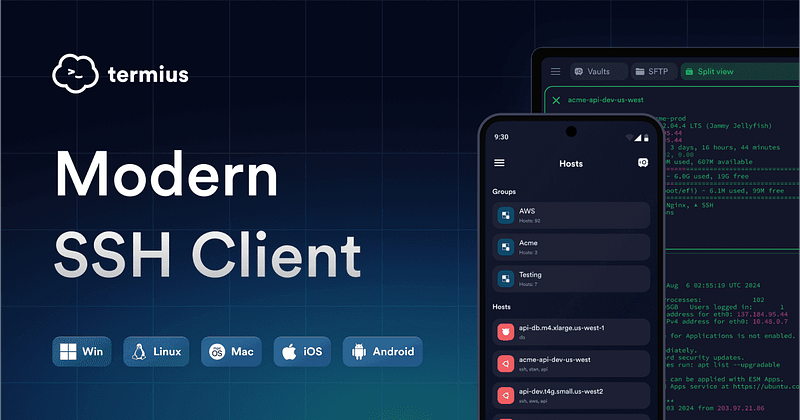
Here is something SSM cannot do at all: work properly from a smartphone.
I use Termius on my phone. It is an SSH client that runs on iOS and Android, syncs your hosts across all devices through an end-to-end encrypted vault and supports ProxyJump through a bastion out of the box. Touch ID to unlock. One tap to connect.
When a production issue hits at midnight and I am not at my desk, I open Termius, tap the private server entry and I am in. I can run commands, check logs, restart services. I have pushed a hotfix through my phone more than once.
Try doing that with SSM. You would need the AWS CLI on your phone, the session manager plugin, valid credentials and a working SSM endpoint. Nobody is doing that from a phone at midnight.
Termius has a free tier for basic connections. The Pro plan unlocks encrypted vault sync across devices and jump server support, which is what you need for ProxyJump through a bastion. It runs on macOS, Windows and Linux too, so your whole setup (laptop, desktop, phone and tablet) runs off the same saved host list with the same keys.
The Bastion Setup
The bastion does no computation. It is purely a jump box.
t4g.nano in ap-southeast-5 costs around $3.40/month for compute. Add the Elastic IP at $0.005/hr and you are at roughly $7/month total. That is the full cost of always-on SSH access to your entire private infrastructure.
Security group on the bastion:
Inbound:
  Port 22 : your office IP / VPN CIDR only
Outbound:
  All traffic : 0.0.0.0/0
Security group on private instances:
Inbound:
  Port 22 : sg-xxxx (bastion security group ID)
Outbound:
  All traffic : 0.0.0.0/0
The bastion gets an Elastic IP so the address never changes across stop and start. It has no persistent state. If someone compromises it, you terminate the instance and launch a new one. The private instances are unaffected because they only trust the security group ID, not the specific instance.
You can stop the bastion overnight with a scheduled Lambda or Instance Scheduler to save on compute. The Elastic IP stays assigned so the address does not change. Note that since February 2024, AWS charges $0.005/hr for all public IPv4 addresses whether the instance is running or stopped, so stopping the bastion saves EC2 cost but not the EIP cost.
When SSM Is Actually the Right Call
SSM earns its place in specific situations.
Windows instances. SSH on Windows is painful. SSM gives you a session without RDP port exposure. Use SSM.
Hard compliance requirements. If your audit says no inbound ports open anywhere, SSH is not an option. SSM is the path. Use SSM.
Automated scripts. SSM Run Command is genuinely good for running commands across a fleet of instances without human interaction. It is easier to script than SSH for bulk operations.
No interactive access at all. If only pipelines connect to your instances, never humans, SSM makes sense because you never deal with the developer experience problems.
The Honest Numbers
SSM cost for EC2 instances: free. No per-session charge, no hourly fee.
SSM VPC endpoint cost if you have no NAT Gateway (2 AZs): 3 endpoints × $0.01/hr × 2 AZs × 730 hrs = $43.80/month. Only relevant if your private subnet has zero internet route.
Bastion host on t4g.nano: ~$3.40/month for compute. Elastic IP adds $0.005/hr = ~$3.65/month, whether the instance is running or stopped (AWS changed this in February 2024). Total: roughly $7/month.
Session timeout: SSM closes idle sessions after 20 minutes. SSH stays alive as long as your ServerAliveInterval config says so.
File transfer: SSH supports scp and rsync natively. SSM has no native file transfer.
Mobile access: Termius on iOS/Android over SSH works. SSM from a phone is not practical.
IDE support: SSH works in every IDE out of the box. SSM requires plugin configuration per tool.
The Real Reason Teams Drift Back to SSH
Security best practice that nobody follows is worse than a slightly-less-strict practice that everyone follows correctly.
SSM has more moving parts. More silent failure modes. When something breaks at 2am, a developer stares at a cryptic IAM error instead of a straightforward connection refused message that every developer knows how to read.
SSH is 30-year-old technology. Every developer on your team already knows it, has debugged it and has a config for it. That familiarity has real value. So does being able to pull out your phone, tap Termius and be on your server in ten seconds.
I run SSH for my team. Port 22 locked to known IPs. Key pairs managed properly. ProxyJump through a cheap bastion. Every developer connected in under five minutes on day one.
If an auditor tells me I need SSM, I will switch. Until then, SSH stays.
Use what your team will actually use correctly. The best tool is the one nobody bypasses.