You have a cron job, an R2 bucket and zero evidence any of it works.
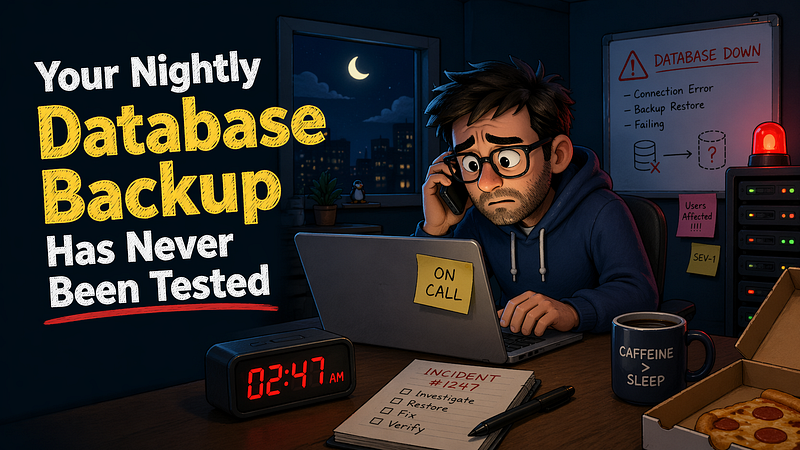
The WhatsApp message arrived at 1 AM on a Tuesday. “Production database is returning empty results. Users reporting missing data.”
I pulled up the server. The disk had filled overnight. PostgreSQL had crashed mid-transaction, and the WAL files were corrupted. No problem. We had backups. A pg_dump running every six hours, piped to gzip, uploaded to R2. It had been running for fourteen months without a single alert.
I downloaded the most recent backup. Ran pg_restore. It failed. The file was 812 bytes. Not megabytes. Bytes. Just the dump header and nothing else.
The previous backup? Same. The one before that? 812 bytes. Every single backup for the last three months had been an empty shell. The pg_dump process had been failing silently because the database connection was timing out, and nobody had checked the exit code. The cron job reported success because the script never checked whether pg_dump actually succeeded.
Three months of customer data existed in exactly one place: a corrupted PostgreSQL data directory on a disk that was 100% full.
That was the night I learned that having backups and having tested backups are two entirely different things.
The Comfortable Lie of “We Have Backups”
Every team I have worked with in the last eight years has told me the same thing during onboarding: “We have automated backups.” They say it the way people say they have a fire extinguisher. It exists. It is on the wall. Nobody has ever used it, and nobody knows if it is expired.
A Macrium Software survey of over 7,000 backup users found that 78% of respondents had lost data in the previous year, despite 73% of them having a backup solution in place. The number that matters more: 46% had never tested a restore. Not once. Not in a staging environment. Not on their laptop. Never.
That number does not surprise me. What surprises me is that it is only 46%.
Here is what a typical backup setup looks like in most small-to-mid SaaS teams. A cron job runs pg_dump or mysqldump at some interval. The output gets compressed and uploaded to R2 or a remote server. Maybe there is a GChat notification on failure. Maybe there is not. The team moves on to building features.
That setup has at least five failure modes, and most teams have never checked for any of them.
Five Ways Your Backup Is Already Broken
1. Your Script Ignores Exit Codes
This is the most common failure and the easiest to miss. Here is a backup script I have seen in production more times than I want to admit:
#!/bin/bash
pg_dump mydb | gzip > /backups/mydb_$(date +%Y%m%d).sql.gz
rclone copy /backups/mydb_$(date +%Y%m%d).sql.gz r2://my-backups/
echo "Backup complete"
This script will report “Backup complete” even if pg_dump fails entirely. When you pipe pg_dump into gzip, the shell reports the exit code of the last command in the pipeline, which is gzip. And gzip will happily compress an error message or an empty stream and exit with code 0.
pg_dump returns a non-zero exit status on any failure it detects. But if you never check that code, you will never know.
MySQL has it worse. Bug #71783 in the MySQL bug tracker documents that mysqldump can silently quit when it encounters certain errors without setting a non-zero exit code. Bug #21215 reports incomplete backups created without any warning. Bug #100407 shows mysqldump exiting with code 0 despite failing to return table data when file descriptor limits are hit.
Here is what the script should look like:
#!/bin/bash
set -euo pipefail

BACKUP_FILE="/backups/mydb_$(date +%Y%m%d_%H%M%S).sql.gz"
MIN_SIZE=10240  # 10KB minimum, adjust for your database
pg_dump --no-owner --no-acl mydb | gzip > "$BACKUP_FILE"

# Check pipeline exit codes
if [ "${PIPESTATUS[0]}" -ne 0 ]; then
    echo "FATAL: pg_dump failed with exit code ${PIPESTATUS[0]}" >&2
    rm -f "$BACKUP_FILE"
    exit 1
fi

# Verify the file is not suspiciously small
ACTUAL_SIZE=$(stat --format=%s "$BACKUP_FILE")
if [ "$ACTUAL_SIZE" -lt "$MIN_SIZE" ]; then
    echo "FATAL: Backup file is only $ACTUAL_SIZE bytes" >&2
    exit 1
fi

rclone copy "$BACKUP_FILE" r2://my-backups/ || {
    echo "FATAL: R2 upload failed" >&2
    exit 1
}
echo "Backup complete: $BACKUP_FILE ($ACTUAL_SIZE bytes)"
The difference is set -euo pipefail, PIPESTATUS checking and a file size sanity check. Three lines of defense that most backup scripts do not have.
2. Your Storage Is Silently Corrupting Files
You upload to R2 and assume it is safe forever. R2 is durable, yes. But your upload process might not be. Network interruptions during multipart uploads can leave partial objects. Lifecycle policies you set up two years ago might be deleting backups older than 30 days. A teammate might have changed the bucket policy. A cost optimization sweep might have moved your backups to an infrequent access tier, where retrieval takes longer than you expect.
When was the last time you downloaded a backup from storage and verified it was a valid dump file?
3. Schema Drift Makes Old Backups Useless
Your backup from six months ago restores cleanly. But your application has run 47 migrations since then. The backup restores a schema that your current code does not understand. Foreign keys reference tables that have been renamed. Columns your application requires do not exist. ENUM types have different values.
A backup that restores a database your application cannot run against is not a backup. It is an archive.
4. You Are Not Backing Up What You Think
pg_dump does not back up the pg_hba.conf, postgresql.conf or any server-level configuration. It does not capture replication slots. It does not include installed extensions unless you explicitly dump them. If your application depends on pg_trgm, uuid-ossp or PostGIS, and those extensions are not installed on the target server, your restore will fail with a cryptic error about missing types or functions.
MySQL’s mysqldump by default does not include stored procedures, triggers or events unless you pass --routines and --events. I have seen teams discover this during a real restore, not during planning.
5. Your RPO Is a Guess
Recovery Point Objective. The maximum amount of data you can afford to lose. Most teams say “we back up every six hours” and assume their RPO is six hours. It is not. Your RPO is the interval between your last successful, verified backup and the moment of failure.
If your backup has been silently failing for three months, your actual RPO is three months. If your backup succeeded but your last verified restore was never, your effective RPO is unknown. You cannot lose what you cannot measure, and you cannot measure what you do not test.
The Restore Nobody Runs
The reason teams skip restore testing is always the same: it feels like it is not urgent. The backups are running. There are features to ship. The sprint board is full. Testing a restore is infrastructure work that produces no visible output and solves no current problem.
Until it does. And then it is the only problem.
Veeam’s 2025 ransomware trends report, based on data from 1,300 organizations, found that only 10% of ransomware victims recovered more than 90% of their data. 57% recovered less than half. These are organizations that had backups. They had disaster recovery plans. They had playbooks. What many of them did not have was a tested restore process that actually worked under pressure.
Here is what a monthly restore test looks like. It is not complicated. It is just not exciting:
#!/bin/bash
set -euo pipefail

# Pull the latest backup
LATEST=$(rclone ls r2://my-backups/ | sort -k2 | tail -1 | awk '{print $2}')
rclone copy "r2://my-backups/$LATEST" /tmp/restore_test.sql.gz

# Restore to a disposable database
dropdb --if-exists restore_test
createdb restore_test
gunzip -c /tmp/restore_test.sql.gz | psql -d restore_test -v ON_ERROR_STOP=1

# Run a basic sanity check
USERS=$(psql -d restore_test -t -c "SELECT COUNT(*) FROM users;")
ORDERS=$(psql -d restore_test -t -c "SELECT COUNT(*) FROM orders;")
echo "Restore test passed: $USERS users, $ORDERS orders"

# Clean up
dropdb restore_test
rm /tmp/restore_test.sql.gz
Run that once a month. Alert if it fails. That is it. You now have something that 46% of teams worldwide do not: evidence that your backups work.
Want to go further? Spin up your application against the restored database and run your test suite. If your tests pass against the restored data, you know your backup is not just restorable but usable. That distinction matters more than most people think.
Your Auditor Already Knows This
If you handle user data in any regulated context, untested backups are not just a technical risk. They are a compliance gap.
SOC 2 Type 2 audits specifically look for evidence that you routinely test your recovery procedures. “We have a cron job” is not evidence. Auditors want logs. They want dates. They want documented restore tests with results.
HIPAA requires covered entities to maintain backup and disaster recovery plans, including testing those plans. Having a backup you have never restored is the equivalent of having a fire escape you have never opened.
The pattern is the same across every compliance framework I have encountered: the requirement is not “have backups.” The requirement is “prove you can recover.”
If you are a small SaaS team thinking “we are not SOC 2 certified, this does not apply to us,” consider that your customers’ data is at stake regardless of whether an auditor is watching. Compliance frameworks are not inventing problems. They are documenting the ones that already exist.
The Minimum Viable Backup Strategy
Stop treating backup as a fire-and-forget cron job. Here is what a defensible backup strategy actually looks like:
Verify the dump succeeded. Check exit codes. Check file sizes. Compare against a known baseline. Alert when anything deviates.
Test restores on a schedule. Monthly at minimum. Quarterly if you genuinely cannot justify the compute cost, but monthly is better. Automate it. A restore test that depends on someone remembering to run it will stop happening by month three.
Restore to a running application, not just a database. A database that restores but cannot serve your application is a partial recovery at best. Boot your app against the restored database. Hit the health check. Run the critical path tests.
Track your actual RPO. Log when backups succeed. Log when restore tests pass. The gap between the last verified backup and right now is your real RPO. Make it visible. Put it on a dashboard.
Back up everything, not just tables. Configuration files, extension lists, environment-specific settings, replication configuration. If you cannot rebuild your database server from scratch using only your backups and your documentation, your backup is incomplete.
Keep backups off the same failure domain. Your backup stored on the same server as your database will die with the database. Your backup stored in the same cloud region will be unavailable during a regional outage. Geographic redundancy is not paranoia. It is arithmetic.
The Cron Job Is Not the Strategy
World Backup Day is March 31. It exists because the industry needs a yearly reminder to do something that should be automatic. But the reminder misses the point. The problem was never that people forgot to set up backups. The problem is that people set up backups and then forgot to verify them.
Your pg_dump is running. Your R2 bucket is filling up. Your monitoring is green. None of that tells you whether you can recover.
The only thing that tells you whether you can recover is recovering.