Load testing and stress testing explained for teams that skip them, delay them or hand them to the wrong person.
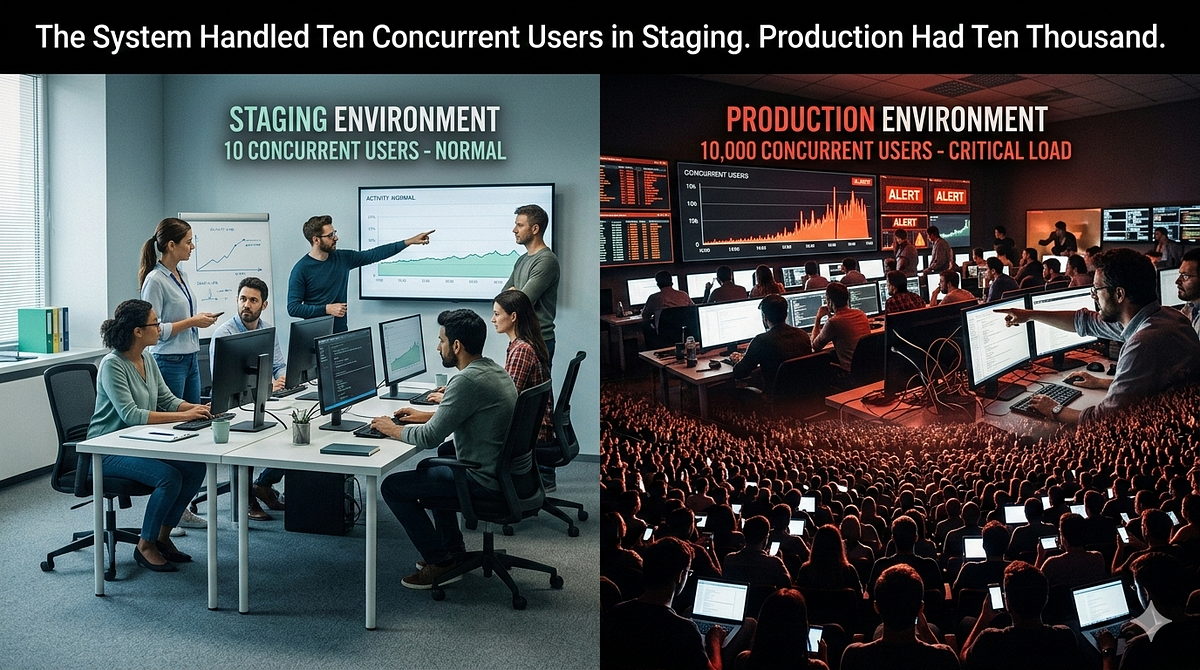
Staging was stable. The client signed off. Go-live happened on a Thursday because Thursdays feel safer than Mondays.
By Friday morning the application was crawling. Response times had climbed past eight seconds on the checkout flow. The queue was backing up. Users were refreshing and generating duplicate requests. The server was not down. It was just completely unprepared for the number of people using it at the same time.
Nobody had asked that question before go-live. How many people can use this at once? Nobody had written a test to answer it. The answer arrived anyway, delivered by the users themselves.
Load testing and stress testing exist to answer that question before your users do. If you have been skipping them because the project timeline was tight, because nobody knew who was supposed to run them or because you assumed staging results would hold in production, this article is for you.
What They Are and Why They Are Different
These two terms get used interchangeably. They are not the same thing.
Load testing measures how your system behaves under an expected volume of traffic. You define what normal looks like (say, 500 concurrent users during peak hours) and you simulate it. The goal is to confirm the system performs within acceptable thresholds at the traffic levels you actually expect. Response times stay under acceptable limits. Error rates stay low. Nothing crashes.
Stress testing deliberately goes beyond what you expect. You keep increasing the load until something breaks. The goal is not to confirm the system survives normal traffic. The goal is to find the ceiling. Where does performance degrade? At what point do errors start appearing? What fails first: the database, the application server, the queue? Stress testing tells you where your limits are before your users discover them.
Two other types are worth knowing:
Spike testing simulates a sudden sharp increase in traffic. Normal volume, then ten times that in thirty seconds. This tests whether your system handles a traffic spike without collapsing. Relevant for anything with a promotional event, a viral moment or a government announcement attached to it.
Soak testing (also called endurance testing) runs a sustained load over a long period. Not high volume. Just steady, continuous traffic for hours or days. The goal is to find problems that only appear over time: memory leaks, connection pool exhaustion, slow degradation of response times as caches fill or logs grow.
Each type answers a different question. You do not necessarily need all four for every project. But you need to know which question you are actually trying to answer before you run anything.
How to Execute: k6
k6 is an open-source load testing tool written in Go with test scripts authored in JavaScript. It was started in 2016 and acquired by Grafana Labs in 2021. You write scripts using familiar JavaScript syntax, run them from your terminal and get metrics back immediately.
Install it:
# macOS
brew install k6

# Windows
choco install k6

# Linux (Debian/Ubuntu)
sudo gpg -k
sudo gpg --no-default-keyring --keyring /usr/share/keyrings/k6-archive-keyring.gpg --keyserver hkp://keyserver.ubuntu.com:80 --recv-keys C5AD17C747E3415A3642D57D77C6C491D6AC1D69
echo "deb [signed-by=/usr/share/keyrings/k6-archive-keyring.gpg] https://dl.k6.io/deb stable main" | sudo tee /etc/apt/sources.list.d/k6.list
sudo apt-get update
sudo apt-get install k6
A minimal load test:
import http from 'k6/http';
import { check, sleep } from 'k6';

export const options = {
  vus: 50,        // 50 virtual users
  duration: '2m', // running for 2 minutes
  thresholds: {
    http_req_duration: ['p(95)<500'], // 95% of requests must finish under 500ms
    http_req_failed: ['rate<0.01'],   // error rate must stay below 1%
  },
};

export default function () {
  const res = http.get('https://your-app.com/api/products');
  check(res, {
    'status is 200': (r) => r.status === 200,
    'response time OK': (r) => r.timings.duration < 500,
  });
  sleep(1); // simulate user think time between requests
}
Run it:
k6 run script.jsThat script sends 50 concurrent virtual users (VUs) at your endpoint for two minutes, then tells you whether 95% of requests completed within 500ms and whether your error rate stayed under 1%. If either threshold fails, k6 exits with a non-zero code. That makes it easy to fail a CI pipeline on a performance regression.
For a load test with a ramp-up and ramp-down pattern that better reflects real traffic:
export const options = {
  stages: [
    { duration: '2m', target: 100 },  // ramp up to 100 users over 2 minutes
    { duration: '5m', target: 100 },  // hold at 100 users for 5 minutes
    { duration: '2m', target: 0 },    // ramp down to 0
  ],
  thresholds: {
    http_req_duration: ['p(95)<800'],
    http_req_failed: ['rate<0.01'],
  },
};
For a stress test, keep increasing the target until the thresholds break:
export const options = {
  stages: [
    { duration: '2m', target: 100 },
    { duration: '2m', target: 300 },
    { duration: '2m', target: 600 },
    { duration: '2m', target: 1000 },
    { duration: '5m', target: 1000 }, // hold at peak to observe behaviour
    { duration: '2m', target: 0 },
  ],
};
Watch where response times start climbing. Watch where the error rate crosses your threshold. That crossover point is your current ceiling.
Which Test to Run: Planning and Strategy
The mistake most teams make is treating load testing as a single event that happens before go-live. It is not. Different tests answer different questions at different stages of the project.
Before development is complete: run small smoke tests. Five to ten VUs, short duration. Confirm the endpoint works and the infrastructure is reachable. Catch configuration issues early.
During feature development: run load tests against the specific feature being built, not the whole system. If you are building a search endpoint, load test the search endpoint. One hundred VUs for a few minutes tells you whether the query is going to be a problem at scale before it reaches the full system.
Before go-live: run a full load test against the expected peak traffic volume. Then run a stress test to find where the ceiling is and confirm it is safely above what you expect. If your analytics or the client’s estimate says peak is 2,000 concurrent users, your system should be tested to handle at least 3,000 without failing and should survive higher than that before it degrades.
After go-live: run soak tests periodically. Systems behave differently under continuous load than under short bursts. A memory leak might not appear in a twenty-minute test but will appear in a four-hour one.
One question to answer before planning any test: what does normal look like for this system? If you do not have real traffic data, use the client’s estimates. If those are not available, make a reasoned assumption and document it. “We assumed 500 peak concurrent users based on the client’s stated user base of 50,000 with a 1% concurrent session rate” is a defensible starting point. An untested assumption is not.
Who Runs It: Responsibility
This is the question that kills load testing on most projects. Developers say it is a QA concern. QA says they do not have access to the environment. The project manager says there is no budget for a performance engineer. The test gets skipped.
On a small team or a solo technical lead context, the honest answer is: the developer closest to the system owns it. Not because it is their specialty. Because nobody else has the context to write a test that reflects how the system actually works.
Performance testing requires understanding the system’s critical paths, knowing which endpoints are expensive, knowing what the expected traffic patterns look like and having access to a staging or pre-production environment that resembles production. That knowledge lives with whoever built the system.
If you are the technical lead, you own the test plan even if someone else runs the scripts. The plan should define which endpoints are tested, what traffic volumes represent normal and peak, what the pass/fail thresholds are and what a failed test requires in response. A failed load test without a defined response plan is just a graph nobody acts on.
Mimicking Real-World Traffic
Hitting a single endpoint with 500 VUs is not a load test. It is a benchmark. Real users do not all hit the same endpoint at the same time.
Real traffic has a shape. Users log in, browse, search, add to cart, checkout. Some abandon the cart. Some refresh the page repeatedly. Some have fast connections and some do not. The pattern is uneven, and the load is distributed across multiple endpoints with different cost profiles.
A realistic k6 script models a user journey, not an endpoint:
import http from 'k6/http';
import { check, sleep } from 'k6';

export default function () {

  // Step 1: Login
  const loginRes = http.post('https://your-app.com/api/login', JSON.stringify({
    email: 'user@example.com',
    password: 'testpassword',
  }), { headers: { 'Content-Type': 'application/json' } });

  check(loginRes, { 'login success': (r) => r.status === 200 });

  const token = loginRes.json('token');
  const headers = { Authorization: `Bearer ${token}` };

  sleep(2); // user reads the page

  // Step 2: Browse products
  const productsRes = http.get('https://your-app.com/api/products', { headers });

  check(productsRes, { 'products loaded': (r) => r.status === 200 });

  sleep(3);

  // Step 3: View a product
  const productRes = http.get('https://your-app.com/api/products/42', { headers });

  check(productRes, { 'product loaded': (r) => r.status === 200 });

  sleep(2);
  // Step 4: Add to cart
  const cartRes = http.post('https://your-app.com/api/cart', JSON.stringify({
    product_id: 42,
    quantity: 1,
  }), { headers: { ...headers, 'Content-Type': 'application/json' } });

  check(cartRes, { 'added to cart': (r) => r.status === 201 });

  sleep(5);
}
The sleep() calls matter. They simulate the time a real user spends reading a page, making a decision or typing. Without them, your VUs hammer endpoints as fast as the server can respond, which no real user ever does. Your test becomes a worst-case bombardment rather than a realistic simulation.
If you have production access logs, use them. The distribution of requests across endpoints in your logs is the most accurate model of how your users actually behave. k6 can be configured to mirror that distribution.
Is It Worth It
Every team that skips load testing will tell you the same thing: the timeline was tight and nothing felt obviously wrong in staging.
The honest answer is that load testing is worth it proportionally to what breaks when the system does not scale. For a low-traffic internal tool, a failed load test is an inconvenience. For a B2C marketplace, a government portal or a payment-adjacent system, it is a client relationship problem, a revenue problem and sometimes a compliance problem.
Ask this question before deciding whether to run load tests: what is the cost of the system being slow or unavailable for one hour on launch day? If the answer is low, deprioritise the test and document the decision. If the answer is high, the test cost is cheap by comparison.
The most common objection is time. A well-planned load test for a single system does not require weeks. Writing the k6 scripts takes a few hours if the test coverage is scoped correctly. Running them takes minutes. Analysing results and fixing the issues found is where the time goes. That time is almost always less than the time spent debugging a production incident.
Cost?
Running k6 locally is free. The open-source tool has no licensing cost. The infrastructure cost is what you need to plan for.
Local execution generates load from your own machine. Practical for up to a few hundred VUs on a modern laptop. Sufficient for most pre-launch load tests on small to medium systems. No cost beyond your time.
Distributed execution uses k6’s Kubernetes operator to spread the load across multiple nodes. Relevant when you need to simulate thousands of concurrent users and a single machine cannot generate enough traffic. The infrastructure cost depends on your cloud provider. A short stress test run on a few EC2 instances for an hour is not expensive. Factored as a line item against the project budget, it is negligible.
Grafana Cloud k6 is the managed SaaS option. The free tier includes 500 virtual user hours per month. Beyond that, pricing is consumption-based. For occasional pre-launch testing it is often sufficient to stay within the free tier. For continuous performance testing integrated into a CI pipeline, budget accordingly.
The hidden cost that nobody includes in the estimate is remediation. If a load test finds that your current server configuration tops out at 200 concurrent users and you expected to handle 2,000, you have an architectural problem to solve. That work is the real cost. It was always going to cost that. The load test just told you about it before your users did.
A system that has never been load tested has been load tested. The test just ran in production on go-live day with real users as the VUs and the client watching the error rate in real time.
That is a test with very poor timing and no thresholds defined except “users are complaining.”
Run the test before that.


