Direct uploads remove pressure from your app servers. They also move trust into places teams rarely inspect.
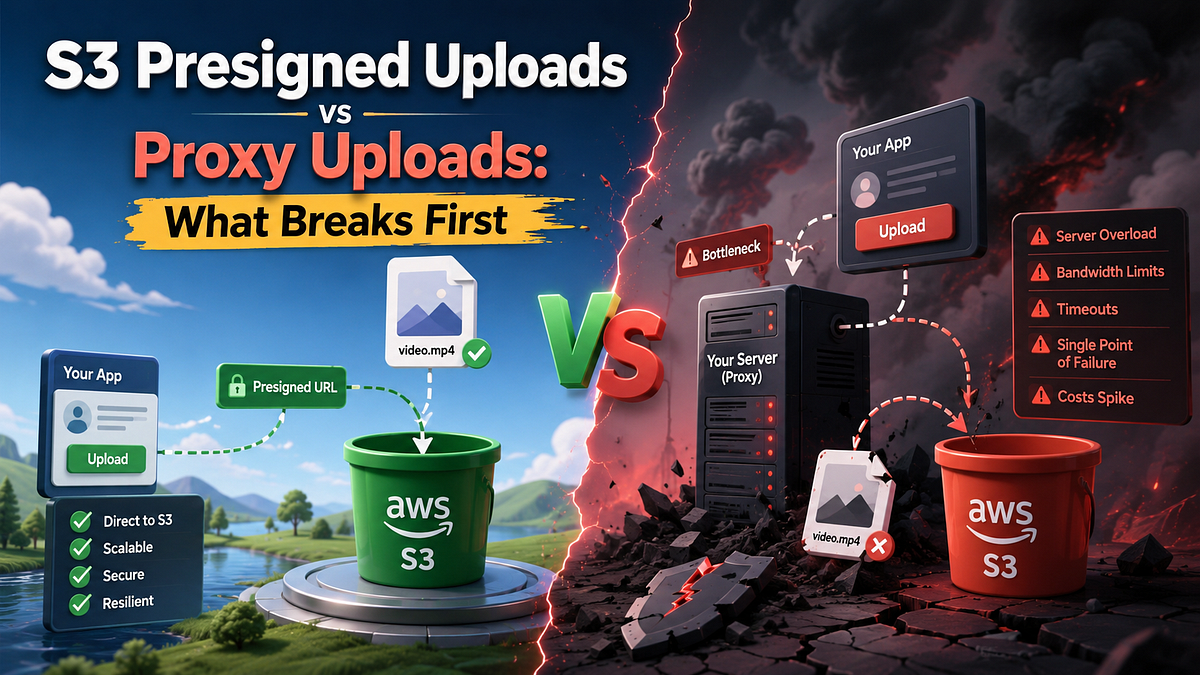
The first time a team switches from proxy uploads to S3 presigned uploads, the decision usually feels obvious. PHP workers stop babysitting 200 MB videos. Nginx buffers stop growing for no good reason. Your app server goes back to doing application work instead of pretending to be object storage with feelings.
Then the second problem shows up.
It is not bandwidth anymore. It is trust. The upload no longer passes through the part of your system where validation, naming rules, audit logging and malware checks already live. You moved the hot path out of Laravel, which is good, but you also moved a security and correctness boundary into S3 URLs, browser code and cleanup jobs. That part tends to surprise people because the architecture diagram looks cleaner than the operational reality.
This is why I do not think the real decision is “faster uploads versus slower uploads.” The real decision is where you want to hold control when the upload goes wrong, gets retried, arrives with bad metadata or never gets finalized at all.
Why teams reach for presigned uploads so quickly
Proxy uploads are simple to explain. The client sends a file to your application. Your application authenticates the request, receives the bytes, validates the file and stores it on disk or S3.
That simplicity costs real resources:
- Your app tier handles every byte twice. Once on ingress, once on the outbound write to object storage.
- Normal request work now competes with upload duration. A burst of large files can tie up workers you wanted for real endpoints.
- And failed client connections become your problem first.
Presigned uploads attack exactly that bottleneck. The application signs a short-lived upload URL, the browser sends the file straight to S3 and your servers stay out of the byte stream.
Laravel now supports this shape directly:
<?php

use Illuminate\Support\Facades\Storage;
['url' => $url, 'headers' => $headers] = Storage::temporaryUploadUrl(
    'uploads/file.jpg',
    now()->addMinutes(5)
);
That is a real improvement. The application still decides who may upload and where, but it stops acting as a relay for the file body. If your workload is image-heavy, video-heavy or just bursty enough to make upload spikes painful, this can be the difference between a comfortable app tier and a noisy one.
So far, presigned uploads look like a free win. They are not.
What a presigned upload actually delegates
AWS documents two details that matter far more than most architecture write-ups admit.
First, a presigned URL inherits the permissions of whoever created it. It is temporary delegation, not independent authorization. If the signer can upload to that key, the holder of the URL can upload to that key until the URL expires.
Second, if an object with the same key already exists, S3 replaces it when the presigned upload completes.
Those two facts change the discussion immediately.
A presigned upload flow is not just “direct to storage.” It is a system where your application pre-approves:
- the bucket
- the key
- the HTTP method
- the lifetime of the upload capability
AWS also notes that the URL can be used multiple times until expiration. If you wanted one-time semantics, S3 did not secretly give them to you. You have to build them yourself with unique object keys, post-upload finalization and server-side state that decides whether an uploaded object is still acceptable.
That is the first non-obvious rule worth keeping:
A presigned URL is not an authorization decision. It is a temporary delegation of someone else’s authorization.
The browser side is straightforward enough:
const signed = await fetch("/uploads/sign", { method: "POST" }).then((r) => r.json());

await fetch(signed.url, {
  method: "PUT",
  headers: signed.headers,
  body: file,
});
The hard part is everything after that request returns 200 OK.
Did the client upload the file you expected?
Did it upload it once?
Did it upload to a throwaway key or a meaningful final key?
Did your database ever learn that the object exists?
Did your scanner inspect it before another service started using it?
The presigned request solves none of those questions. It only removes your app tier from the byte path.
What proxy uploads keep boring and why that still matters
Proxy uploads are expensive in the obvious place and much simpler in the less obvious places.
When the file passes through Laravel first, the control surface is already where most teams want it:
<?php

use Illuminate\Http\Request;
public function store(Request $request): array
{
    $file = $request->file('photo');
    $path = $file->store('uploads', 's3');
    return ['path' => $path];
}
That flow gives you a few advantages that do not look glamorous in a design review, but save real time in production:
- Validation happens before persistence in the same request path as auth.
- Rename the object before it reaches storage.
- If the file should die early, you can reject it before any downstream consumer sees it.
- Logging, rate limiting and audit trails live in one place.
If the product rule says “every upload must be scanned before it becomes visible” or “the object key must be derived from a database record that already exists” then proxy uploads may be the cleaner design even when they are less efficient.
This is the part teams underweight. They look at bandwidth and CPU first because those numbers are easy to feel. They ignore workflow control because the cost arrives later as retries, orphaned objects, duplicate uploads or support tickets that start with “the file is in S3 but the record is missing.”
That is not a storage problem. It is an ownership problem.
The real trade-off is control surface, not raw speed
If you only compare throughput, presigned uploads usually win. That is too shallow to be useful.
Here is the comparison that actually matters:
Presigned uploads
- Best when large files would otherwise waste app-server bandwidth.
- Great at pushing file-transfer failures to the client and object store, which is often what you want.
- Frontend behavior now becomes part of your storage correctness model.
- You still need an explicit finalization step if the database must know the upload really happened.
- Same-key overwrites need deliberate object-key strategy, or retries get weird fast.
Proxy uploads
- Best when validation, scanning or authorization must happen before the object exists in durable storage.
- Keep upload state, request identity and storage writes in one application-controlled flow.
- Cost more bandwidth and worker time.
- Are easier to audit because the application sees the whole transaction.
Hybrid flows
- Often the right answer when you need both scale and control.
- Upload to a quarantine bucket with a presigned URL.
- Finalize only after your application verifies metadata, records ownership and clears any scan or processing steps.
That last model is the one I reach for most often. Not because it is elegant. Because it lets each component do one honest job.
The browser uploads directly.
S3 stores bytes cheaply.
The application decides whether those bytes become a real product asset.
The failure modes appear in boring places
The nastiest upload bugs are rarely dramatic. They are administrative, usually annoyingly so and they live in the gaps between steps.
1. Same-key overwrites
AWS says an upload to an existing key replaces the object already there. If you sign predictable keys like avatars/user-42.jpg, retries and concurrent uploads become much more sensitive than most teams expect.
This gets worse when clients retry automatically. A second request is not just duplicate traffic. It may become the final object.
Unique staging keys fix most of this. Final, user-facing keys should usually appear only after your application has accepted the upload and promoted it deliberately.
2. Finalization gaps
Direct upload success does not mean business success. The browser may finish the PUT request and then fail before it tells your backend. Now the object exists, the database does not know it and cleanup becomes archaeology.
A safer flow looks like this:
- Your backend issues a short-lived presigned URL for a unique staging key.
- The client uploads the file directly to S3.
- The client calls a finalize endpoint with the staging key and business metadata.
- The backend verifies that the object exists and belongs to the expected upload session.
- Only then do you persist the record or promote the object to a final key.
That sequence is the difference between “uploads are fast” and “uploads are operable.”
3. Validation timing
With proxy uploads, MIME checks, size rules and identity checks can all happen before the object lands in storage. With presigned uploads, some of those checks move earlier into the signing decision and some move later into the finalize step. If you forget that split, you end up validating the wrong thing at the wrong time.
Client-provided metadata deserves special suspicion here. It is useful, but it is not truth. If a downstream workflow depends on file type, size or ownership, verify those attributes after upload from a trusted backend path before you expose the object anywhere important.
4. Large-file cleanup
AWS recommends multipart upload for objects that are 100 MB or larger, partly because retries can resume at the part level instead of restarting the entire object. That is excellent for resilience. It also creates more lifecycle work.
Incomplete multipart uploads do not disappear by good intentions. AWS explicitly notes that you must complete or stop them to stop charges for uploaded parts. Teams that move to direct large-file uploads and forget the cleanup policy usually learn this from billing, not architecture diagrams.
This is one reason I distrust the phrase “just upload it directly to S3.” Large-file flows are never “just” anything once retries, partial failures and storage cleanup become part of the same system.
The decision framework I would actually use
If I were choosing this for a small or mid-sized product team, I would not start from ideology. I would start from the first failure I expect.
Use proxy uploads when:
- The file must be scanned, transformed or rejected before durable storage counts as success.
- The upload volume is modest enough that app-tier bandwidth is not your real bottleneck.
- The business record and the file must commit in one tightly controlled backend flow.
Use presigned uploads when:
- File size or upload concurrency would waste too much app-server capacity.
- You can tolerate a two-step model: upload first, finalize second.
- You are willing to own staging keys, cleanup rules and explicit object promotion.
Use a hybrid presigned-to-quarantine flow when:
- You need direct-upload scale.
- You still need backend verification before an object becomes visible or trusted.
- You expect retries, flaky networks or user-generated content with compliance concerns.
That section is the one I would save. Most upload decisions do not fail because engineers do not know what a presigned URL is. They fail because the team picked a transfer pattern without deciding where truth lives after the transfer.
What I would ship in Laravel for each path
For a normal admin panel uploading PDFs or images under predictable load, I would keep proxy uploads longer than most teams do. The application already owns auth, validation and storage intent. Keeping the file path in the same request is often the cheaper operational choice.
For customer-facing uploads where file size or concurrency is the real pressure point, I would use presigned uploads with three extra rules:
- Never upload directly to the final business key.
- Treat the finalize endpoint as mandatory, not optional glue.
- Add lifecycle cleanup for abandoned multipart uploads and stale staging objects.
The quiet trap here is assuming direct upload means less backend work. It means less backend byte handling. Those are not the same thing.
Direct upload architecture usually needs more state discipline:
- issue upload sessions
- map sessions to staging keys
- verify completion
- promote or delete objects
- reconcile abandoned uploads
That is still worth it when large files would otherwise punish your app tier. It is not worth it when the real workload is small and the real value comes from backend control.
What breaks first
Proxy uploads break first at capacity.
Presigned uploads break first at ownership.
That is the comparison I want teams to make. If your app servers are melting under upload traffic, direct-to-S3 is a serious answer. If your real risk is bad files, duplicate finalization, confused metadata or compliance around when an object becomes trusted, proxying the upload may still be the cleaner design.
Choose the path whose first failure you are actually prepared to own.


