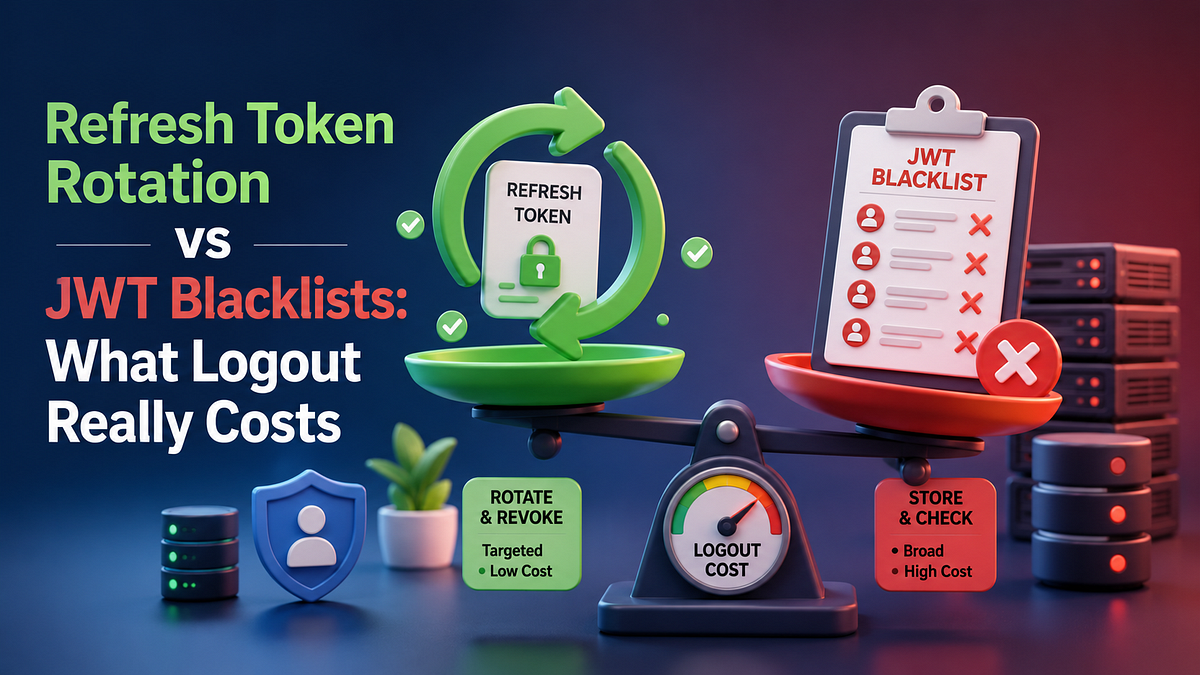
Both patterns add server state. The real question is when you want to pay for it.
A user clicks Log out in your app, the UI redirects cleanly and the cookie is gone. The session looks dead.
The old access token may still work for another ten minutes.
That is the part many teams do not design on purpose.
When people say JWT logout is “hard”, what they usually mean is this: JWT verification is cheap precisely because the token carries enough information to be trusted until it expires. The server checks the signature, checks exp, checks a few claims and moves on. There is nothing obvious to delete. No row called sessions. No central knob marked invalidate this user right now.
So teams bolt on one of two patterns:
- keep a blacklist or denylist of revoked access tokens
- keep access tokens short-lived, then rotate refresh tokens and treat logout as refresh-token revocation
Both work. Both also have costs that are easy to hide in an architecture diagram.
The useful question is not “which one is more secure?” in the abstract. The useful question is: where should revocation state live, and when do you want to read it?
That is the real trade-off.
Logout Is Not One Problem
JWT systems usually collapse three different goals into one overloaded button:
- Stop this browser or device from getting new access.
- Stop this exact access token from being accepted again.
- Stop every active session for this account after compromise.
Those are not the same operation.
If you keep them mentally separate, the architecture gets much clearer.
Access-token revocation is about requests that are already carrying a bearer credential.
Refresh-token revocation is about whether a client is allowed to mint the next access token.
Account-wide kill switches are about compromise response, password resets, admin bans, or permission changes.
A blacklist can help with the first. Rotation is built around the second. High-risk systems often need a story for all three.
That is why arguments about JWT logout go in circles. One person is solving “user clicked logout on this laptop.” Another is solving “security team needs immediate global revocation after token theft.” A third is solving “I do not want Redis lookups on every API hit.” They sound like they disagree. Most of the time, they are answering different questions.
What a JWT Blacklist Actually Buys You
A blacklist gives you the thing plain JWT validation does not have: a server-side veto.
The normal design is simple:
- issue access tokens with a unique identifier, often jti
- when a user logs out, hash the token or store the jti
- on every authenticated request, verify the token and then check whether that identifier is on the denylist
- keep the denylist entry until the token would have expired anyway
OWASP explicitly calls this out as one way to simulate logout before natural token expiry. It works because you reintroduce state into a system that otherwise would not need it.
What the blacklist does well
- Immediate kill switch for that specific access token.
- easy to explain to auditors and ops teams.
- Use it when you cannot tolerate even a short post-logout validity window.
What the blacklist makes you pay for
- Every protected request now needs a state check.
- Your “stateless” API is no longer stateless where it matters most.
- the denylist must survive at least as long as the token lifetime, so storage growth tracks issuance rate.
- Multi-region awkwardness, fast.
This is the part teams underprice. A blacklist is easy when you have one app node and modest traffic. It feels almost free. Then the API becomes busy, a few services start validating the same tokens and now revocation is a distributed systems concern wearing an auth label.
There is also a subtle design smell here: if you are blacklisting access tokens all day for normal logout, you may be trying to make long-lived access tokens behave like sessions. That usually means you chose the wrong lifetime boundary.
What Refresh Token Rotation Changes
Rotation attacks the problem from a different angle.
Instead of asking, “How do I kill this already-issued access token immediately?”, it asks, “How short can I make access-token trust and how safely can I issue the next one?”
The pattern looks like this:
- Issue a short-lived access token.
- Issue a longer-lived refresh token that is stored server-side, usually as a hash.
- When the client refreshes, invalidate the current refresh token and mint a new one.
- If an old refresh token ever shows up again, treat it as reuse and revoke the entire token family.
This is why the current OAuth security BCP pushes hard on replay detection for refresh tokens. If an attacker steals a refresh token and uses it, the authorization server needs a way to notice that the same credential has been presented twice by two different parties.
That gives you a very different operating model:
- access tokens are disposable
- refresh tokens carry session continuity
- logout usually means revoking the refresh token or the whole refresh-token family
The upside is that your hot path stays clean. Most API requests only validate the access token. No denylist read. No extra central lookup just to accept a normal request.
The downside is also clear: logout is no longer perfectly immediate for every already-issued access token. You are accepting a short tail where the current access token continues to work until expiry.
That is not automatically a flaw. It is a deliberate bargain.
If your access tokens live for ten or fifteen minutes, that bargain is often reasonable. If they live for eight hours, it is not.
The Race Condition Most Teams Meet Late
Refresh-token rotation sounds simple until two refresh attempts happen at nearly the same time.
This is common, especially when a mobile app wakes up cold, the browser still has two tabs open and the frontend retries a little too eagerly. A background request and a visible page request both notice the access token expired.
Now both refresh calls arrive with the same refresh token.
Without locking or atomic state transitions, both can look valid for a moment.
That creates a miserable class of bugs:
- the client stores whichever response arrived last
- one response may already be stale
- the next refresh fails
- the user gets kicked out at random
Security bugs and reliability bugs meet here, which is always a bad neighborhood.
In a Laravel API, I would not try to get clever with this. I would make the refresh exchange transactional and lock the presented refresh-token row before deciding whether it is still usable.
<?php

use Illuminate\Support\Facades\DB;

// Rotate a refresh token exactly once and detect reuse.
DB::transaction(function () use ($presentedHash, $newHash, $expiresAt, $userId) {
    $current = DB::table('refresh_tokens')
        ->where('token_hash', $presentedHash)
        ->lockForUpdate()
        ->first();

    if (! $current) {
        abort(401, 'Invalid refresh token.');
    }

    $alreadyInvalidated = $current->revoked_at !== null
        ? true
        : $current->used_at !== null;

    if ($alreadyInvalidated) {
        DB::table('refresh_tokens')
            ->where('family_id', $current->family_id)
            ->update([
                'revoked_at' => now(),
                'updated_at' => now(),
            ]);

        abort(401, 'Refresh token reuse detected.');
    }

    DB::table('refresh_tokens')
        ->where('id', $current->id)
        ->update([
            'used_at' => now(),
            'updated_at' => now(),
        ]);

    DB::table('refresh_tokens')->insert([
        'user_id' => $userId,
        'family_id' => $current->family_id,
        'token_hash' => $newHash,
        'expires_at' => $expiresAt,
        'created_at' => now(),
        'updated_at' => now(),
    ]);
});
That snippet is intentionally boring, which is exactly what I want from auth code under load. Good. Auth flows should be boring.
The important part is not Laravel-specific. The important part is the shape of the state machine:
- usable
- used
- revoked
If a token can move from usable to used twice, your rotation story is fictional.
Blacklist vs Rotation Is Really Hot Path vs Refresh Path
Here is the decision boundary that matters in production.
Use a blacklist-first design when:
- Immediate invalidation of already-issued access tokens is a hard requirement.
- Token lifetimes are longer because of legacy clients, partner integrations, or awkward deployment constraints.
- You can afford a central state lookup on every protected request.
Use refresh-token rotation as the default when:
- You can keep access tokens short-lived.
- You want most authenticated requests to remain local verification only.
- You care more about replay detection and session continuity than instant revocation of the current access token.
Use both when the system is high risk:
- short-lived access tokens for day-to-day traffic
- rotated refresh tokens for session lifecycle
- targeted denylist entries for emergency revocation, admin bans, or privilege changes that cannot wait for token expiry
That last option is the one many mature systems quietly land on.
Not because architects love complexity. Because the threats are different.
A normal logout event is not the same as “employee laptop stolen”. A normal mobile reconnect is not the same as “refresh token replay from a second IP five seconds later”. One mechanism can cover all of it, but it usually covers it badly.
What I Would Ship in a Laravel API
If I were building a Laravel API for a product team and had to keep the design practical, I would start here:
Access tokens
- 10 to 15 minutes, not more.
- carry only the claims I need for authorization.
- Include jti, iss, aud and a clean exp.
Refresh tokens
- Store only a hash server-side, never the raw token.
- group them by family_id.
- track used_at, revoked_at, expires_at and device metadata if the product needs session management UI.
- Rotate on every successful refresh.
Logout behavior
- Standard user logout: revoke the refresh token or session family for that device.
- for high-risk logout, password change, or compromise response, revoke the family and optionally push the current access token into a denylist until expiry.
Operational rules
- Lock refresh-token rows during rotation.
- alert on refresh-token reuse events.
- Rate-limit refresh endpoints separately from normal API traffic.
- keep access-token lifetimes short enough that a post-logout tail is acceptable to the business and security team.
That last bullet is the one people try to skip. Do not skip it.
Security architecture is full of arguments that are really product decisions with technical consequences. “How fast must logout take effect?” is one of them. If the answer is “instantly, across every service, for every request”, you just chose more server-side state. That is fine. Just say it out loud and budget for it.
If the answer is “within a few minutes for ordinary logout, instantly for compromise events”, then rotation plus selective denylisting is usually the calmer design.
The Mistake That Keeps Coming Back
The common failure is not picking the “wrong” side in a blog-post debate.
The common failure is mixing assumptions.
Teams issue long-lived access tokens because it feels convenient. Then they expect refresh-token revocation to behave like immediate access-token invalidation. Or they add a blacklist for every token on every logout, then act surprised when their auth path now depends on central state and cross-region freshness. Or they implement rotation without row locking, which works beautifully until two refresh requests land close together and the support team starts hearing about random logouts that nobody can reproduce on demand.
None of those failures come from JWT itself. They come from pretending logout is a single checkbox.
It is not.
It is a policy with latency, storage and blast-radius consequences attached to it.
The Decision Rule I Keep Coming Back To
If you need immediate invalidation of the token that is already in flight, you need a server-side veto on access-token use. That means a blacklist, introspection, or an equivalent stateful control.
If you mainly need sane session lifecycle and replay detection without dragging state into every normal request, rotate refresh tokens and keep access tokens short-lived.
If the system carries real risk, stop pretending one mechanism will save you from every auth problem and combine them intentionally.
Logout is not a button. It is the place where your auth model admits what it really costs.


