Every other table was straightforward. Profiles, orders, addresses: copy and done. Passwords are different, and most migration plans treat them as an afterthought.
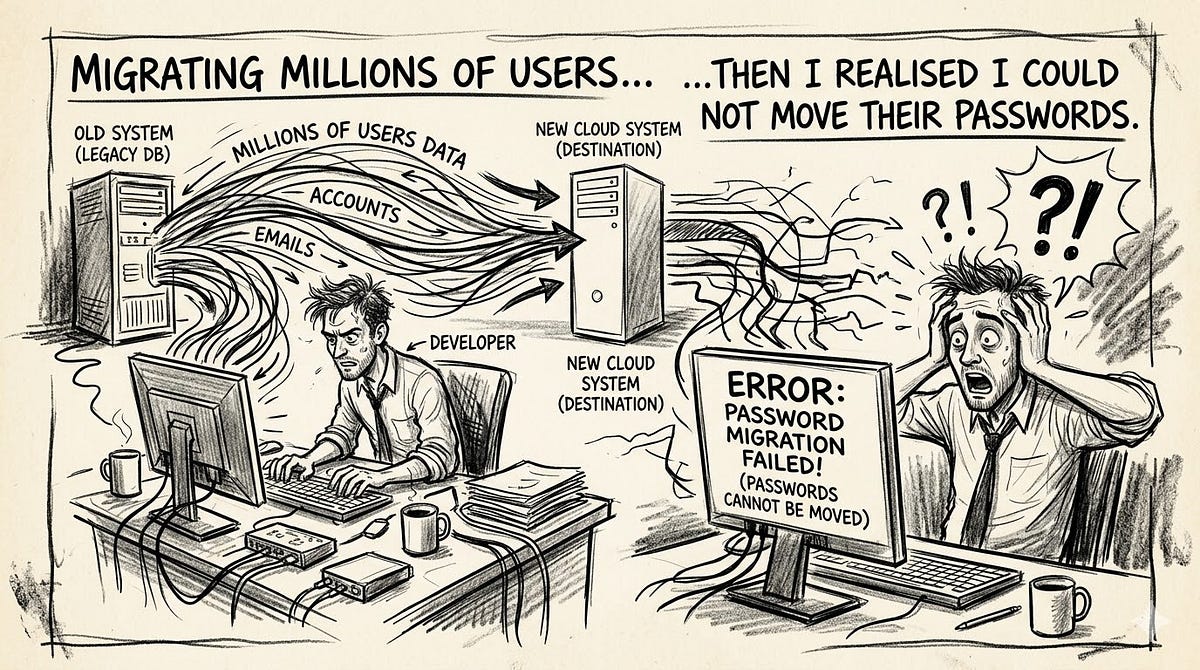
We had 2.3 million user records to move from one system to another. The old system was a legacy PHP application the client had been paying maintenance on for nine years. The new system was a proper Laravel application with a real deployment pipeline, a proper database and infrastructure that did not live on a single hosting account.
Scoping the migration took about two weeks. Data structures, foreign key relationships, UUID versus integer primary keys, timestamp formats, normalising email casing. Most of it was mechanical. Map this column to that column. Write the transformation. Test it.
Then I reached the password column.
The old system stored passwords as plain MD5. No salt. Just md5($password) written straight to the database.
I knew MD5 was wrong. What I had not fully thought through was that moving to a properly hashed system is not just a schema change. It forces a decision about what to do with millions of records you cannot decrypt. The hash is one-way. You can verify that a given input produces a given output. You cannot go the other direction.
Before you can choose how to handle the migration, you need to answer one question: do you know what the old system used?
The Gate That Determines Everything
Every strategy in a password migration depends on whether you know the original hashing algorithm.
If you know it, you can verify passwords during authentication. You can copy hashes, rehash on login or wrap the existing hash inside a stronger one. All three paths are open.
If you do not know it, you cannot verify anything. Forced reset is your only honest option.
This sounds simple but it is where most migrations run into trouble. The old system might have used bcrypt, but what cost factor? MD5 with or without a salt? SHA-1 with a pepper stored somewhere else? If the vendor who built the original system will not tell you, or does not remember, or is no longer reachable, you are effectively locked out of the algorithm-aware strategies. Most of the time, in my experience, vendors do not share this detail willingly. It gets treated as proprietary implementation detail even when it is just md5().
So the decision tree is this:
- Do you know the old algorithm? Yes: Options 1, 3 and 4 are available.
- Do you not know the old algorithm? Option 2 is your path.
Option 1: Direct Copy (Same Algorithm, Both Sides)
If the old and new systems use the same hashing algorithm with the same configuration, you copy the password column as-is. The hash that verified a login on the old system will verify a login on the new one. Users notice nothing.
Laravel stores the algorithm and its parameters inside the hash string itself using the PHC string format. A bcrypt hash produced with cost factor 12 will start with $2b$12$. Argon2id hashes encode memory, iterations and parallelism in the string. This means compatibility is often easier to verify than you expect: read a few stored hashes, decode the prefix, confirm the settings match your new system's config/hashing.php.
Pros: Zero disruption. No user action required. The migration batch job is a direct INSERT. Easy to verify before go-live by testing known credentials against imported hashes.
Cons: You carry every weakness of the old algorithm into the new system. Copying bcrypt cost-factor-8 hashes into a system configured for cost-factor-12 means those users are still protected at cost-factor-8 until they trigger a rehash. Copying unsalted MD5 hashes means you have unsalted MD5 in your shiny new database.
Direct copy should always be paired with Option 3 so that the security gap closes over time as users log in.
Option 2: Force Password Reset (When the Algorithm Is Unknown)
When you do not know the old algorithm, you cannot verify old passwords at all. The only forward path is to invalidate all existing hashes and require users to set new ones.
This is not a bad outcome. Done properly, it is the cleanest migration you can run. Every user in the new system starts with a hash produced by the correct algorithm from day one. No legacy code paths, no dual-algorithm verification, no residual MD5 sitting in dormant rows.
Done badly, it costs you a significant share of your user base.
How to do a forced reset correctly:
Start communication three to four weeks before the migration date, not three days. Send a plain-language email explaining that the system is being upgraded, passwords will need to be reset and here is when it happens. Send a reminder one week out and another the day before. Users who see it coming complete the reset. Users who are surprised by it abandon the account.
On migration day, do not delete the old hash or set the field to null. Set a separate boolean flag like requires_password_reset = true. When a user hits the login endpoint, check this flag before verifying the password. If it is set, redirect them to the reset flow immediately rather than telling them their password is wrong. The experience is "we upgraded the system, set a new password here" rather than "invalid credentials" with no explanation. That difference matters for completion rates.
The reset email must be one click. Email arrives, link visible above the fold, tap or click, new password field, done. Each additional step loses a percentage of users who were willing to reset but not willing to navigate. Test it on a phone on a slow connection before launch.
Accounts with bouncing email addresses need a separate policy. You cannot reset a password for an address you cannot reach. The honest approach is a grace period, typically 30 to 90 days depending on your product, followed by account suspension with a path to reactivation via identity verification. Do not delete these accounts. Some of those users will return and will contact support. Deletion without notice can create legal exposure depending on your data obligations.
Pros: Complete and immediate. The new system is algorithmically clean from day one. No legacy verification code.
Cons: Guaranteed churn from dormant accounts and users who do not complete the reset. For consumer products with casual engagement, this number can be significant. For enterprise or B2B products with daily logins, the impact is manageable.
Option 3: Lazy Rehash on Next Login
This option requires Option 1 as a prerequisite. You can only rehash at login if you can verify the old password at login, which requires knowing the old algorithm.
The pattern: copy existing hashes into the new system alongside a marker indicating the old algorithm. During authentication, check which algorithm the stored hash was produced with. If it is the old one, verify using the old algorithm. If it matches, immediately hash the plaintext with the new algorithm, overwrite the stored hash and update the marker. From that login forward, the user is on the new algorithm.
// Authentication handler - pseudocode, not framework-specific
$user = User::findByEmail($email);

if ($user->hash_algorithm === 'md5_legacy') {
    if (md5($inputPassword) === $user->password) {
        // Verified via old algorithm, upgrade immediately
        $user->password = Hash::make($inputPassword); // Argon2id via config
        $user->hash_algorithm = 'argon2id';
        $user->save();
        return loginSuccess($user);
    }
} else {
    if (Hash::check($inputPassword, $user->password)) {
        // Check if cost factor needs upgrading
        if (Hash::needsRehash($user->password)) {
            $user->password = Hash::make($inputPassword);
            $user->save();
        }
        return loginSuccess($user);
    }
}
return loginFail();
Laravel’s Hash::needsRehash() handles the ongoing case: if you later increase cost factors, it returns true for any hash produced under the old settings, and the same rehash-on-login logic upgrades them silently.
Pros: No forced user action. Active users upgrade themselves within days of go-live. The authentication code change is minimal.
Cons: The migration never fully completes on its own. Dormant accounts retain old hashes indefinitely. For a 2.3 million user database where a third of accounts have not logged in within the past year, you could still have over 700,000 MD5 hashes in production twelve months after migration. That is the honest picture.
Option 4: Wrapped Hash (Option 1 in Batch Plus Option 3 at Login)
Your feedback on this was right: Option 4 is Option 1 and Option 3 combined, reordered. It also requires knowing the old algorithm.
The sequence is: run a batch job that takes every existing hash and runs it through the new algorithm, treating the old hash string as the input. Every row becomes argon2id(md5hash) or bcrypt(md5hash). Then at login, Option 3 takes over: verify the input by replicating the inner layer and checking against the outer, then replace the whole thing with a direct hash on first login.
// Batch job: wrap all MD5 hashes in Argon2id overnight
User::where('hash_algorithm', 'md5_legacy')
    ->chunkById(500, function ($users) {
        foreach ($users as $user) {
            WrapPasswordHash::dispatch($user->id);
        }
    });


// Job class
public function handle(): void
{
    $user = User::find($this->userId);
    if (!$user || $user->hash_algorithm !== 'md5_legacy') {
        return;
    }
    // Feed the existing MD5 hash string into Argon2id
    $user->password = Hash::make($user->password);
    $user->hash_algorithm = 'wrapped_argon2id';
    $user->save();
}
At login, you verify by replicating the inner layer and comparing:
if ($user->hash_algorithm === 'wrapped_argon2id') {
    $innerHash = md5($inputPassword); // recreate the MD5 layer
    if (Hash::check($innerHash, $user->password)) {
        // Upgrade to direct Argon2id and remove the wrapper
        $user->password = Hash::make($inputPassword);
        $user->hash_algorithm = 'argon2id';
        $user->save();
        return loginSuccess($user);
    }
}
This has a known attack against it called hash shucking. Because the inner layer is MD5, an attacker who knows the wrapping scheme can attack the outer Argon2id to recover the MD5 hash, then attack that MD5 directly using rainbow tables or brute force. The wrapped hash is a meaningful improvement over bare MD5, but it is a transitional state, not a destination. Every user who logs in and gets upgraded to a direct hash removes the exposure. The wrapped approach protects dormant accounts in the interim while the active population migrates naturally.
Do not chain this with bcrypt as the outer layer if passwords might be longer than 72 characters. bcrypt truncates input at 72 bytes, so a base64-encoded hash fed into bcrypt may hit this limit unpredictably. Argon2id and PBKDF2 have no such truncation ceiling.
Pros: Every account gets some upgrade overnight, including dormant ones. Active users then complete the full upgrade on next login.
Cons: Hash shucking attack exists against the wrapped state. More complex login path during the transition. Still requires knowing the old algorithm.
The Part Nobody Budgets For: The Batch Is Slow
This is where real migrations get stuck. And where Laravel quietly becomes the wrong tool for the job.
The maths first. Argon2id at OWASP minimum settings (19 MiB memory, 2 iterations, 1 parallelism) takes approximately 150 to 200 milliseconds per hash on a typical server CPU. bcrypt at cost factor 12 takes around 250 to 350 milliseconds. Run those numbers against a 2 million row table and single-threaded you are looking at 55 to 90 hours of continuous processing. Even at 20 parallel workers, you are still measuring in days.
The instinct is to reach for Laravel queues. You already have them set up. You know how to use them. For small migrations, tens of thousands of rows, they are fine. For millions of rows, they compound the problem in ways that are not obvious until your worker instance is unresponsive at 3am.
Why Laravel queues fail at scale for this specific workload:
Each php artisan queue:work process is a full PHP interpreter booting the entire Laravel framework before it processes a single job. On a typical application, that baseline cost is 30 to 50 MB of RAM consumed before any hashing starts. The default memory ceiling in queue:work is 128 MB per worker process, hardcoded in the framework regardless of what you set in php.ini. Argon2id at 64 MiB per hash plus the 30 to 50 MB Laravel baseline means each worker is sitting close to that ceiling from the first job.
PHP was designed to die. A request comes in, PHP runs, PHP exits, memory is freed. Long-running queue workers go against that design. References accumulate over time that PHP’s garbage collector does not detect as reclaimable. The standard documented fix is to kill the worker periodically with --max-jobs and let Supervisor restart it. That is a workaround for a structural mismatch, not a solution. In a migration running overnight against 2 million rows, you are scheduling thousands of restarts and hoping the accounting between Redis and the database stays consistent across each one.
Scaling to 20 parallel Laravel workers means 20 separate PHP processes, 20 framework bootstraps, 20 copies of your service container in memory, all competing for the same CPU. The overhead is not the hashing. The overhead is everything else PHP is carrying.
Use Go for the batch worker instead.
A goroutine in Go starts with a 2 KB stack. The Go runtime grows and shrinks it as needed. A Go binary is compiled and statically linked: no interpreter, no framework, no service container, no autoloader. The entire migration worker, including database driver and Argon2id library, might be 20 to 30 MB as a single binary. Compare that to 30 to 50 MB per Laravel worker process before a single job runs.
Within one Go process, you can run a controlled worker pool using goroutines and a buffered channel as the job queue. The concurrency does not require multiple processes or a Redis backend:
package main

import (
    "database/sql"
    "fmt"
    "sync"
    "sync/atomic"
    "golang.org/x/crypto/argon2"
    _ "github.com/go-sql-driver/mysql"
)
type User struct {
    ID       int64
    Password string
}
func main() {
    db, _ := sql.Open("mysql", "user:pass@tcp(host:3306)/dbname")
    defer db.Close()
    const workers = 20     // tune based on RAM / argon2 memory cost
    const argonMemory = 64 * 1024 // 64 MiB in KB
    jobs := make(chan User, workers*2)
    var wg sync.WaitGroup
    var processed int64
    // Spawn worker pool
    for i := 0; i < workers; i++ {
        wg.Add(1)
        go func() {
            defer wg.Done()
            for user := range jobs {
                // Argon2id: memory 64MiB, time 2, threads 1, keyLen 32
                salt := generateSalt() // crypto/rand, 16 bytes
                hash := argon2.IDKey([]byte(user.Password), salt, 2, argonMemory, 1, 32)
                newHash := encodeArgon2Hash(hash, salt) // PHC string format
                db.Exec(
                    "UPDATE users SET password=?, hash_algorithm='argon2id' WHERE id=?",
                    newHash, user.ID,
                )
                count := atomic.AddInt64(&processed, 1)
                if count%1000 == 0 {
                    fmt.Printf("Processed %d rows\n", count)
                }
            }
        }()
    }
    // Stream rows from DB, feed into channel
    rows, _ := db.Query("SELECT id, password FROM users WHERE hash_algorithm='md5_legacy'")
    defer rows.Close()
    for rows.Next() {
        var u User
        rows.Scan(&u.ID, &u.Password)
        jobs <- u // blocks if all workers are busy
    }
    close(jobs)
    wg.Wait()
    fmt.Printf("Migration complete: %d rows\n", processed)
}
The key difference is that jobs <- u blocks naturally when the worker pool is saturated. You do not need Redis, you do not need Supervisor, you do not need to think about worker restarts or memory ceilings. The Go runtime schedules goroutines cooperatively across the available CPU cores.
The ceiling in Go is still the algorithm cost, not the language.
This is important to understand correctly. Running 20 goroutines each performing Argon2id at 64 MiB memory means 1.28 GB of RAM consumed by hashing alone at peak concurrency. Go is not exempt from this. The difference is that everything outside the hashing, DB reads, DB writes, job routing and progress tracking, costs kilobytes instead of megabytes. The headroom you recover from removing Laravel overhead goes directly into more parallel hashing capacity.
Set your workers constant based on: (available RAM - Go binary overhead) / (Argon2id memory cost per hash). On a 4 GB worker instance with 64 MiB per hash, the theoretical ceiling is around 60 goroutines. In practice, 20 to 30 is a safer ceiling once you account for DB connection overhead and OS memory reservations.
At 20 workers processing at 200ms each, 2 million rows complete in roughly 5.5 hours. At 30 workers, around 3.7 hours. These estimates assume the database write path is not the bottleneck. If it is, batch the UPDATE statements rather than writing row by row.
One more consideration on cost factor:
Lower algorithm parameters for the batch wrap pass are acceptable. The wrap pass exists to remove bare MD5 exposure from dormant accounts. It is a transitional state. A bcrypt cost factor of 10 instead of 12 roughly halves processing time and still protects dormant rows against offline attack far better than MD5. Document the decision explicitly: these hashes are wrap-layer protection pending direct rehash on next login, not final production-grade storage. Argon2id with 19 MiB and 1 iteration instead of 2 is similarly a defensible choice for the batch pass if throughput is the constraint.
The Honest Summary
The decision tree in order:
First, find out what the old system used. Check the stored hash strings: bcrypt hashes start with $2b$ or $2a$, Argon2id with $argon2id$, MD5 is a 32-character hex string. If you cannot confirm it, check the source code if you have access. If neither is available, assume you do not know and go to forced reset.
If you know the algorithm and both systems use the same one: direct copy (Option 1), then rehash on login (Option 3) to handle the cost factor upgrade over time.
If you know the algorithm but it is weaker than what the new system requires: batch-wrap overnight (Option 4), rehash on login as users return. Expire dormant accounts after a defined period.
If you do not know the algorithm: forced reset (Option 2). Communicate early, make the reset flow one step, handle bouncing addresses as suspended accounts rather than deletions.
In every case, budget for the batch. Provision a dedicated worker instance, test your parallelism settings before running against production data, schedule it off-peak and monitor memory.
The nine-year-old MD5 database I described at the start took about 11 hours to fully wrap across 2.3 million rows. The Go worker ran with 12 goroutines on a dedicated instance, constrained at that number because Argon2id at 64 MiB per hash on a 2 GB instance did not leave room for more. At 200ms per hash with 12 goroutines running in parallel, 2.3 million rows works out to roughly 10.5 hours, which is what we saw. The active population was fully migrated to direct Argon2id within six weeks as users logged in and triggered the rehash-on-login path. The dormant tail is still being retired on a rolling basis by account expiry policy.
It was not fast. The algorithm cost is what it is. But the Go worker ran without a single restart, without a queue backend and without a memory incident. We just waited for it to finish.


