It looks like a job queue. It is not. Here is what it actually does to your workers.
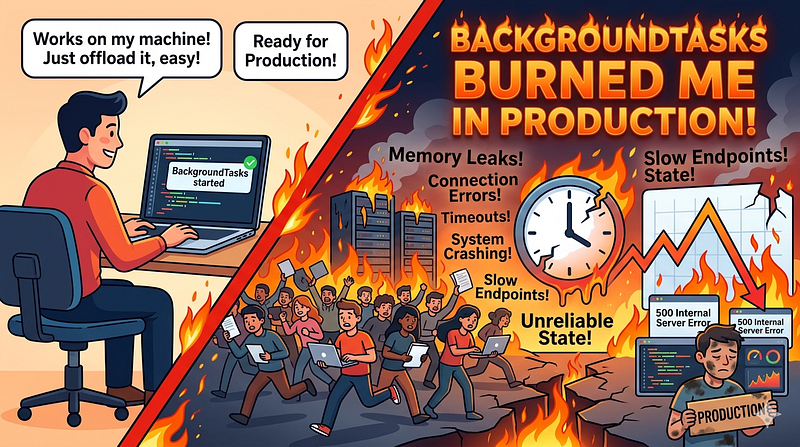
Every week, someone discovers FastAPI’s BackgroundTasks API, wires up an email sender or a webhook dispatcher, ships it to production and spends three days wondering why tasks stopped running under load.
The feature looks clean. The docs are friendly. The code is maybe five lines. And that is exactly the problem.
What BackgroundTasks Actually Is
BackgroundTasks is not a job queue. It is not a message broker. It does not spawn separate worker processes. It is a Starlette feature (FastAPI inherits it directly from starlette.background) that runs your tasks in the same process, after the HTTP response has been sent.
Here is what that means in practice: async tasks are awaited directly in the event loop, sync tasks are pushed into a threadpool and block that pool slot until they finish, tasks in flight die when the process dies and there is no persistence layer, no retry mechanism and no status tracking anywhere in the system.
That is not a criticism of the design. It is designed this way intentionally. The official documentation says this clearly. Most developers skim past that paragraph.
The name does not help. “BackgroundTasks” implies something running separately, independently, safely detached from your main application thread. None of that is true. A better name would be “PostResponseTasks” but that ship has long sailed.
The False Confidence of a Simple Example
from fastapi import FastAPI, BackgroundTasks

app = FastAPI()
def send_welcome_email(email: str):
    # imaginary email client
    email_client.send(to=email, template="welcome")
@app.post("/register")
async def register(email: str, background_tasks: BackgroundTasks):
    create_user(email)
    background_tasks.add_task(send_welcome_email, email)
    return {"status": "registered"}
This looks fine. For local development and low-traffic apps, it is fine. Under real load, the situation changes quickly.
Spin up four uvicorn workers. Five hundred concurrent registrations hit your API. Your email client is making network calls. Those sync tasks pile into the threadpool, saturate it and leave everything from your database queries to your health check waiting for threads that are busy sending emails.
You have introduced a bottleneck so subtle it will not show up in your unit tests or your staging environment. It will show up on a Tuesday afternoon when your campaign email triggers a signup spike. Your error rate chart stays clean. Your latency chart does not.
The Four Production Failure Modes
No persistence. Your server restarts during a deployment. Every task that was queued and not yet executed is gone. No log, no retry, no dead-letter queue. If you were sending 200 post-signup emails, those users get nothing. Your observability tools will show a clean deployment. Your users will show up in support tickets.
No task state. You cannot ask “is this task running?” You cannot surface a job ID to the user. You cannot build a status endpoint. You cannot write an admin panel that shows task progress. BackgroundTasks is a fire-and-forget primitive. If your product requires any feedback loop on async work, you are building that feedback loop somewhere else, against a system that gives you nothing to work with.
No horizontal scaling. You have three pods running in Kubernetes. A task gets queued in pod one. Pod two and pod three know nothing about it. You cannot distribute work across them from inside BackgroundTasks. You cannot fan out, you cannot load balance tasks and you cannot drain a pod gracefully without losing whatever it was running.
CPU-intensive tasks can freeze your API. If your task is CPU-bound and you call it without properly offloading it to a thread, it blocks the event loop and pauses your entire async application until it finishes. This is not a theoretical risk. It happens whenever a developer adds image processing, PDF generation or any non-trivial computation to a background task without thinking carefully about how Starlette dispatches it.
The Threadpool Problem Is Worse Than You Think
Most developers understand the “same process” limitation in theory. What they underestimate is how quickly the threadpool saturates in practice.
Uvicorn uses a default threadpool size inherited from Python’s ThreadPoolExecutor, which defaults to min(32, os.cpu_count() + 4). On a two-core machine that is six threads. Six. If your background task does any I/O (email, HTTP calls, database writes), those six slots fill fast under concurrent load.
When the threadpool is saturated, your sync route handlers also start queuing for threads. Your API does not slow down gracefully. It starts timing out. And from the outside it looks exactly like a database problem or a memory leak.
You will spend hours in the wrong place before someone suggests looking at threadpool exhaustion.
import concurrent.futures
import asyncio

# This is what Starlette does internally for sync background tasks
loop = asyncio.get_event_loop()
executor = concurrent.futures.ThreadPoolExecutor(max_workers=None)  # Python default
loop.run_in_executor(executor, your_sync_background_task)
That shared executor is used by everything running inside your ASGI app. Background tasks are not isolated from the rest of your application’s thread usage. They compete for the same pool.
When BackgroundTasks Is Actually Correct
I want to be precise here. BackgroundTasks is not wrong. It is wrong when used for work it was not designed to handle.
It is the right tool when the task is genuinely lightweight (a non-critical audit log write, an in-memory cache invalidation, a counter increment), when failure is acceptable and silent loss does not break your product’s contract with users, when the task completes in milliseconds with no external network calls and when you are not running at a scale where threadpool saturation becomes a real concern.
A lot of internal tools and low-volume services never outgrow this. If you are running a small admin dashboard or a low-frequency webhook processor, BackgroundTasks is sufficient. The problem is that developers use it for the wrong category of work, scale the application without changing the task infrastructure and discover the gap the hard way.
What to Use Instead
For anything that needs reliability in production, you have two main choices depending on your stack.
ARQ (Async Redis Queue) is the async-native option. It is designed specifically for async Python frameworks, uses Redis as a broker and integrates cleanly with FastAPI. Tasks run in separate worker processes, state is persisted in Redis and you get retry logic and job tracking with minimal configuration.
# worker.py
from arq import create_pool
from arq.connections import RedisSettings

async def send_welcome_email(ctx, email: str):
    await email_client.send(to=email, template="welcome")
class WorkerSettings:
    functions = [send_welcome_email]
    redis_settings = RedisSettings()
# api.py
@app.post("/register")
async def register(email: str):
    create_user(email)
    redis = await create_pool(RedisSettings())
    await redis.enqueue_job("send_welcome_email", email)
    return {"status": "registered"}
The task is now decoupled from your API process. Your API stays fast. Your workers scale independently. Redis persists the job even if your API pod dies before a worker picks it up. You can inspect queue depth. You can retry failed jobs. You can track job state.
That is the gap between BackgroundTasks and an actual task system.
Celery remains the battle-tested choice for teams that need something with a longer track record, broader integrations and more operational familiarity. It requires more setup: a broker (Redis or RabbitMQ), a result backend and separate worker processes. The configuration surface is larger, and the synchronous-to-async impedance mismatch is a real friction point if your codebase is fully async. But Celery has been in production at scale for over a decade and the operational patterns around it are well understood.
For most FastAPI shops building async microservices, ARQ is the better fit. For larger teams that already operate Celery workers across multiple services, the consistency is worth the overhead.
The Observability Blind Spot
Here is something nobody writes about: BackgroundTasks fails silently by default.
When a background task raises an exception, FastAPI logs it and moves on. There is no alerting. There is no dead-letter queue. There is no retry. From your metrics dashboard, the endpoint returned 200. The task that followed it failed completely and you have no way to know unless you are actively watching logs.
Compare that to ARQ, where a failed job sits in a failed queue in Redis. You can query it, inspect the traceback, retry it manually or trigger a Slack alert. The failure surface is visible.
This is where BackgroundTasks bites teams at a particularly awkward moment. The application looks healthy. The endpoint is fast. The users are quietly not receiving their welcome emails. Nobody finds out until someone notices in a support queue review three days later.
If you are going to use BackgroundTasks for anything beyond truly throwaway operations, wrap every task in explicit error handling and push failures somewhere observable. It is extra work that would not exist if you used a proper queue.
The Decision Framework
Before wiring up any task system, ask three questions.
First: can losing this task silently be acceptable? If the answer is no, BackgroundTasks is out immediately.
Second: does the task finish in under 100ms with no network calls and no CPU work? If yes, BackgroundTasks might be genuinely appropriate.
Third: will you need task status, retries or the ability to scale workers independently in the next six months? If yes, start with a proper queue now. The migration from BackgroundTasks to ARQ later is not difficult, but it is unnecessary work you could have avoided at the design stage.
The API contract on your endpoints does not change when you switch. The infrastructure does. Do it before the traffic forces your hand.
The Part Everyone Skips
The FastAPI documentation for BackgroundTasks includes this sentence: “If you need heavy background computation and you don’t necessarily need it to be run by the same process… you might benefit from using other bigger tools like Celery.”
That sentence has been in the docs since day one. It is not hidden. It is not buried in a footnote.
Nobody reads it until something breaks in production.
The pattern repeats constantly: developer picks the simplest API that solves the immediate problem, ships it, hits a wall at scale and then retrofits a proper task queue under existing code. The simplest API was the wrong choice, but it looked right at the time because the failure modes only appear at a load that never exists in development.
There is a version of this conversation that happens inside every engineering team that scaled a FastAPI service past its first serious traffic event. Someone finds the threadpool exhaustion. Someone else traces it back to a BackgroundTasks call that was there since week one. Everyone agrees it should have been ARQ from the start. Nobody goes back and writes the post-mortem.
Write the post-mortem in advance. It is called architecture.
Pick the right tool before you ship. Your users’ email inboxes are depending on it.


