The hard part is not sending the email. It is controlling every trust boundary around it.
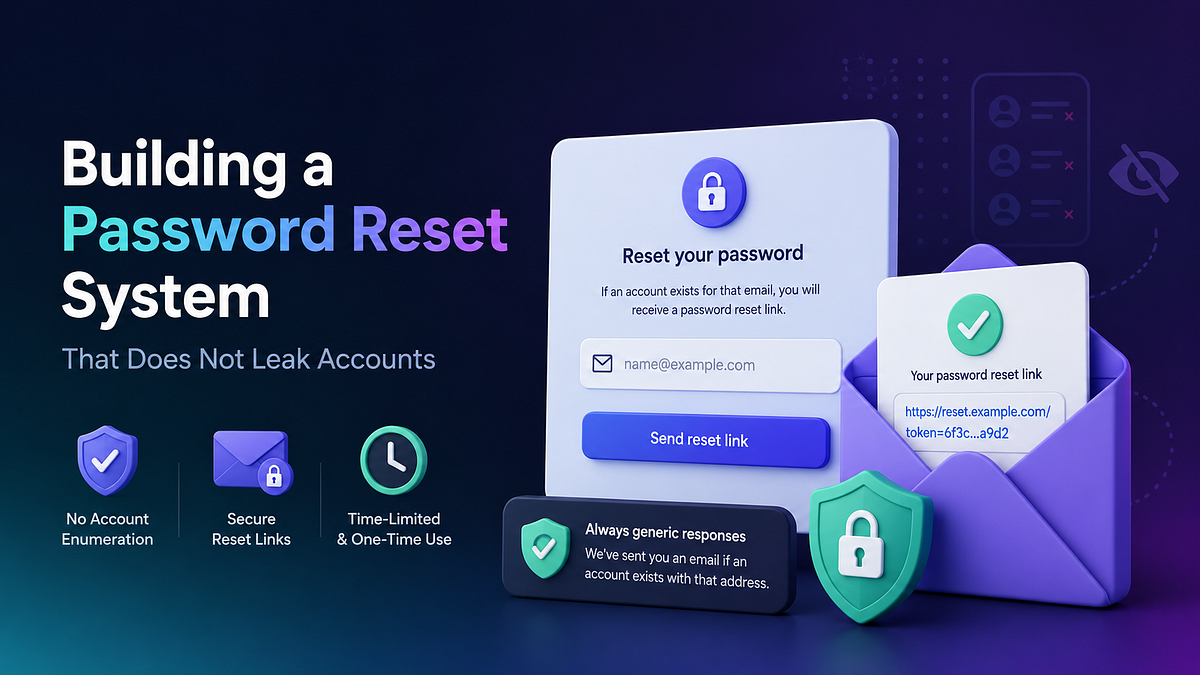
Most teams treat password reset like a support feature. A form takes an email address, the backend sends a link, the user sets a new password, everyone moves on.
That is the wrong mental model.
A password reset flow is an authentication bypass you built on purpose. It is the one place in your system where someone can recover control of an account without knowing the current password. If you design it like a convenience form, you do not get a convenience bug. You get account enumeration, token abuse, host header poisoning, inbox flooding, or a reset link that points at an attacker-controlled domain.
The ugly part is that the login endpoint usually gets the serious design review. The reset flow often arrives later, after the main auth work is “done”, and it gets wired together with whatever mail, queue and URL-generation defaults already exist in the project. That is how security-sensitive code ends up behaving like glue code.
Password Reset Is a Separate Auth System
If you strip away the UI, a reset flow has the same core responsibility as login. It decides whether a claimant can become a user again.
That means the flow needs explicit requirements.
Functional requirements
- Accept a reset request without revealing whether the account exists
- A temporary recovery secret
- Deliver it over a side channel the user already controls
- Verify the secret exactly once
- Password change
- Revoke the old authentication state after the reset completes
Security requirements
- Request path resistant to account enumeration
- Prevent brute-force attempts against tokens or codes
- No reset links derived from untrusted hosts
- Ensure tokens expire and cannot be reused
- Keep email delivery and database state consistent
- Record enough audit data to investigate abuse later
The phrase “temporary recovery secret” matters because it forces the right model: treat the reset token like a capability, since whoever holds it can cross the boundary back into the account. This is not email decoration at all. It is the credential.
The First Leak Usually Happens Before the Email
OWASP’s forgot password guidance is blunt about two things: return the same message for existing and non-existing accounts, and make the response time uniform. That sounds easy until you watch how real code drifts.
A common implementation does this:
- Validate the email
- Query the user table
- If no user exists, return immediately
- If a user exists, issue a token, queue an email, maybe write an audit record, then return
The HTTP body might still say the same thing in both cases. The behavior does not.
The missing-account path exits fast. The existing-account path touches storage, mail, logs and sometimes queue infrastructure. If an attacker measures that gap over enough requests, your friendly generic response has still leaked the truth.
Worse, teams often move the real side effects into a background worker and assume the problem is solved. It is only solved if the synchronous path still does comparable work for both cases. Otherwise you have just hidden the leak one layer deeper.
Use a request flow that assumes enumeration attempts will happen:
- Normalize the email address before lookup.
- Apply rate limits by account key and by IP.
- Follow the same code path whether or not the user exists.
- Return the same response body and the same status code.
- Keep user-visible behavior boring.
# Pseudocode only - verify against official docs before use.
normalize(email)
enforce_rate_limit(ip, email)

user = find_user_by_email(email)

if user exists:
    issue_reset_token(user)
    queue_reset_notification_after_commit(user, token)
else:
    burn_comparable_work_budget()

return 202, "If the account exists, we sent reset instructions."
The burn_comparable_work_budget() line is where teams get annoyed, because it feels inefficient. Good. Security-sensitive code is allowed to be slightly inconvenient for you. It is not allowed to be convenient for an attacker.
OWASP also calls out a second abuse pattern that gets less attention: reset request flooding. A hostile actor does not need to take over an account to make life painful. They can hammer the endpoint and bury the victim’s inbox or SMS channel in reset messages. Per-account throttling is not optional.
NIST’s authentication guidance lands on the same point from a different angle. Rate limiting is one of the primary defenses against online guessing. In practice that means your reset flow should limit both the request that issues the recovery credential and the endpoint that verifies it.
The Link Itself Is an Attack Surface
The reset link is where a lot of otherwise competent implementations become fragile.
You know the pattern: the application receives a request on app.example.com, reads the request host, builds an absolute URL, then mails that URL to the user. It feels harmless because generating a link does not feel like a security decision.
It is a security decision.
OWASP explicitly warns not to rely on the Host header while creating reset URLs. Laravel’s own password reset documentation carries the same warning in framework language: if you do not control which hosts the application responds to, the Host header can influence absolute URLs, and that is particularly important for password reset functionality.
This is exactly how you end up with a password reset email that points to an attacker-controlled host. The victim clicks a legitimate email, lands on the wrong origin, and hands the recovery secret to someone else.
The fix is simple, but it has to be deliberate:
- Build reset URLs from a trusted public origin, not from request input
- Reject or ignore unexpected hosts at the framework or proxy layer
- Keep the reset page on HTTPS only
Laravel gives you a clean hook for this:
use App\Models\User;
use Illuminate\Auth\Notifications\ResetPassword;

public function boot(): void
{
    ResetPassword::createUrlUsing(function (User $user, string $token) {
        return 'https://example.com/reset-password?token='.$token;
    });
}
That snippet is intentionally boring, and boring is the right outcome here. If your public reset origin is https://example.com, hardcode it or load it from a trusted config value. Do not let a request header decide where recovery credentials get sent.
If you operate behind multiple domains, use an allowlist and pick the destination from application configuration, tenant metadata, or another verified server-side source. Never from the inbound host alone.
Database Tokens Beat Cleverness More Often Than People Admit
This is where teams get ambitious.
They see a reset token and think, “Why store this at all? We can sign something stateless, mail it out, and skip the database write.”
You can. Sometimes that is fine. But the moment you need single-use behavior, manual revocation, selective invalidation, or support tooling, the so-called stateless design starts quietly growing state around the edges anyway.
Laravel’s default password reset broker uses server-side storage for a reason. In Laravel 12, the broker supports a database driver and a cache driver. Both give you a server-side place to control expiration and throttling. That is much closer to what real systems need.
Here is the practical trade-off.
Database-backed reset tokens
- Easy to revoke one token without disturbing others
- Easy to inspect during incident review
- Easy to expire and clean with scheduled jobs
- One more table to maintain
Cache-backed reset tokens
- No dedicated table
- Fine when your cache layer is already durable enough for auth support data
- Still server-side, so single-use and expiration remain under your control
- Easy to misuse if the reset store shares lifecycle with general cache clearing
Laravel’s docs make the cache caveat explicit: cache-backed reset entries are keyed by email, and you may want a separate store so a broad cache:clear does not wipe active reset data. That sounds small until the day operations clears cache during an incident and every active recovery flow dies with it.
Another detail from the docs matters more than people think: the broker configuration includes both expire and throttle.
- expire controls how long the recovery credential lives
- throttle controls how often another reset link can be issued
That pair is the whole game. A reset credential should live long enough for a normal human to open their email and act on it, but not so long that a stolen link remains useful for hours after the user has gone offline. At the same time, you need a resend policy that helps legitimate users without turning the endpoint into an inbox cannon.
If you are choosing between stateless novelty and server-side control, pick control.
Do Not Queue the Email Before the Token Is Real
This is the part that bites systems built by otherwise careful backend teams.
Suppose your reset request creates a token row, writes an audit event, and queues a notification. Suppose all of that happens inside a transaction because you do not want half-written state.
Good instinct.
Now suppose the notification job leaves the process before the transaction commits, the transaction rolls back, and the email still goes out.
You just mailed a credential that never actually existed in committed state.
From the user’s perspective, the system is haunted. They click the link, the app rejects it, and support gets a ticket that says “your reset email is broken.” From the security perspective, it is worse than annoying. You have broken the guarantee that issued credentials correspond to durable server state.
Laravel’s queue documentation calls this out directly. If the after_commit option is enabled, queued work dispatched inside a database transaction waits until the parent transactions commit. If the transaction rolls back, the queued jobs are discarded. The docs also note that this behavior applies to queued notifications, which is exactly what reset emails often are.
If your queue connection supports it, this is the cleanest default:
'redis' => [
    'driver' => 'redis',
    // ...
    'after_commit' => true,
],
If you cannot set that globally, use the per-dispatch equivalent for the specific job path.
This looks like a delivery detail, but it is part of the trust model. A recovery credential should not exist in the outside world before it exists in committed storage.
The Verification Endpoint Needs Its Own Defenses
Teams tend to spend all their attention on issuing the reset token, then treat the actual reset form as a routine password update. That is backwards. The verification endpoint is where an attacker spends their time after they have a stolen link, a guessed token, or a victim’s email address.
The reset form should validate four things together:
- The token is present and still valid
- The token belongs to the email address being submitted
- The password policy still passes
- The token has not already been consumed
That sounds obvious, but reset bugs often come from splitting those checks across too many layers. One layer validates the token format, another loads the user by email, a third updates the password, and a fourth clears the token. If those operations are not tied together cleanly, edge cases start appearing:
- A token is valid for one account but gets paired with another email
- The password changes even though the token should have been treated as spent
- Parallel submissions race each other and both appear to succeed
Keep the state transition small. The token should move from valid to spent in the same committed operation that updates the password. If you need an audit trail, write it in the same transaction too. Recovery credentials should not have a half-life where the password changed but the token still looks available.
This is also where brute-force protection shows up a second time. The endpoint that consumes the token needs its own limits. It is common to rate-limit only the request step because that feels like the public-facing one. The verification step is just as valuable to an attacker if the token space is small, the token leaks somewhere else, or the victim forwards the email into a compromised system.
The Reset Should Change More Than the Password
A completed password reset is not just a write to the users table.
It should trigger a small cleanup campaign across your auth state.
OWASP recommends not automatically logging the user in after reset. That is the right baseline. Reset and login are related flows, but they are not the same flow, and auto-login adds more session-handling complexity right where you want less.
Once the new password is set, do the boring cleanup that keeps the old state from hanging around:
- Invalidate the recovery token immediately.
- Revoke existing sessions, or at minimum offer the user a clear way to do it.
- Revoke long-lived refresh tokens if your stack uses them.
- Rotate any remember-me or persistent login artifacts.
- Send a notification that the password was changed.
- Write an audit event with actor, timestamp and source metadata.
This is also where small-team systems often cut corners. They update the password hash, clear the token, and call it done because global session revocation sounds like a feature for bigger companies.
It is not a big-company feature. It is the only moment when you know a high-risk credential transition just happened. If a stolen session cookie is still active after the reset, the attacker may not care that the password changed.
A Blueprint That Holds Up in Production
If I were building this for a small team with a Laravel backend, I would keep the design plain:
Request endpoint
- Accept email input
- Normalize and validate it
- Apply per-IP and per-account rate limits
- Follow the same outward flow whether or not the account exists
Reset broker
- Use server-side token storage
- Set a short expiration window
- Enforce resend throttling
- Mark tokens single-use
Mail path
- Build reset URLs from trusted config
- Queue notifications only after commit
- Keep the content minimal so the email itself leaks as little as possible
Reset completion endpoint
- Verify token, email and password policy
- Update the password hash
- Invalidate outstanding recovery state
- Revoke active sessions and persistent auth artifacts
- Record an audit event
- Notify the user that the reset happened
Operations layer
- Clear expired tokens on schedule
- Monitor request spikes against the reset endpoints
- Keep support playbooks for stolen-email and repeated-reset complaints
None of that is exotic. That is the point.
Before and After
Here is the difference between the reset flow most teams accidentally build and the one they should have built.
Before
- Missing account returns faster
- Existing account queues mail on the hot path
- Absolute reset URL comes from request host
- Token delivery can outlive a rolled-back transaction
- Password reset changes the password and not much else
After
- All requests return the same visible result
- Reset issuance is throttled and measured
- Public reset origin is trusted, fixed and boring
- Notifications leave the system only after durable commit
- Completing the reset revokes stale auth state, records an audit event and tells the user what happened
That is the jump from “forgot password works” to “forgot password is defensible.”
What Makes This System Hard
The hard part is not generating a token. The hard part is admitting that your recovery flow is a first-class authentication system and giving it the same design discipline as login.
Treat password reset like a side feature, and sooner or later it becomes the main way attackers enter.


